
TUTORIALS

Avengers Infinity War Themed Wallpapers on 3uTools

05/03/2018

7510

There’s only one thing that everyone is talking about nowadays: Avengers. The latest movie from Marvel in the MCU, Avengers: Infinity Wars, not only saw a whole bunch of superheroes assemble to fight a big bad monster, it also had some twists that is bound to shock many.


Chances are, you have already seen the movie and are planning to watch it again. So, you must be having the Avengers fever which is why we have collected some stunning Avengers-themed wallpaper for your iPhone or iPad. These wallpapers will surely help in reminding you of some of the epic showdowns in the movie, and it might just tempt you to watch the movie again this weekend. 


Here you can download Avengers infinity war theme wallpapers on 3uTools. 


Avengers Infinity War Themed Wallpapers on 3uTools


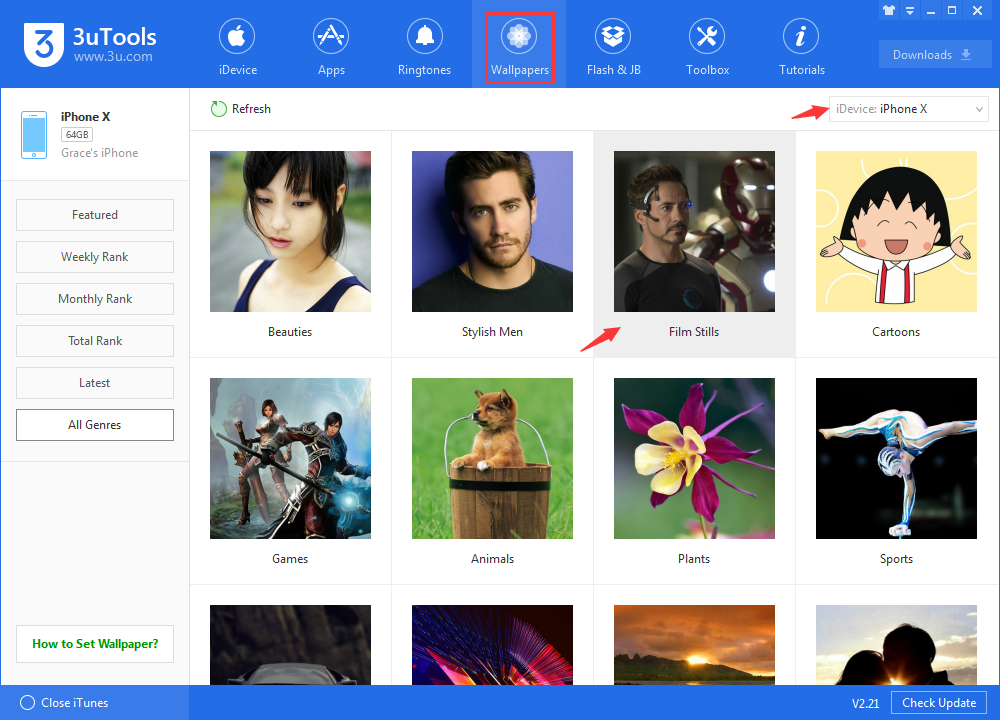
On Wallpapers, please select the your iDevice product, and then click "Film Stills".

Avengers Infinity War Themed Wallpapers on 3uTools


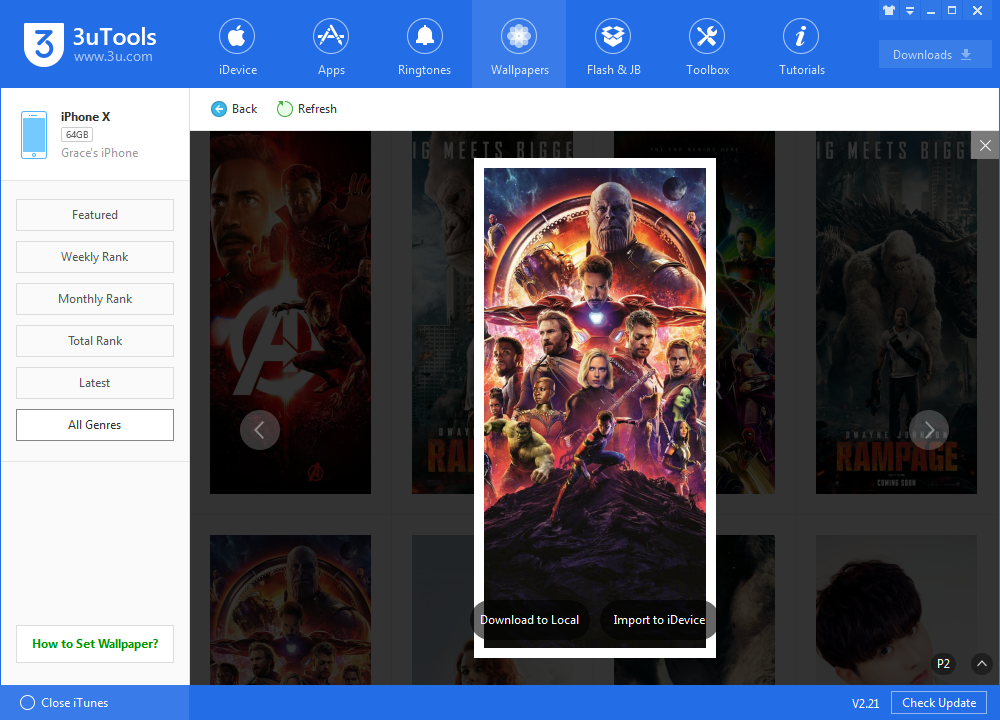
Here, you can find the Avengers theme wallpapers and then download to your device.

Avengers Infinity War Themed Wallpapers on 3uTools


If you want to delete the wallpapers downloaded from 3uTools, please click: How to Delete Wallpapers downloaded from 3uTools?


Windows
Mac OS
iOS
Linux
3uTools
Win 64-bit For this device
V9.0 2025-11-11
Download
Win 32-bit For this device
V9.0 2025-11-11
Download
3uTools
Intel Chip How to Identify Chip Type
V9.0 2025-12-02
Download
Apple Chip
V9.0 2025-12-02
Download
How to Identify Chip Type
1.  Click the Apple icon in the top-left corner of the screen and select About This Mac.
2.  Check the Processor or Chip field to determine if it is "Intel" or "Apple".
Please use the 3uTools PC client to install the iOS client:
1、 Install either the Windows or Mac version of 3uTools on your computer
2、 Open the PC client and connect your device to the computer via USB cable
3、 After the connection is successful, wait for the computer to automatically install the mobile app for the device, or locate “Install Mobile App” on the computer and manually click to install.
3uTools
deb file
V3.01 2025-11-20
Download
rpm file
V3.01 2025-11-20
Download
Windows
Windows
iOS
iOS
Android
Android
TV
TV
3uAirPlayer
Win 64-bit For this device
V6.0.2 2025-11-19
Download
Win 32-bit For this device
V6.0.2 2025-11-19
Download
iOS Device Mirroring (No App Required)
1、 Install 3uAirPlayer on the Windows PC
2、 Open Control Center and select Screen Mirroring
3、 From the list, choose your PC to start mirroring
4、 Or connect your iOS device to the PC via USB to begin mirroring
Scan to get "3uAirPlayer" App
3uAirPlayer TV V1.0.18
2025-11-28
TV System Requirements: Android 7.0 or later
Download the TV installation package, copy it to a USB drive, insert it into your TV or set-top box, then select the file from the home screen to install.




