
TUTORIALS

What's New in 3uTools V2.17?

01/10/2018

16338

V2.17 3uTools has just been released on 3rd, Nov,2017, arrived with first batch of iPhone X preorders. This version brings many amazing features in it, in case you need it, here we simply introduce some useful functions for you.


What's New in 3uTools V2.17?


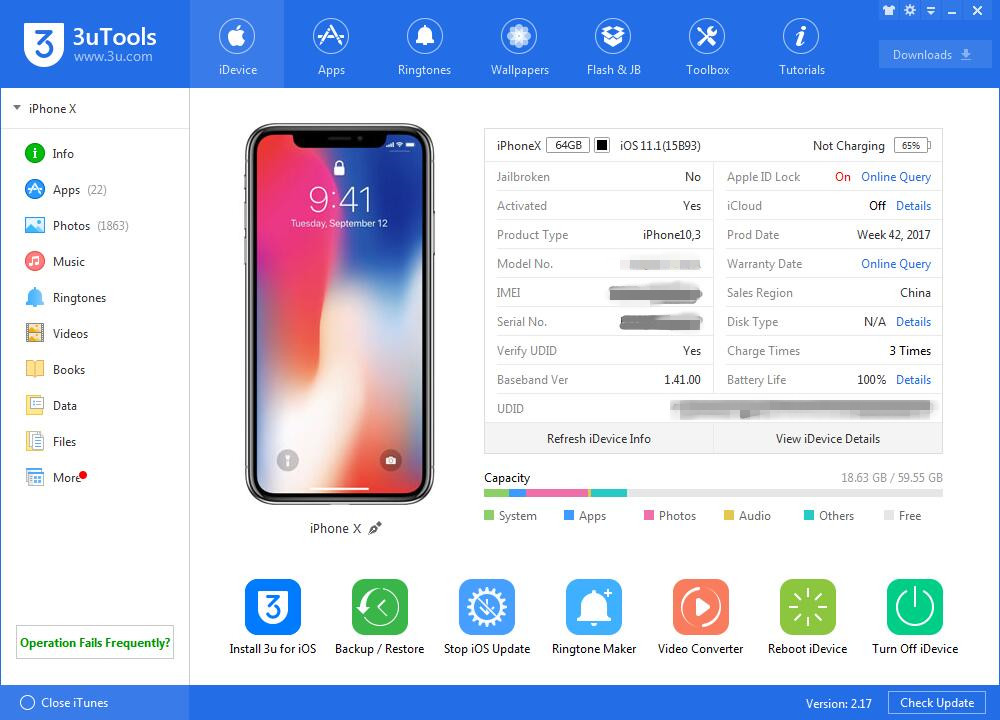
1. Support for new iPhone X


3u Team immediately worked for 3uTools V2.17 compatible with new iPhone X when we received it, latest 3uTools supports to manage your iPhone X better, and we also enhance the stability of flashing iPhone 5s, iPhone 8/8P, iPhone X.  

What's New in 3uTools V2.17?


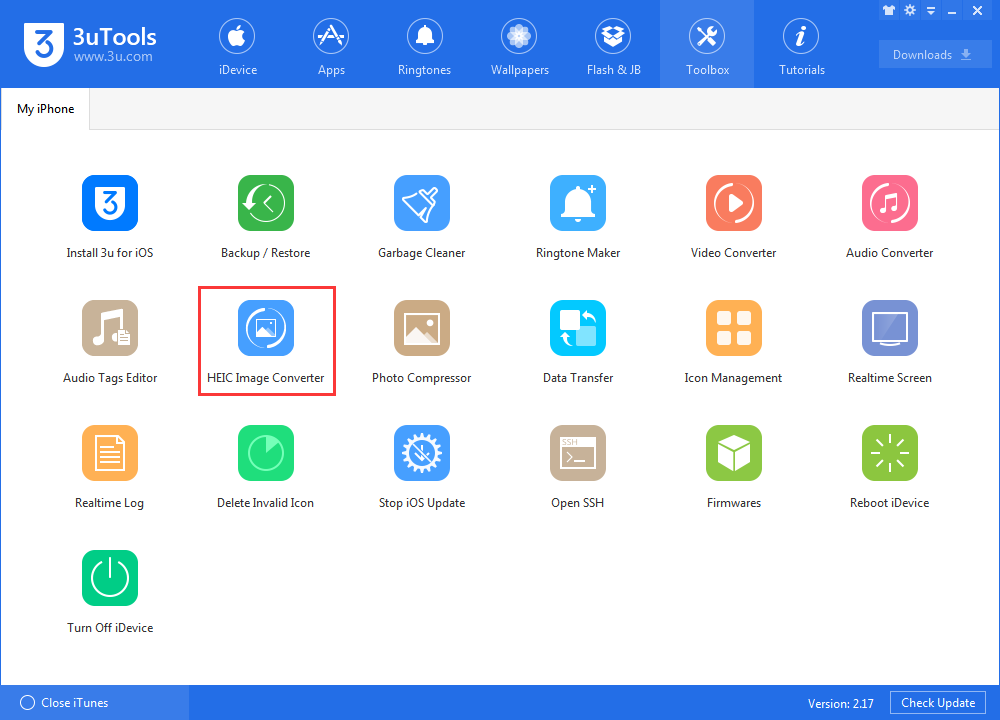
2. HEIC Image Converter: convert images from HEIC to JPG.


With the release of iOS 11, Apple announced that it was replacing JPEG files with a new image format called HEIC, which stands for High Efficiency Image Format. HEIC isn’t as compatible as JPGs. JPGs work everywhere, now 3uTools V2.17 supports both to view HEIC images, and convert images from HEIC format. 

You could read more about this new feature here.

What's New in 3uTools V2.17?


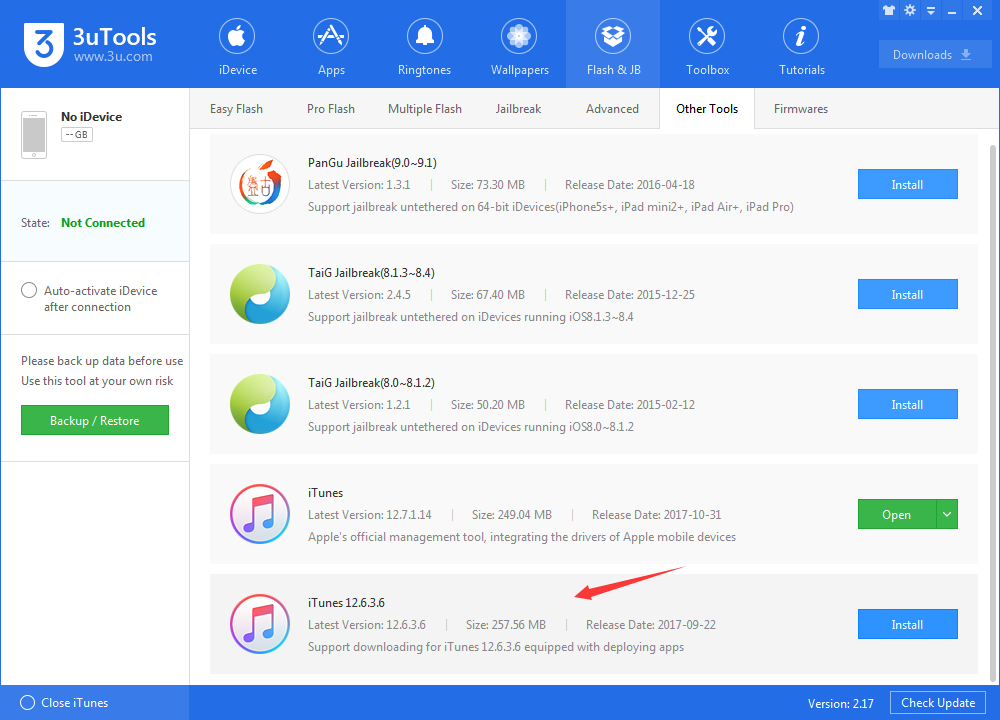
3. Download for iTunes 12.6.3 directly in 3uTools.


Apple quietly released iTunes version 12.7 for both Windows and macOS, and the most immediate change is that it no longer contains any options for syncing apps or ringtones to your iDevice. But now you can download iTunes 12.6.3 with App store in 3uTools "Other Tools" directly.

What's New in 3uTools V2.17?


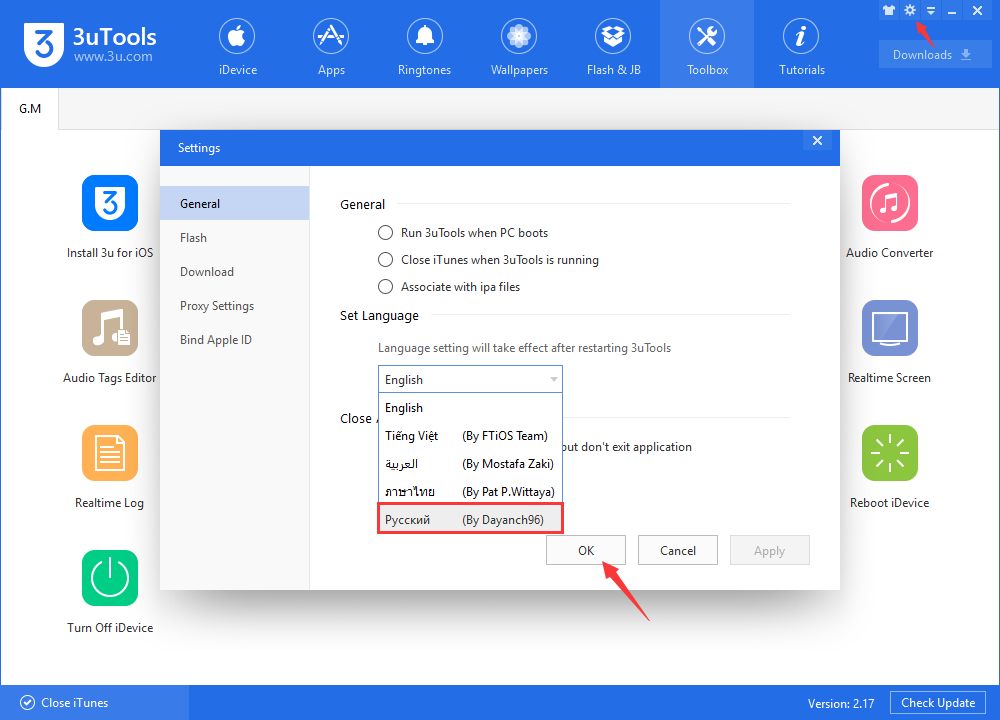
4. 3uTools in Russian


Thanks to all warmhearted users, we have 4 localized languages in 3uTools now, latest 3uTools adds Russian in settings, here it is how to set.

What's New in 3uTools V2.17?


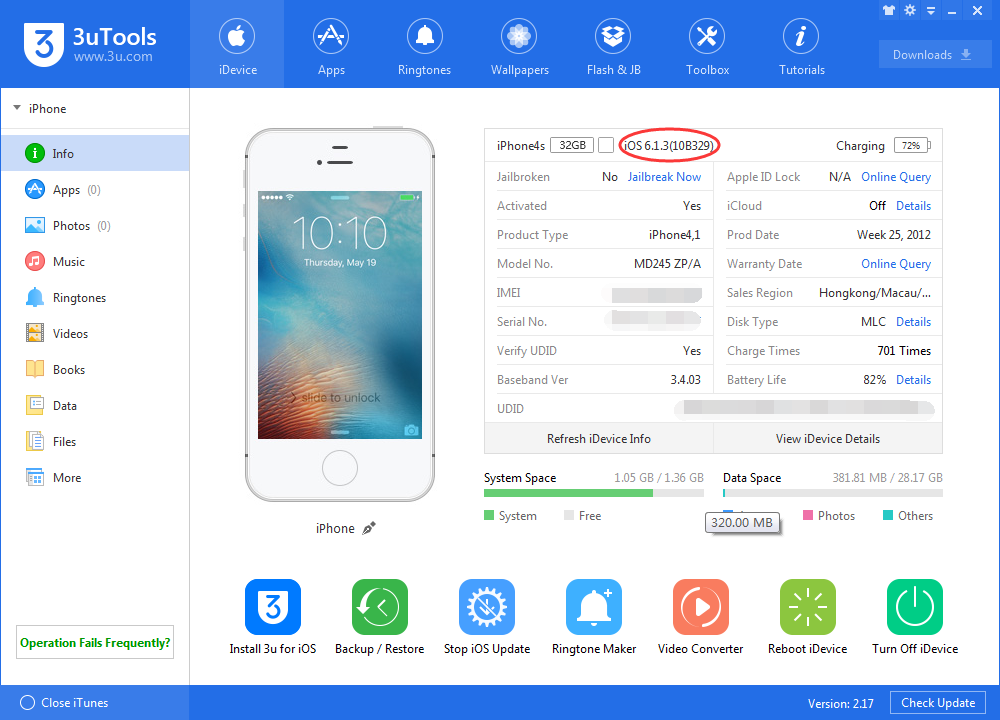
5. Downgrade iPhone 4s / iPad 2 to iOS 6.1.3


Now V2.17 3uTools supports downgrading iPhone 4s and iPad 2 to iOS 6.1.3 after jailbreak without SHSH. If you want to downgrade? You could check here.

What's New in 3uTools V2.17?


Check update in 3uTools or download on www.3u.com


Windows
Mac OS
iOS
Linux
3uTools
Win 64-bit For this device
V9.0 2025-11-11
Download
Win 32-bit For this device
V9.0 2025-11-11
Download
3uTools
Intel Chip How to Identify Chip Type
V9.0 2025-12-02
Download
Apple Silicon
V9.0 2025-12-02
Download
How to Identify Chip Type
1.  Click the Apple icon in the top-left corner of the screen and select About This Mac.
2.  Check the Processor or Chip field to determine if it is "Intel" or "Apple".
Please use the 3uTools PC client to install the iOS client:
1、 Install either the Windows or Mac version of 3uTools on your computer
2、 Open the PC client and connect your device to the computer via USB cable
3、 After the connection is successful, wait for the computer to automatically install the mobile app for the device, or locate “Install Mobile App” on the computer and manually click to install.
3uTools
deb file
V3.01 2025-11-20
Download
rpm file
V3.01 2025-11-20
Download
Windows
Windows
iOS
iOS
Android
Android
TV
TV
3uAirPlayer
Win 64-bit For this device
V6.0.2 2025-11-19
Download
Win 32-bit For this device
V6.0.2 2025-11-19
Download
iOS Device Mirroring (No App Required)
1、 Install 3uAirPlayer on the Windows PC
2、 Open Control Center and select Screen Mirroring
3、 From the list, choose your PC to start mirroring
4、 Or connect your iOS device to the PC via USB to begin mirroring
Scan to get "3uAirPlayer" App
3uAirPlayer TV V1.0.18
2025-11-28
TV System Requirements: Android 7.0 or later
Download the TV installation package, copy it to a USB drive, insert it into your TV or set-top box, then select the file from the home screen to install.




