 NEWS
NEWS
Best Smart Phone Cameras In 2019
 05/24/2019
 2876
2876
Choosing the best smartphone camera isn’t an easy job. It is no more a game of megapixels or latest smartphones; the camera quality is now determined on the basis of software optimization to click pictures and record videos.
We have collected data from all the top ranging camera smartphones in a number of scenarios like different lighting conditions, wide-angle focus, etc. Finally, these are our top four bets for the best smartphone cameras for the year 2019.
1. Google Pixel 3/Google Pixel 3XL
Talking about the recent releases, Google Pixel 3 is the top leading contender for the best camera smartphone. Google has the best camera features in the industry as of now, and the best part is that you get to select between the variants of Pixel 3 and Pixel 3XL.
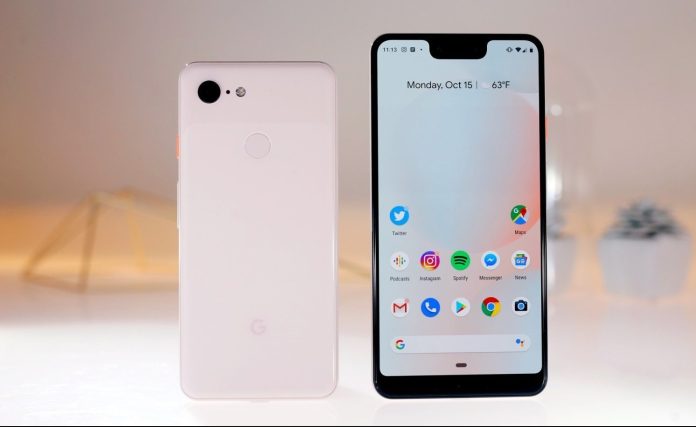
This smartphone has only a single rear camera, but it still can beat everything else in the market. The camera is quite powerful boasting with AI technology and an intuitive interface that helps in adapting to any scenario. With a 12.2 MP rear camera, the camera yields the best result with proper consistency each and every time. You will get a sharp, bright, and perfect clicks with Pixel 3 and 3XL. In addition, when you use this camera smartphone with proper studio lighting and accessories, you can also use this phone as a professional device.
When compared to the counterparts iPhone XS Max with the overly warm color tone, Samsung Galaxy Note 9 with inconsistency in HDR quality, and Huawei P20 Pro with frequent over-sharp images, Google Pixel 3 and Google Pixel 3 XL is a clear winner. It also has dual front cameras that give you perfect portrait-mode selfies with a beautifully blurred background.
When you ask us to choose our favorite between the two, then we will go with the Google Pixel 3XL just by a small margin. It is bigger, better resolution display, and more battery backup, which means perfect snaps for a long time.
Key Advantages –
Best smartphone camera experience
Options of two variants
Single lens without any wide-angle option
2. Huawei Mate 20 Pro
If you are looking for versatility, then Huawei Mate 20 Pro is your smartphone. It has three rear cameras offering a wide variety of ranges for clicking scenic pictures. The Mate 20 Pro smartphone inherits the great Huawei camera from the ancestor P20 Pro. It has a 40MP wide-angle f/1.8 lens, 8MP f/2.4 lens with OIS, and a brand-new entry of ultra-wide 16MP f/2.2 lens. This camera smartphone is perfect as an alternative to professional camera gear. However, even casual photography becomes a wide array of business with the Huawei Mate 20 Pro.
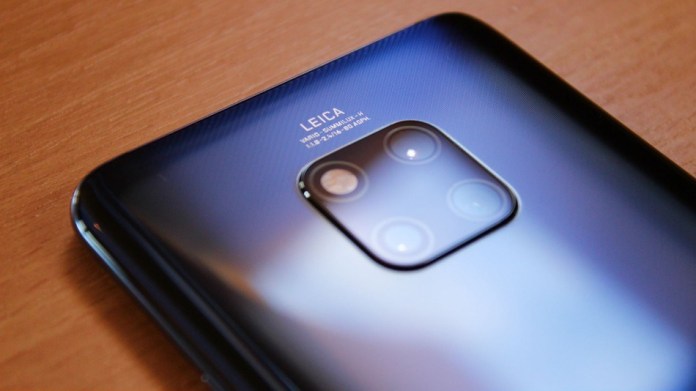
The best part of this camera phone is its low-light performance, especially with the seconds-long-exposure night mode. The 3x telephoto and the hybrid 5x zoom helps with many professional shots that were before impossible with other camera smartphones.
Key Advantages –
Triple camera setup
Top-of-line specs
HDR is not up to competitive standards
Basic UI settings
3. Samsung Galaxy Note 9
The camera of Samsung Galaxy Note 9 is the enhanced version of the powerful Galaxy S9 Plus. This phone is ranked third on our list because of the comfortable shooting performance of this camera in any scenario for impressive results, even in low light. The new scene-optimizer feature is an add-on to its already perfect shots. This feature adjusts the color and white balance based on 20 in-built subjects like sunset, flower, food, bird, text, etc.
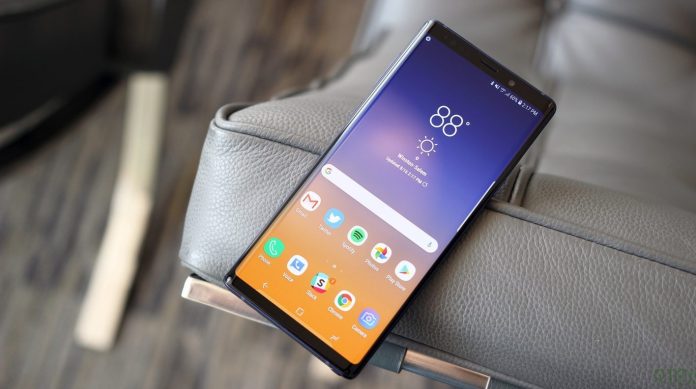
When compared to its successor S9 Plus, the Galaxy Note 9 captures detailed pictures. This device also has the patented S Pen stylus that can be used as a remote shutter. This way you can place your phone on a flat surface, walk away to a distant, and take a snap using the S Pen key.
The only mentionable downside of this smartphone camera is the lack of HDR video recording. Apart from that, this phone is perfect for casual as well as some professional clicks.
Key Advantages –
Amazing picture quality even in a low light scenario
No HDR video recording
Similar to S9 Plus in many areas
4. iPhone XS/iPhone XS Max
The latest Apple sensation, iPhone XS and XS Max boast the magic of powerful dual rear cameras. But more than the specifications, iPhone photography experience is much more pleasurable because of the ease. The iPhone is famous for its simple, clutter-free image and an easy to use interface. This means you get the Apple’s best camera smartphones to date, but still are a step behind when it comes to the variety of shooting options like in Samsung, Huawei, and Google Pixel.
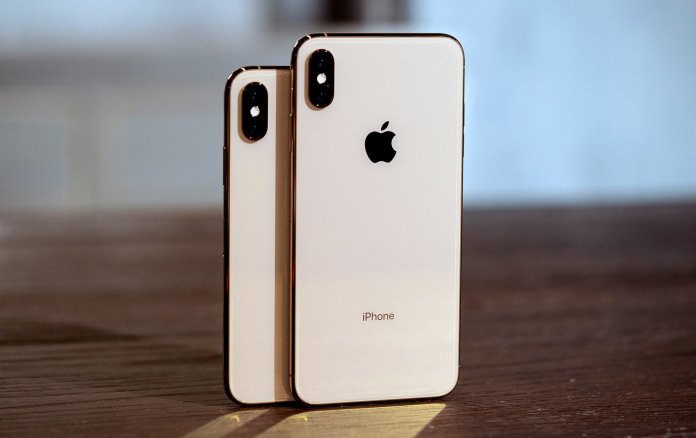
iPhone XS and XS Max are your camera smartphones if you are looking for a quick, perfect snap with minimal efforts. With 12MP dual rear cameras, both the phones are best in the Apple world when it comes to camera technology (improving even its best low-light picture quality). The only difference between both the phones is their screen dimension and battery size. The huge 6.5 in. display of iPhone XS Max has an advantage of a huge viewfinder while snapping pictures but with a huge price tag. So, the option is yours as the iPhone XS also produces the same results but just in a smaller form.
Key Advantages –
Two variants give different size option
Immensely easy for usage
Expensive
Final Conclusion
These are the top four contenders when it comes to deciding the best smartphone camera. All these are amazing smartphone devices with more positives and few drawbacks each. However, when you use these smartphone cameras with proper studio lighting and other camera accessories you will get some unbelievable results.
Source: technosoups











