 NEWS
NEWS
iPhone X vs. Galaxy S9+: Which Smartphone Has a Better Camera?
 03/19/2018
 4605
4605
Over the course of this week, we've been taking a look at Samsung's new flagship smartphones, the Galaxy S9 and the Galaxy S9+, as these two devices are the iPhone X's biggest competition.
In our latest video, available on the MacRumors YouTube channel, we compared the Samsung Galaxy S9+'s dual-lens camera with variable aperture to the vertical dual-lens camera in the iPhone X.
Samsung decided to focus heavily on image quality in its latest devices, and the S9+ has a 12-megapixel f/1.5 to f/2.4 variable aperture lens as its main camera, which is paired with a 12-megapixel f/2.4 telephoto lens, similar to what's available in the iPhone X.
A variable aperture is unique to Samsung's new devices, and it offers some benefits that are going to improve image quality. With a variable aperture, it's easier to find a balance between light and image quality. 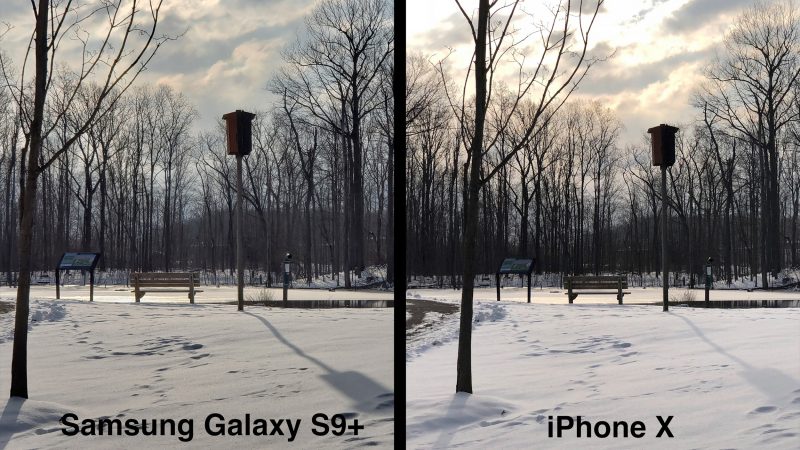
At the wider f/1.5 aperture, the Galaxy S9+ camera can let in more light in low light situations, but a wider aperture tends to compromise image sharpness at the edges of the photo. In conditions where the lighting is better, the narrower f/2.4 aperture will provide a crisper higher-quality image. The Galaxy S9+ can automatically select the proper aperture for the best image.
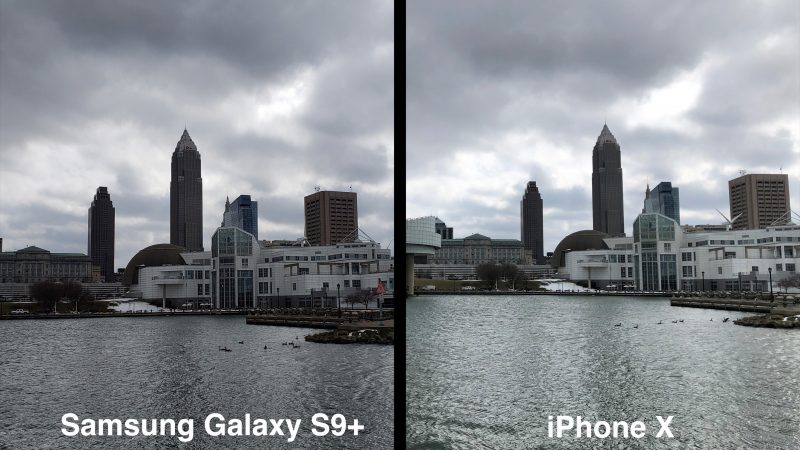
The iPhone X has two lenses like the Galaxy S9+, but no adjustable aperture, and that gives the S9+ a bit of an edge. As you'll see in the images below, though, both the iPhone X and the Galaxy S9+ have fantastic cameras that are capable of taking some amazing images.
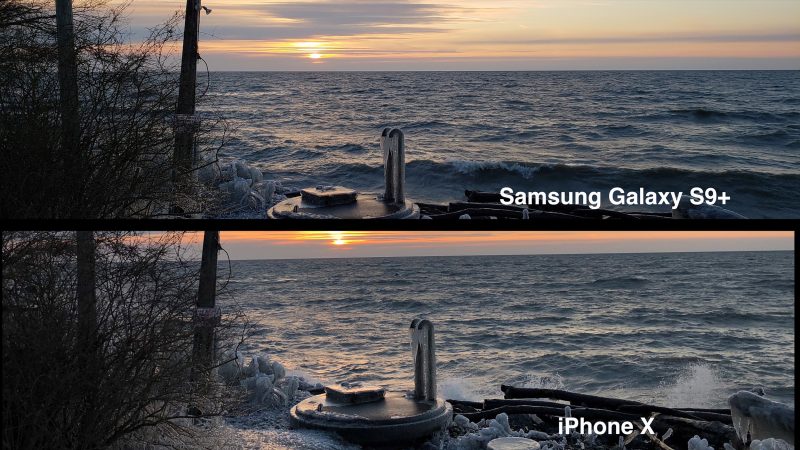
In these photos, we used an automatic mode to capture the images, and no editing was done. This image of a sunset demonstrates some key differences between the two cameras. The S9+ offers a crisper image with more definition, but the colors in the iPhone X image are warmer and more true to life.
The Galaxy S9+ has a "Live Focus" mode that's similar to Portrait Mode on the iPhone X, and the photo below compares Live Focus with Portrait Mode. Both of these modes have some issues, but making adjustments to blur is easier on the Galaxy S9+, which gives it the win over the iPhone X. In general, the Galaxy S9 also has more built-in image editing tools with its Pro Mode for taking manual photos.

In addition to images, we also took a look at video modes. Samsung's Galaxy S9 can record in slow motion at 960 FPS, a unique feature because the iPhone X's slo-mo maxes out at 240 FPS. Both devices can also record in 4K video with optical image stabilization, but the Galaxy S9+'s video was less jittery. The iPhone X did win out when it came to suppressing outdoor wind sound, though.
Both of these cameras, as mentioned before, are great and can capture images that are on par with DSLRs in some situations, but there are definitely some features that make the Galaxy S9+ ever so slightly better than iPhone X when it comes to image and video quality.
Of course, Apple is going to be introducing the successor to the iPhone X in about six months, and with the camera improvements that come with every new upgrade, it's likely iPhones coming in 2018 will outshine the Galaxy S9+.
Source: macrumors










