 NEWS
NEWS
4 Complaints Apple Users Already Have About the New iPhones
 10/15/2018
 2772
2772
Apple's latest iPhone models cost $1,000 or more, but users already have a list of complaints about them.
The iPhone XS and larger iPhone XS Max became available for pre-order on Sept. 14 and shipped out on Sept. 21. So far, some users have been vocal about some fairly big bugs, including charging and connectivity issues. Apple also has a cheaper $749 iPhone XR, but it won't come out until the end of October.
Considering the 5.8-inch XS starts at $999 and the 6.5-inch XS Max starts at $1,099, users have a right to expect Apple to quickly fix these early bugs on its new lineup of smartphones. Let's hope the latest iOS 12 update will provide a better experience.
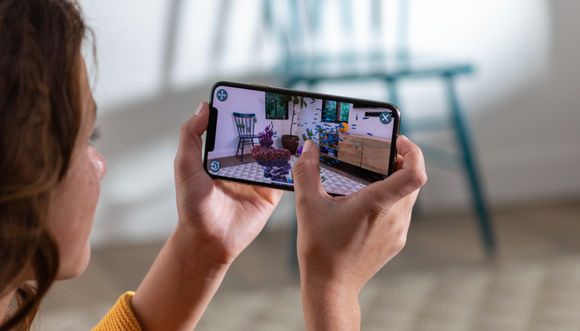
Apple's new iPhone XS has had mixed reviews from its early adopters. Image source: Apple.
1. Charging issues
A number of people complained in Apple's support communities about charging issues with their iPhone XS or iPhone XS Max. According to the posts, some customers were having trouble charging their new smartphones with a lightning cable. Some users said that although their phones wouldn't charge in sleep mode, they would start charging once they were "woken up." But nobody wants to have to keep their phone on the whole time they're charging their device. And furthermore, other users said their phone wouldn't charge at all, awake or asleep.
2. Reception issues
The second complaint against the new iPhones is their weak reception. Users claim that their old iPhones had better reception in certain places than their new iPhone, which is obviously frustrating when you've forked out around $1,000 for the latest model. However, this problem wasn't universal across all the new iPhones, and Apple has reached out to certain affected users to work through the issue.
3. Camera over-smoothing effect
This complaint might not be as serious as the first two complaints, but it's lit up the Apple forums nonetheless. Some owners of the new iPhones have been complaining that the camera on the new models over-smooths peoples' skin. But this effect isn't Apple's way of giving people an automatic Photoshop job. Instead, Apple has been working on noise reduction on the pictures its camera takes to help it work better in low light conditions. While this update is a good thing, it also creates a softer look that makes skin look slightly airbrushed.
4. Wi-Fi connectivity issues
Besides LTE reception problems, new iPhone users have also been complaining about slower Wi-Fi speeds compared to their old iPhones. This turned out to be an issue with the iPhone XS devices automatically joining Wi-Fi networks in 2.4GHz, even if both 2.4GHz and 5GHz bands were available.
Apple rolls out iOS 12 update to address concerns
On Oct. 9, Apple released an update to iOS 12 that it claims will fix some of the main complaints such as the charging and Wi-Fi connectivity issues. Here's a list of the iOS 12 bug fixes:
Fixes an issue where some iPhone XS devices did not immediately charge when connected to a Lightning cable
Resolves an issue that could cause iPhone XS devices to rejoin a Wi-Fi network at 2.4GHz instead of 5GHz
Restores the original position of the ".?123" key on the iPad keyboard
Fixes an issue where subtitles may not appear in some video apps
Addresses an issue where Bluetooth could become unavailable
Source: yahoonews










