NEWS

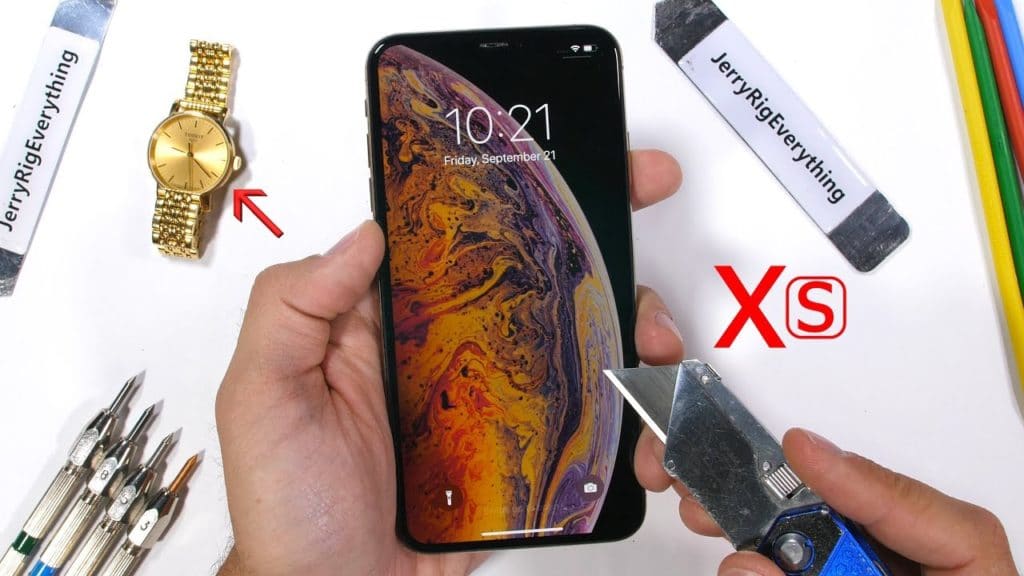
iPhone XS Undergoes Durability Test – Scratch, Burn and Bend Tested

09/29/2018

2667

iPhone XS Undergoes Durability Test – Scratch, Burn and Bend Tested


We have already seen the iPhone XS Max being torn downdrop tested, and compared to other flagship Android devices out there. Now, let’s see just how durable the phone is. Apple has come a long way since its #bendgate days of the iPhone 6 Plus, with the iPhone XS Max featuring a stainless steel chassis and the most durable smartphone glass ever.


As a durability test done by YouTuber JerryRigEverything shows, the iPhone XS Max has the same hardness level on the Mohs scale as previous iPhones. This also means that it scratches at around the same hardness as older iPhones. Here’s hoping the durable glass shows its worth when one drops their $1,000 smartphone. As for the stainless chassis, it is extremely durable, though there should be no surprise in this regard.


Despite Apple claiming that it uses a sapphire crystal lens on the iPhone XS rear camera setup, the camera lens scratches at a Mohs hardness level 7 similar to the iPhone 8 and iPhone X. This means that Apple is not using a pure sapphire crystal lens on the iPhone XS and iPhone XS Max, something which it has been doing since the iPhone 6 days.


In the burn test, the iPhone XS Max display survived for over a minute which is definitely impressive.


Finally, in the ultimate bend test, the iPhone XS Max despite its sheer size and heft did not bend all thanks to its premium and strong stainless steel chassis.


Source: iphonehacks

Windows
Mac OS
iOS
Linux
3uTools
Win 64-bit For this device
V9.0 2025-11-11
Download
Win 32-bit For this device
V9.0 2025-11-11
Download
3uTools
Intel Chip How to Identify Chip Type
V9.0 2025-12-02
Download
Apple Chip
V9.0 2025-12-02
Download
How to Identify Chip Type
1.  Click the Apple icon in the top-left corner of the screen and select About This Mac.
2.  Check the Processor or Chip field to determine if it is "Intel" or "Apple".
Please use the 3uTools PC client to install the iOS client:
1、 Install either the Windows or Mac version of 3uTools on your computer
2、 Open the PC client and connect your device to the computer via USB cable
3、 After the connection is successful, wait for the computer to automatically install the mobile app for the device, or locate “Install Mobile App” on the computer and manually click to install.
3uTools
deb file
V3.01 2025-11-20
Download
rpm file
V3.01 2025-11-20
Download
Windows
Windows
iOS
iOS
Android
Android
TV
TV
3uAirPlayer
Win 64-bit For this device
V6.0.2 2025-11-19
Download
Win 32-bit For this device
V6.0.2 2025-11-19
Download
iOS Device Mirroring (No App Required)
1、 Install 3uAirPlayer on the Windows PC
2、 Open Control Center and select Screen Mirroring
3、 From the list, choose your PC to start mirroring
4、 Or connect your iOS device to the PC via USB to begin mirroring
Scan to get "3uAirPlayer" App
3uAirPlayer TV V1.0.18
2025-11-28
TV System Requirements: Android 7.0 or later
Download the TV installation package, copy it to a USB drive, insert it into your TV or set-top box, then select the file from the home screen to install.