 NEWS
NEWS
Pangu Team Successfully Jailbreaks Apple’s Brand-new iPhone XS
 09/28/2018
 3506
3506
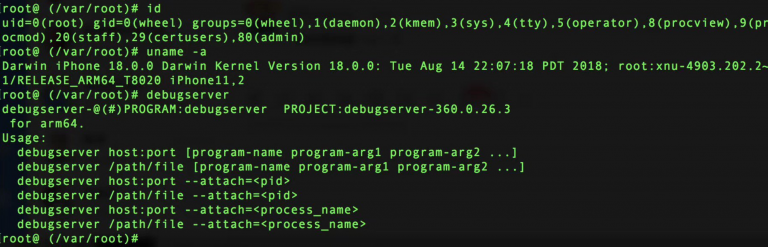
If you’ve had the luxury of enjoying a jailbreak in the last couple of years, then it likely came in flavors of Yalu or Electra. But rewind back to the days of iOS 9.3.3, and the name Pangu might sound familiar.
Although it’s been quite a while since we’ve heard of anything new from the Pangu jailbreak team, it certainly seems as if they’re still tinkering with iOS to this day.
iOS security researcher Min(Spark) Zheng shared a captivating Tweet Thursday morning depicting what appears to be proof of a working jailbreak on Apple’s latest A12 Bionic hardware:
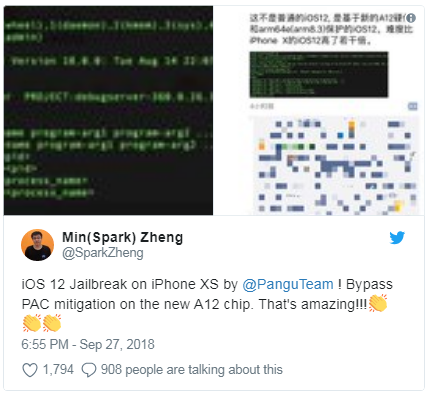
In this particular case, the jailbreak appears be running on a 5.8-inch iPhone XS, but since the hardware in the 6.5-inch iPhone XS Max is practically identical, we expect that the jailbreak should also work on Apple‘s larger flagship.
Security researchers with Ali Security recently demoed a working untethered jailbreak on iOS 12, but it was running on the previous-generation iPhone X. Pangu’s latest example is the first we’re aware of that showcases a jailbreak on Apple’s brand-new A12 Bionic hardware.
From the Tweet, we also learn how the jailbreak encompasses a functional PAC mitigation, which aids in the jailbreak tool’s success.
While the Pangu jailbreak team possesses a long-standing reputation for releasing public jailbreak tools, we don’t expect that will be the case for this instance. Instead, the jailbreak is likely an internal proof-of-concept intended to demonstrate the hackers’ incredible talents and to show how Apple’s latest hardware is indeed penetrable.
Although we have no word of an official public jailbreak in the works for iOS 12 at this time, that doesn’t mean it isn’t being worked on. With security researchers shifting focus to iOS 12, it should only be a matter of time before a useful exploit gets released, and this could light the fuse for jailbreak tool development.
Source: idb










