 NEWS
NEWS
iPhone XS and XS Max Benchmarked: World's Fastest Phones Again
 09/19/2018
 2736
2736
The world's first 7-nanometer processor in a phone isn't the breakthrough that the A11 Bionic was regarding raw performance, but it still runs circles around Android phones powered by Qualcomm's Snapdragon 845 chip in several world real-world tests and synthetic benchmarks.
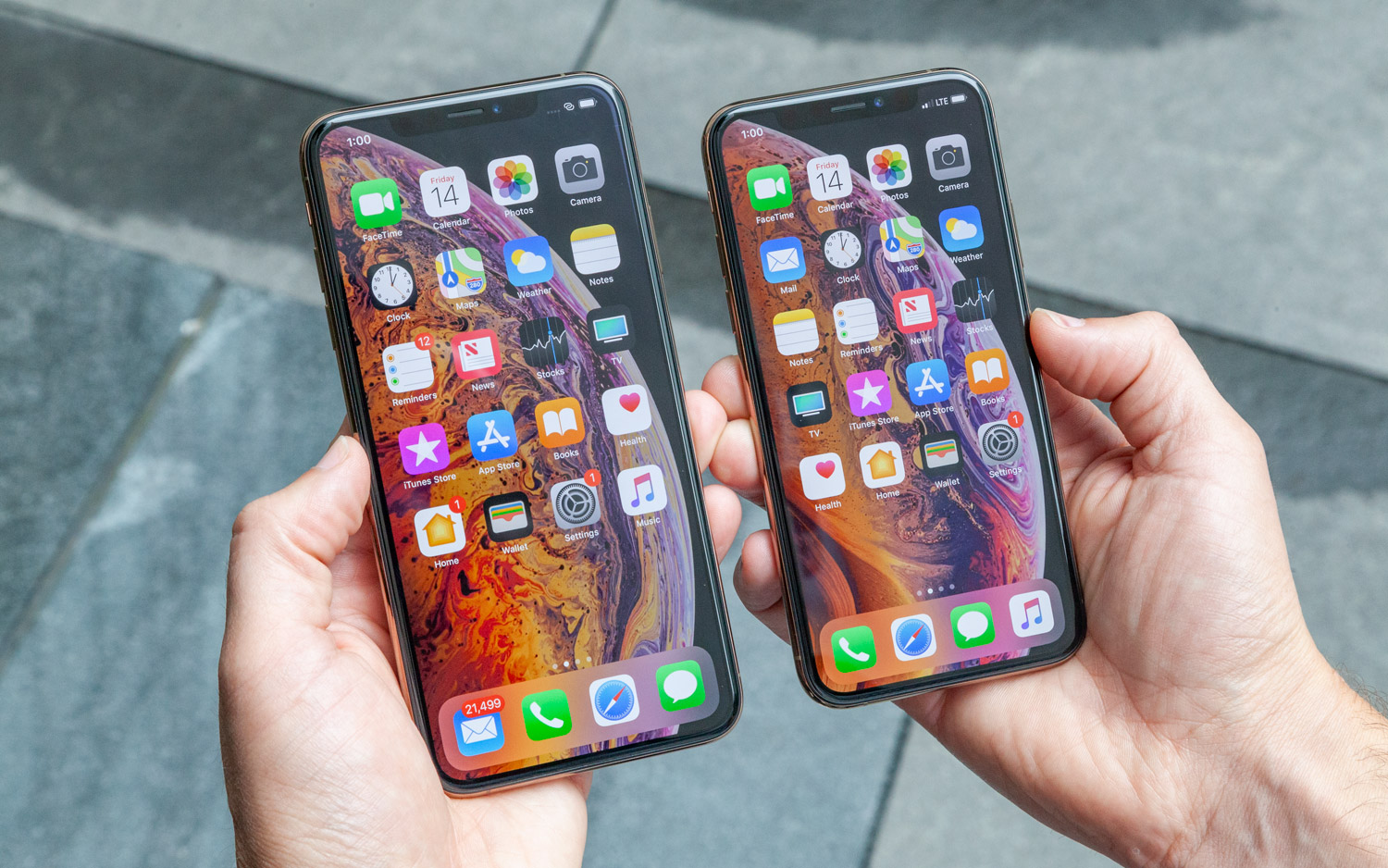
The new hexa-core chip inside the iPhone XS and XS Max packs two performance cores that are designed to be 15 percent faster than its predecessor, along with four high-efficiency cores that use up to 50 percent less power, according to the company. On top of that is a four-core GPU that Apple says is up to 50 percent faster.
Here are the results so far, based on our testing. If there are any tests you would like us to run in addition to what you see here, please let us know in the comments.
Geekbench 4 (Multicore)
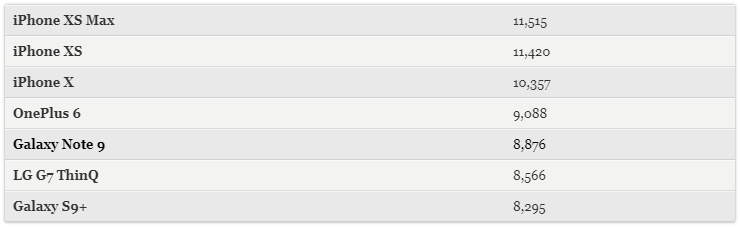
Geekbench 4 is a benchmark that measures overall performance, and no other phone comes close to Apple's new handsets on this test. The iPhone Xs notched 11,420, and the iPhone Xs Max hit 11,515. The older iPhone X scored 10,357, so that's about an 11 percent improvement.
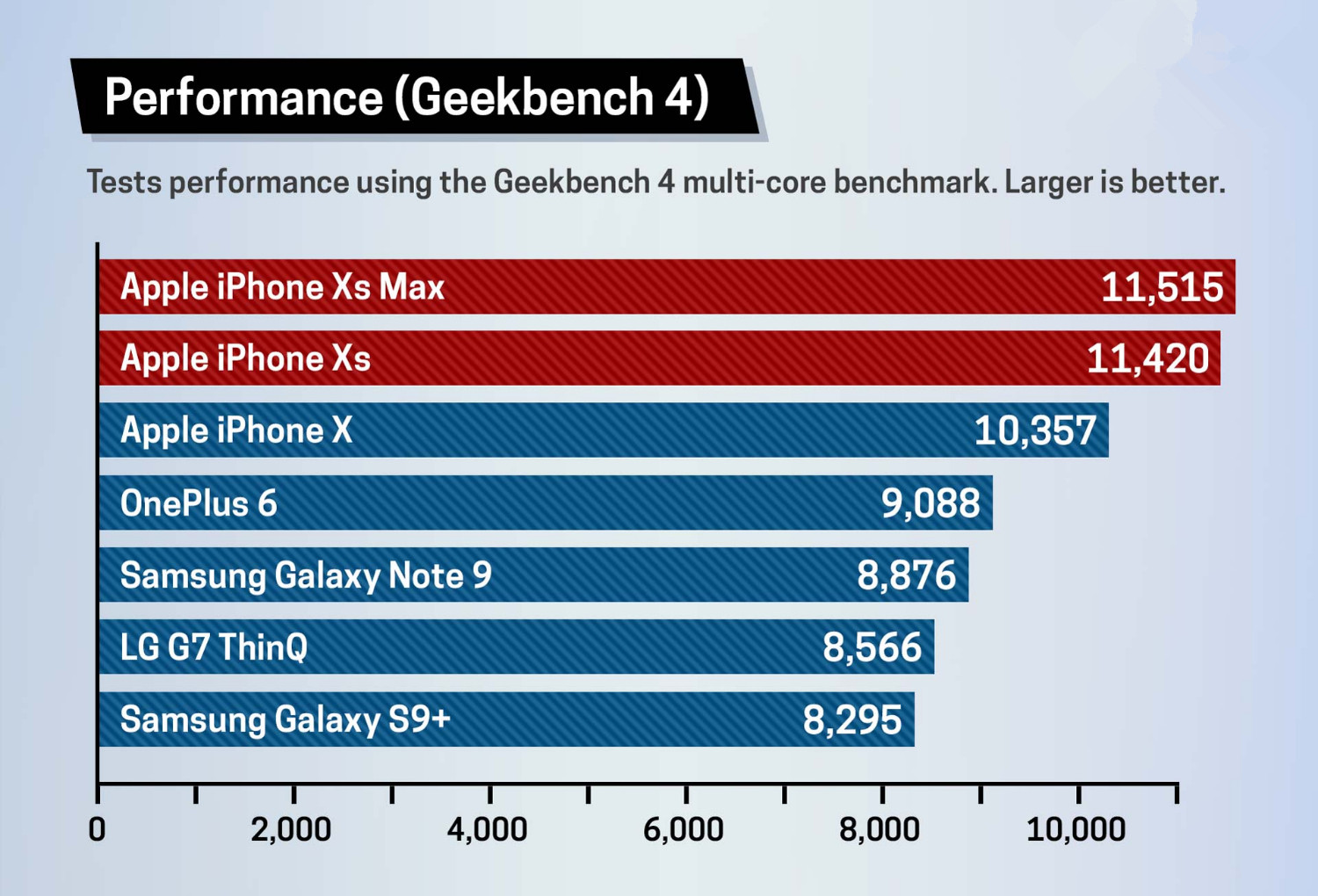
There's a lot more distance between the new iPhones and Android flagships. The fastest Android phone around, the OnePlus 6, scored 9,088 on Geekbench 4 with its 8GB of RAM, while the Galaxy Note 9reached 8,876.
Video Editing (Transcode 2-minute 4K clip to 1080p)
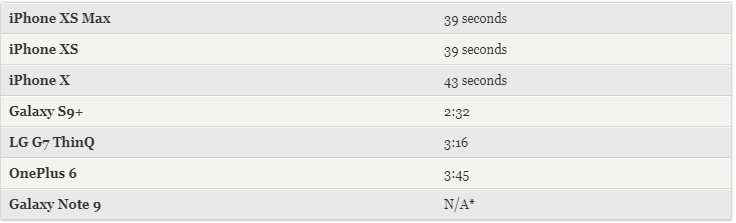
To test real-world performance, we use the Adobe Premiere Clips app to transcode a 2-minute 4K video to 1080p. The iPhone X was miles ahead last year with a time of just 42 seconds. This time around, the iPhone XS and iPhone XS Max knocked it down further to 39 seconds.
App Open Times (Lower is better)

One good way to measure real-world performance is to see how long it takes for a phone to load demanding apps. Because the phones have the same processor for this round, we just used the iPhone Xs Max and put it up against the iPhone X and the Galaxy Note 9.
The iPhone XS Max was faster every time, including a 15-second victory in Fortnite over the Note 9 and 3-second win in Asphalt 9. The phones were closer in Pokémon Go but the iPhone XS Max still came out on top.
3DMark Slingshot Extreme (Graphics)
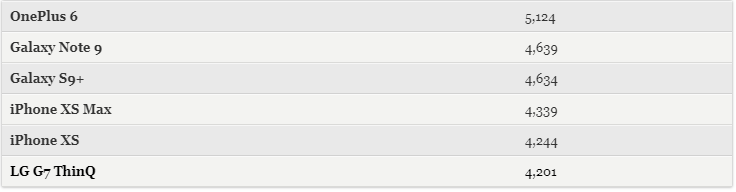
Here's one test where the new iPhones fell behind. 3DMark Slingshot Extreme measures graphics performance by evaluating everything from rendering to volumetric lighting. The OnePlus 6 fared best in this test with a score of 5,124, followed by the Galaxy Note 9 and S9+. The iPhone XS Max and iPhone X finished behind those handsets.
GFXBench 5.0/Metal
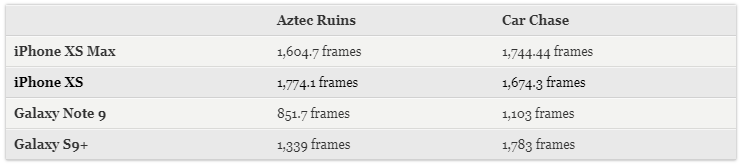
The new iPhones turned the tables on the GFXBench 5, which is longer and more intense than 3DMark Slingshot Extreme. The Aztec Ruins scene, for example, is highly detailed with complex graphics designed to stress a phone.
The iPhone XS Max achieved 1,604.7 frames on the Aztec Ruins portion of the test, and 1,744.44 frames in the Car Chase test. The Note 9 was far behind at 851.7 and 1,103 frames, respectively. However, the Galaxy S9+ edged past the iPhone XS Max on this test.
Source: tom's guide










