 NEWS
NEWS
Apple Responds to Congress on Privacy, Reaffirms 'the Customer is not Our Product'
 08/08/2018
 2646
2646
Back during the early days of the Facebook-Cambridge Analytica scandal, many eyes turned to Apple. CEO Tim Cook was asked what he would do if he were Facebook CEO Mark Zuckerburg, and the Apple executive's response has become something of a mantra for Apple. "I wouldn’t be in this situation," Cook said. "We could make a ton of money if our customer was our product. We’ve elected not to do that."
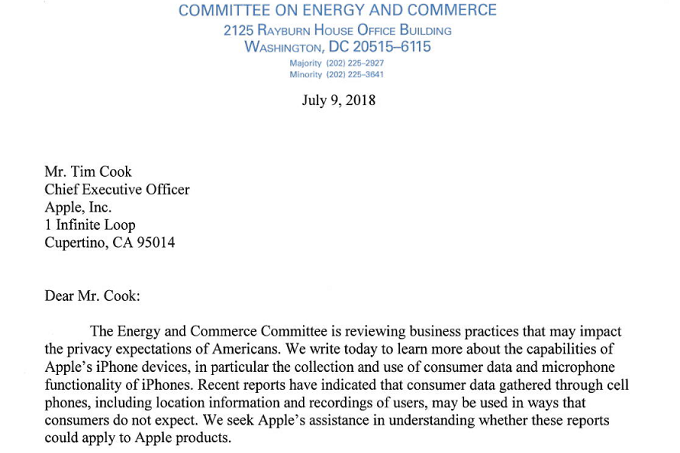
Apple's director of federal government affairs, Timothy Powderly, essentially repeated Cook's comments in a letter written to Oregon Rep. Greg Walden (R), chairman of the House Committee on Energy and Commerce. The letter was written in response to a missive that the congressman had sent to Tim Cook last month. Besides asking about Apple's position on privacy, Walden wanted to know whether the microphone used for Siri could be used to listen in to conversations, and how Apple collects information including location data.
"We believe privacy is a fundamental human right and purposely design our products and services to minimize our collection of customer data. When we do collect data, we're transparent about it and work to disassociate it from the user. We utilize on-device processing minimize data collection by Apple. The customer is not our product, and our business model does not depend on collecting vast amounts of personally identifiable information to enrich targeted profiles marketed to advertising."-Letter written by Timothy Powderly, director of federal government affairs, Apple
A similar letter as the one sent Cook from Rep. Walden was also mailed to Alphabet CEO Larry Page. However, the questions sent to Page included one that asked whether Google receives location data from users of Android phones, even if the handset's location services have been disabled.
Check out the original letter by clicking on this link.
Source: phone arena









