 NEWS
NEWS
Drop $18,000 Worth of Phones to Review What's the Toughest one?
 05/23/2018
 3300
3300
Your smartphone is your most personal gadget and it's also the most likely to get damaged. You probably won't be holding an unboxed video card in one hand while you walk to work or bringing your PSU with you into the bathroom. But your phone is a constant and vulnerable companion so, if you can get a more durable device, you should.
To find out which handset can take the most abuse, our sister site Tom's Guide put 12 of the today's most popular phones through a series of escalating drop tests. The staff dropped devices onto wood and concrete from heights of four and six feet, recorded the drops in slow-mo and measured the damage after each fall.
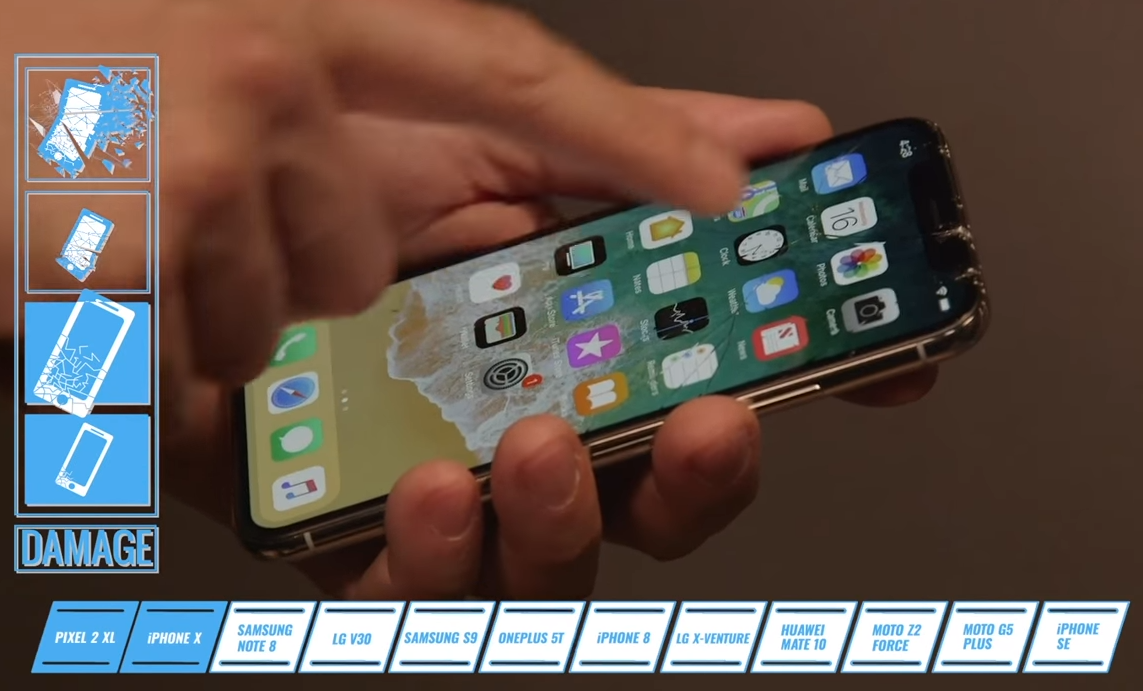
They also did different drops where the phones landing face down or on their edges. Finally the team tossed each phone into an (unused) toilet to determine whether it could survive underwater.
After damaging $18,000 worth of handsets, the results are in and the most durable phone, by far, is Motorola's Z2 Force. The Force withstood a 6-foot face drop onto concrete without getting a scratch on the screen (it got some scuffing on the case from edge drops). However, the toilet was Motorola's literal Waterloo, as the device shut down and appeared to die after a few seconds in the tank (it came back to life after drying off but we wouldn't trust that).
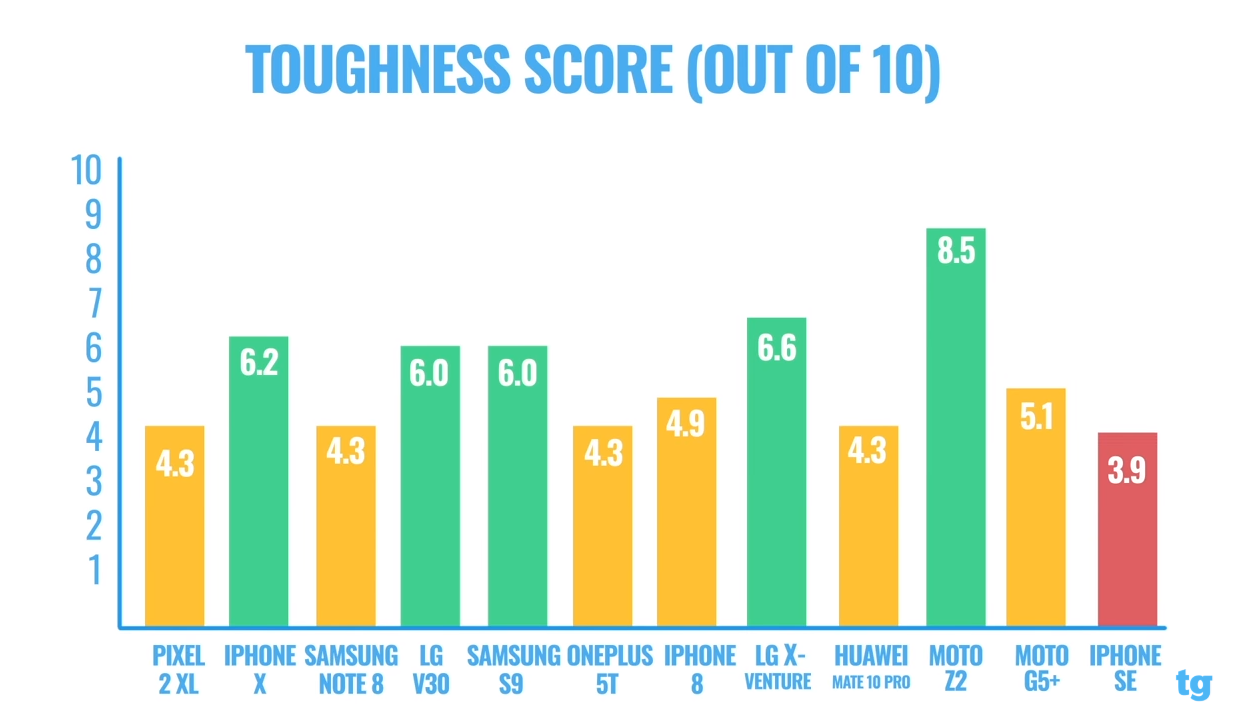
If you don't want a Z2 Force, you should invest in a good screen protector and rugged case for your phone. Every other device, including the iPhone X and Galaxy S9, got serious screen damage during the tests, though the budget-minded LG X Venture endured the 4-foot face drop onto concrete without issue.
Really pushing things to the limit, the team at Tom's Guide also put all of these phones onto a drone and dropped them from 100-feet in the air onto a wood panel. Again, Motorola's phone survived, while others smashed to bits and others (perhaps because they didn't hit face first) actually took less damage than when they were dropped from 6-feet onto concrete.










