
NEWS

You Can Now Watch Apple's 'Carpool Karaoke' for Free

05/14/2018

2501

You know those videos? The ones where comedian/late night host James Cordon magically picks up a celebrity or two in his car and they belt out songs to the radio? Well, Apple made a whole 19-episode Carpool Karaoke series last year (alongside our parent company CBS, full disclosure) and now it's making the first season free of charge.


You Can Now Watch Apple's 'Carpool Karaoke' for Free


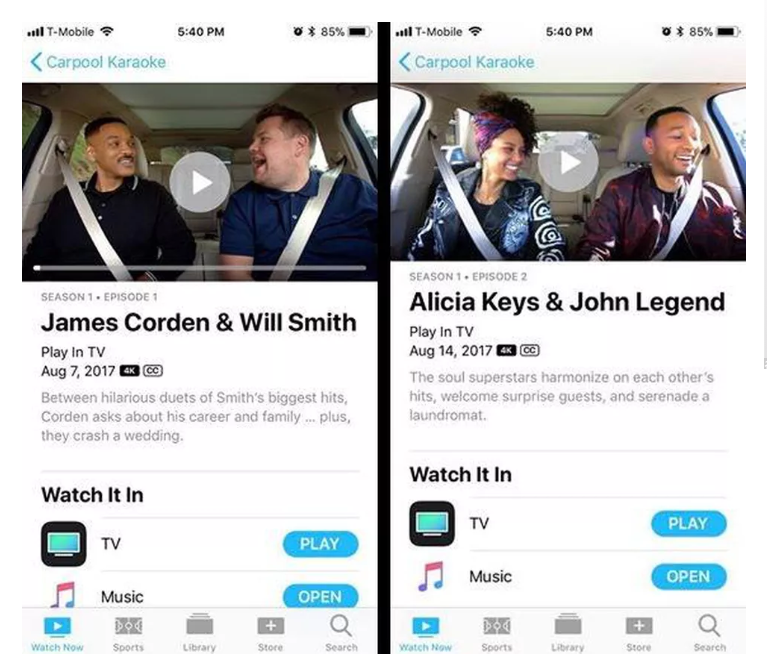
It looks like you can stream the first two episodes right now, in fact, in your TV app on iPhone, iPad or (presumably) an actual Apple TV set-top box. The first one stars Will Smith (who recently failed to date a robot and will soon be known for bungie-jumping from a helicopter), while the second pairs Alicia Keys with your new Google Assistant John Legend. 

You Can Now Watch Apple's 'Carpool Karaoke' for Free

Source: cnet

Windows
Mac OS
iOS
Linux
3uTools
Win 64-bit For this device
V9.0 2025-11-11
Download
Win 32-bit For this device
V9.0 2025-11-11
Download
3uTools
Intel Chip How to Identify Chip Type
V9.0 2025-12-02
Download
Apple Chip
V9.0 2025-12-02
Download
How to Identify Chip Type
1.  Click the Apple icon in the top-left corner of the screen and select About This Mac.
2.  Check the Processor or Chip field to determine if it is "Intel" or "Apple".
Please use the 3uTools PC client to install the iOS client:
1、 Install either the Windows or Mac version of 3uTools on your computer
2、 Open the PC client and connect your device to the computer via USB cable
3、 After the connection is successful, wait for the computer to automatically install the mobile app for the device, or locate “Install Mobile App” on the computer and manually click to install.
3uTools
deb file
V3.01 2025-11-20
Download
rpm file
V3.01 2025-11-20
Download
Windows
Windows
iOS
iOS
Android
Android
TV
TV
3uAirPlayer
Win 64-bit For this device
V6.0.2 2025-11-19
Download
Win 32-bit For this device
V6.0.2 2025-11-19
Download
iOS Device Mirroring (No App Required)
1、 Install 3uAirPlayer on the Windows PC
2、 Open Control Center and select Screen Mirroring
3、 From the list, choose your PC to start mirroring
4、 Or connect your iOS device to the PC via USB to begin mirroring
Scan to get "3uAirPlayer" App
3uAirPlayer TV V1.0.18
2025-11-28
TV System Requirements: Android 7.0 or later
Download the TV installation package, copy it to a USB drive, insert it into your TV or set-top box, then select the file from the home screen to install.





