
NEWS

Gurman: M4 MacBook Air Models to Launch by March 'At the Latest'

02/18/2025

979

Apple will begin selling new MacBook Air models featuring its latest M4 chip by March "at the latest," mirroring the time frame of the M3 MacBook Air launch last year, according to Bloomberg's Mark Gurman. Apple last updated the MacBook Air line in March 2024.
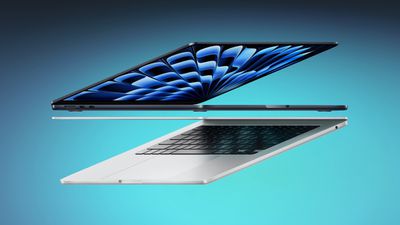
Gurman: M4 MacBook Air Models to Launch by March 'At the Latest'
Gurman's comments appeared in his latest Power On newsletter, suggesting the reporter is no further forward on learning the exact release timing of new 13-inch and 15-inch MacBook Air models. Six days ago Gurman claimed that the machines would be introduced "within weeks."

A launch has been thought to be imminent for a while now. In fact, it was originally rumored to be planned as Apple's first hardware launch of the year. However, that is now likely to be the iPhone SE 4, which is expected to be announced on Wednesday.

Apple inadvertently confirmed the upcoming M4 ‌MacBook Air‌ machines back in December when the macOS Sequoia 15.2 software update included files for unreleased "Mac16,12" and "Mac16,13" machines. The files referenced the "‌‌MacBook Air‌‌ (13-inch, M4, 2025)" and the "‌‌MacBook Air‌‌ (15-inch, M4, 2025)."

Since then, we've just been waiting for the new ‌MacBook Air‌ models to launch. As Gurman pointed out last week, existing stock of the M3 ‌MacBook Air‌ models is dwindling, suggesting new models should be arriving soon.

Source: Macrumors

Windows
Mac OS
iOS
Linux
3uTools
Win 64-bit For this device
V9.0 2025-11-11
Download
Win 32-bit For this device
V9.0 2025-11-11
Download
3uTools
Intel Chip How to Identify Chip Type
V9.0 2025-12-02
Download
Apple Silicon
V9.0 2025-12-02
Download
How to Identify Chip Type
1.  Click the Apple icon in the top-left corner of the screen and select About This Mac.
2.  Check the Processor or Chip field to determine if it is "Intel" or "Apple".
Please use the 3uTools PC client to install the iOS client:
1、 Install either the Windows or Mac version of 3uTools on your computer
2、 Open the PC client and connect your device to the computer via USB cable
3、 After the connection is successful, wait for the computer to automatically install the mobile app for the device, or locate “Install Mobile App” on the computer and manually click to install.
3uTools
deb file
V3.01 2025-11-20
Download
rpm file
V3.01 2025-11-20
Download
Windows
Windows
iOS
iOS
Android
Android
TV
TV
3uAirPlayer
Win 64-bit For this device
V6.0.2 2025-11-19
Download
Win 32-bit For this device
V6.0.2 2025-11-19
Download
iOS Device Mirroring (No App Required)
1、 Install 3uAirPlayer on the Windows PC
2、 Open Control Center and select Screen Mirroring
3、 From the list, choose your PC to start mirroring
4、 Or connect your iOS device to the PC via USB to begin mirroring
Scan to get "3uAirPlayer" App
3uAirPlayer TV V1.0.18
2025-11-28
TV System Requirements: Android 7.0 or later
Download the TV installation package, copy it to a USB drive, insert it into your TV or set-top box, then select the file from the home screen to install.




