 NEWS
NEWS
iOS 12.5.2: iPhone 6 Users Need This Critical Update Now, Apple Recommends
 03/29/2021
 4491
4491
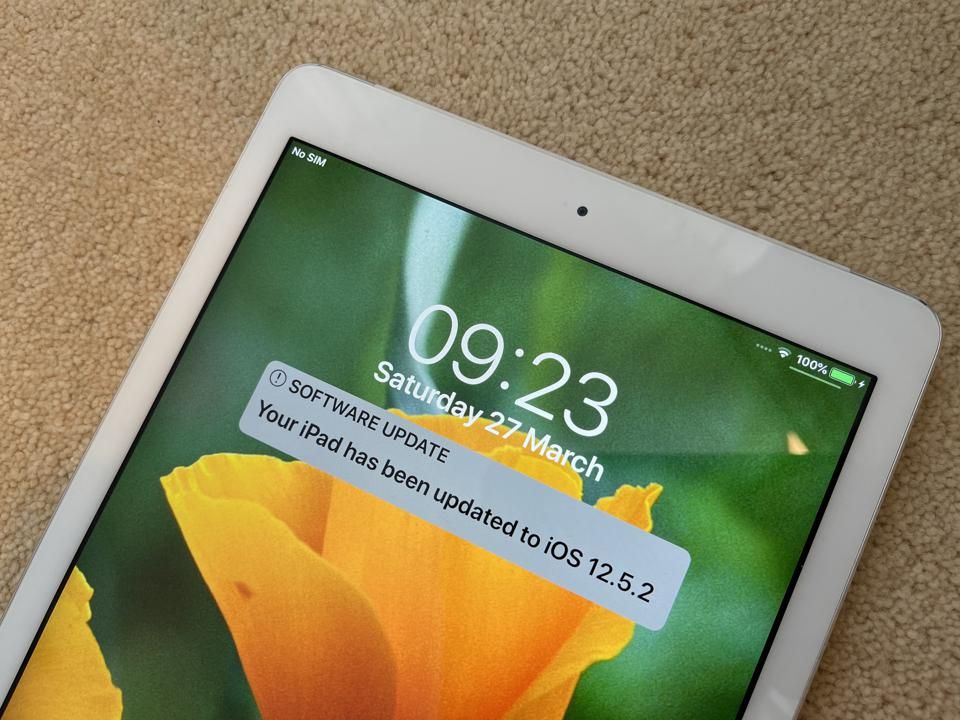
If you have an iPhone 6, 6 Plus, 5s, iPad Air, iPad mini 2 or 3, this update is for you.
When security issues arise, Apple’s desire (and responsibility, I’d argue) is to protect all users. So, while yesterday’s surprise iOS 14.4.2 update (read full details of that here) was aimed at anyone with an iPhone 7 or later, there was also another update which works with earlier devices. Here’s all you need to know.
Who’s it for?
If you have an iPhone 5s, iPhone 6 or iPhone 6 Plus, then this update is for you. But as iPadOS wasn’t launched when iOS 12 was in vogue, this update is also the one for three iPads, too: the original iPad Air, iPad mini 2 and iPad mini 3. Since iPads are famously resilient, I’d guarantee there are a lot of these tablets still in regular use. Finally, if you have an iPod touch sixth-generation, then this is for
How do you get it?
Simple. Go to Settings on the device in question, tap General and choose Software Update. It’ll check if there’s an update available and you can tap Install Now. Providing you’re connected to the internet and have enough battery life, it’ll download and install (you’ll need to enter any passcode). It’s not a big update, so it should be pretty speedy.
You can also flash iOS 12.5.2 on 3uTools now.
What’s in the update?
Because it’s not a big update, you know it’s going to be laser-focused on one thing: security. In this case, it’s a security fix for WebKit, the web browser engine used by Apple for Safari, Mail, App Store and other apps.
Apple says that a bug in Webkit could allow arbitrary cross-site scripting from malicious code. If that’s too technical for you (it certainly is for me), cross-site scripting is also called XSS and just means that means attackers can bypass access controls on websites, for instance, allowing redirection to unwanted sites and other mayhem. Could be just annoying, could be really serious.
Apple is recommending that everyone upgrades immediately to overcome this vulnerability. While with bigger updates it can be worth waiting to see no extraneous bugs have been introduced, with tight one-purpose updates like this one, it’s usually worth going for it asap. I’ve installed it on an iPad Air with no side-effects.
Here’s the full details of what Apple has said:
iOS 12.5.2 Released March 26, 2021
Available for: iPhone 5s, iPhone 6, iPhone 6 Plus, iPad Air, iPad mini 2, iPad mini 3, and iPod touch (6th generation)
Impact: Processing maliciously crafted web content may lead to universal cross site scripting. Apple is aware of a report that this issue may have been actively exploited.
Description: This issue was addressed by improved management of object lifetimes.
Source: Forbes









