
NEWS

Second iOS 12.1.1 and First WatchOS 5.1.2 Betas Coming Today

11/08/2018

2755

A little over a week since the first beta, Apple is now pushing out its second beta for iOS 12.1.1 and tvOS 12.1.1. We will also see the initial beta of watchOS 5.1.2 for today as well.
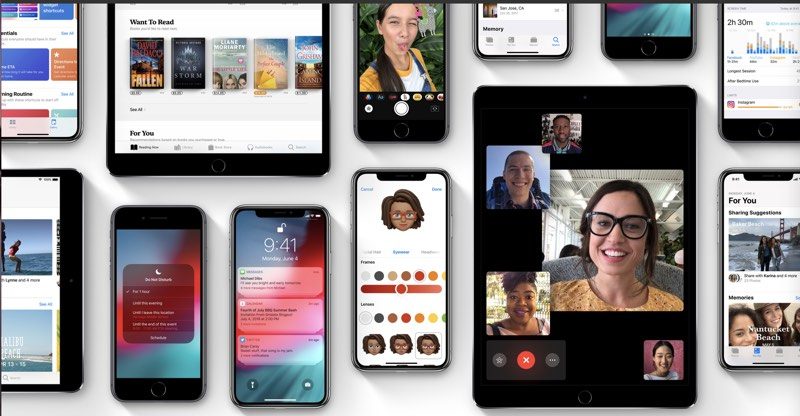

Second iOS 12.1.1 and First WatchOS 5.1.2 Betas Coming Today


This release will likely fix bugs and issues with the initial X.1 releases of all these operating systems. iOS 12.1 brought support for new emojis and Group FaceTime.


For watchOS 5.1.2, we’re expecting more complications to be added to the Infograph and Infograph Modular faces, including Messages, Mail, Home, and more.


For iOS 12.1.1, Apple has refined the FaceTime app with an improved camera switching UI, and brings back the ability to take Live Photos as well as updated the Apple Watch app icon to look more like Apple Watch Series 4.


Source: 9to5mac


Windows
Mac OS
iOS
Linux
3uTools
Win 64-bit For this device
V9.0 2025-11-11
Download
Win 32-bit For this device
V9.0 2025-11-11
Download
3uTools V3.18
2025-09-18
Please use the 3uTools PC client to install the iOS client:
1、 Install either the Windows or Mac version of 3uTools on your computer
2、 Open the PC client and connect your device to the computer via USB cable
3、 After the connection is successful, wait for the computer to automatically install the mobile app for the device, or locate “Install Mobile App” on the computer and manually click to install.
3uTools
deb file
V3.01 2025-11-20
Download
rpm file
V3.01 2025-11-20
Download
Windows
Windows
iOS
iOS
Android
Android
TV
TV
3uAirPlayer
Win 64-bit For this device
V6.0.2 2025-11-19
Download
Win 32-bit For this device
V6.0.2 2025-11-19
Download
iOS Device Mirroring (No App Required)
1、 Install 3uAirPlayer on the Windows PC
2、 Open Control Center and select Screen Mirroring
3、 From the list, choose your PC to start mirroring
4、 Or connect your iOS device to the PC via USB to begin mirroring
Scan to get "3uAirPlayer" App
3uAirPlayer TV V1.0.18
2025-11-28
TV System Requirements: Android 7.0 or later
Download the TV installation package, copy it to a USB drive, insert it into your TV or set-top box, then select the file from the home screen to install.




