
NEWS

iOS 12.1.1 Released With Expanded eSIM Carrier Support

12/06/2018

3960

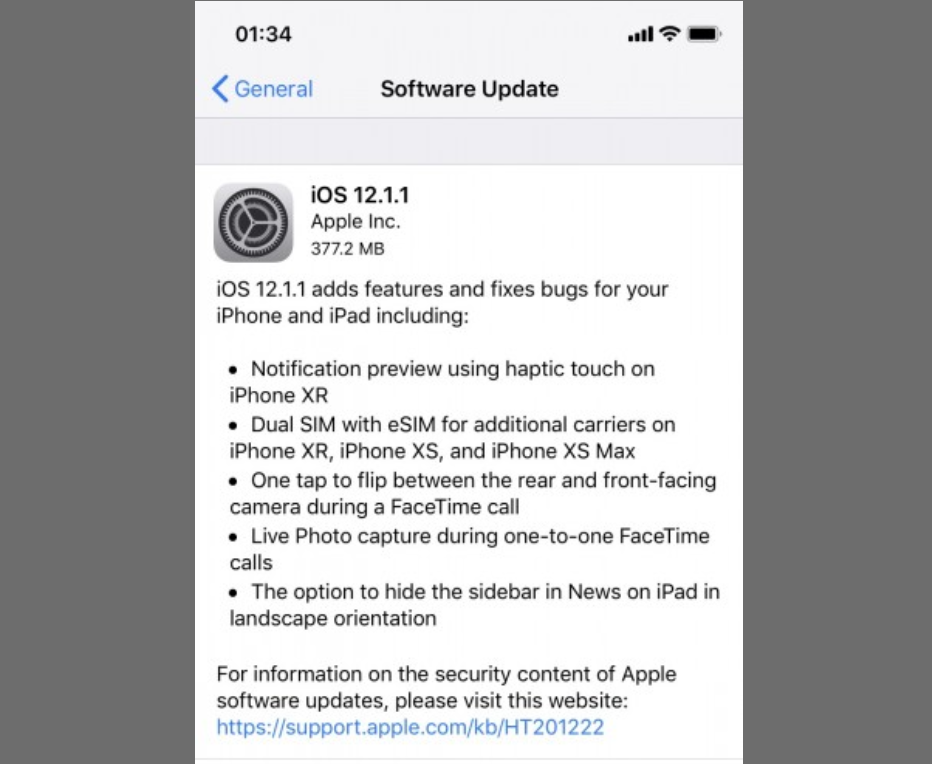
Apple has released iOS 12.1.1, which is now rolling out to compatible devices. The update was around 377MB on our iPhone XR but the exact size will vary with device. It's available to download OTA or via 3uTools. You can read the tutorial here.


iOS 12.1.1 brings only minor improvements and some bug fixes. One of the additions is support for additional carriers on dual SIM iPhones. Basically, more carriers now support being able to add their network as an eSIM on compatible iPhones.

iOS 12.1.1 Released With Expanded eSIM Carrier Support


The iPhone XR also gets the ability to expand notifications using haptic touch. This previously only worked on iPhones with 3D Touch but now you can long press on the XR to do the same.


The update also brings some FaceTime improvements. Apple brought back the ability to quickly switch between the front and rear cameras with the tap of a button, which was removed in iOS 12. Live Photo capture has also been added in one-to-one FaceTime calls.


The update also adds some HomePod specific changes, such as support in Mainland China and Hong Kong.


Apple also released macOS Mojave 10.14.2 and tvOS 12.1.1.


Source: gsmarena


Windows
Mac OS
iOS
Linux
3uTools
Win 64-bit For this device
V9.0 2025-11-11
Download
Win 32-bit For this device
V9.0 2025-11-11
Download
3uTools
Intel Chip How to Identify Chip Type
V9.0 2025-12-02
Download
Apple Silicon
V9.0 2025-12-02
Download
How to Identify Chip Type
1.  Click the Apple icon in the top-left corner of the screen and select About This Mac.
2.  Check the Processor or Chip field to determine if it is "Intel" or "Apple".
Please use the 3uTools PC client to install the iOS client:
1、 Install either the Windows or Mac version of 3uTools on your computer
2、 Open the PC client and connect your device to the computer via USB cable
3、 After the connection is successful, wait for the computer to automatically install the mobile app for the device, or locate “Install Mobile App” on the computer and manually click to install.
3uTools
deb file
V3.01 2025-11-20
Download
rpm file
V3.01 2025-11-20
Download
Windows
Windows
iOS
iOS
Android
Android
TV
TV
3uAirPlayer
Win 64-bit For this device
V6.0.2 2025-11-19
Download
Win 32-bit For this device
V6.0.2 2025-11-19
Download
iOS Device Mirroring (No App Required)
1、 Install 3uAirPlayer on the Windows PC
2、 Open Control Center and select Screen Mirroring
3、 From the list, choose your PC to start mirroring
4、 Or connect your iOS device to the PC via USB to begin mirroring
Scan to get "3uAirPlayer" App
3uAirPlayer TV V1.0.18
2025-11-28
TV System Requirements: Android 7.0 or later
Download the TV installation package, copy it to a USB drive, insert it into your TV or set-top box, then select the file from the home screen to install.




