
NEWS

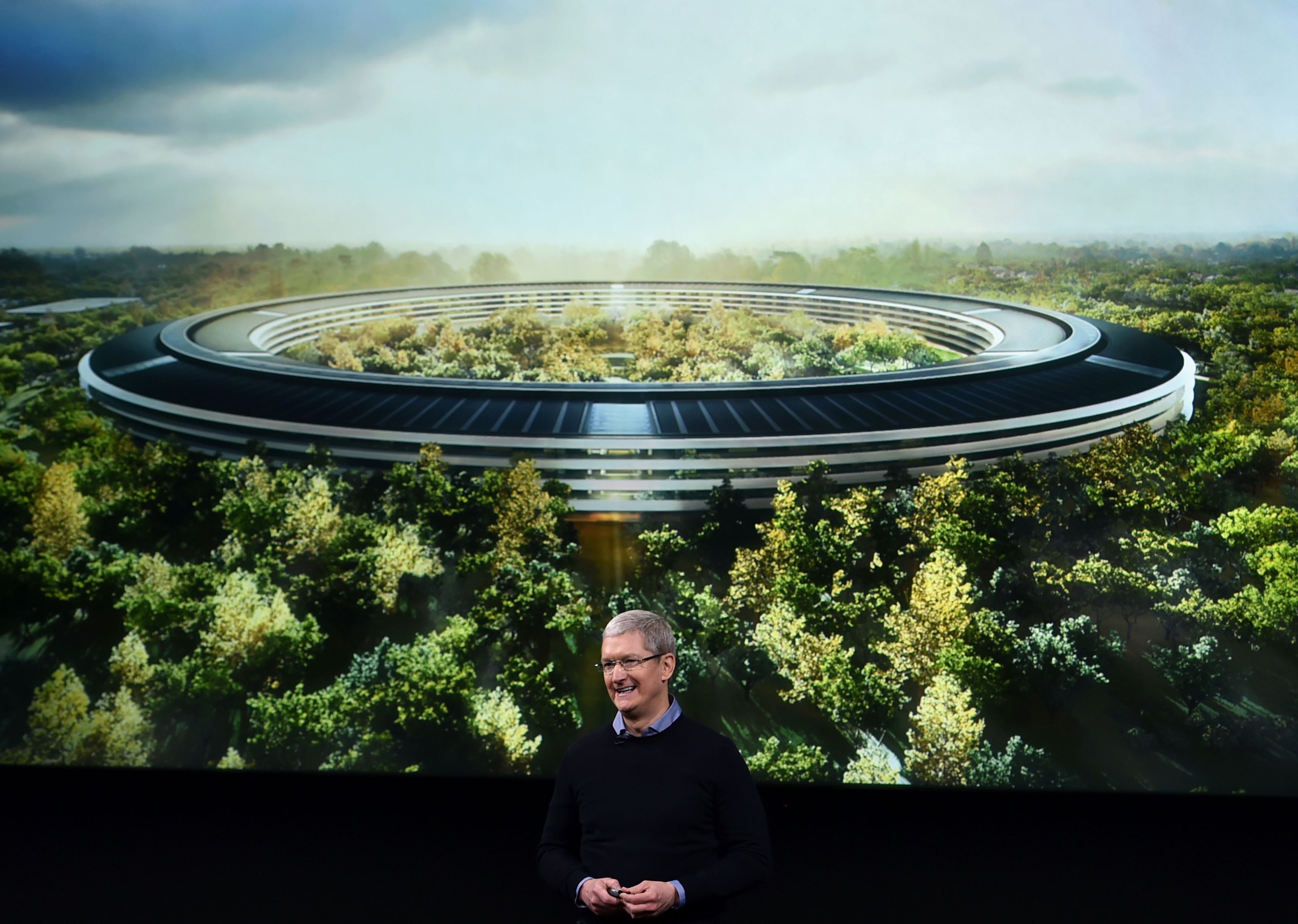
Apple 'spaceship' headquarters to open in April

02/23/2017

3601

The spaceship has landed.


Apple's new headquarters -- or the spaceship, as it's been called -- will open in April and will even feature some areas open to the public.

Apple 'spaceship' headquarters to open in April


The first employees will start to move into the 175-acre campus at that point, while building construction and landscaping will continue across the site, the company said in a statement Wednesday. It'll take six months for 12,000 employees to move from the existing headquarters and other offices in Cupertino, California, into the new campus nearby that will officially be called Apple Park.


Apple Park is the last product from co-founder Steve Jobs, who died Oct. 5, 2011, after a long battle with pancreatic cancer. The famously detail-oriented leader had envisioned Apple's new headquarters as a beacon of innovation and a place for the company's employees to continue their efforts to release groundbreaking products. Apple's has ballooned since its early years, and it has outgrown its current offices at 1 Infinite Loop, which holds about 2,800 employees.


The new site has at its heart a ring-shaped, 2.8 million-square-foot building clad in glass. Jobs compared the building to a "spaceship" when he proposed the development to the Cupertino City Council in 2011. The idea was certainly outside the norm for corporate headquarters, and Jobs' intense interest in design had an obvious influence on the architecture.


Source: cnet



Windows
Mac OS
iOS
Linux
3uTools
Win 64-bit For this device
V9.0 2025-11-11
Download
Win 32-bit For this device
V9.0 2025-11-11
Download
3uTools
Intel Chip How to Identify Chip Type
V9.0 2025-12-02
Download
Apple Silicon
V9.0 2025-12-02
Download
How to Identify Chip Type
1.  Click the Apple icon in the top-left corner of the screen and select About This Mac.
2.  Check the Processor or Chip field to determine if it is "Intel" or "Apple".
Please use the 3uTools PC client to install the iOS client:
1、 Install either the Windows or Mac version of 3uTools on your computer
2、 Open the PC client and connect your device to the computer via USB cable
3、 After the connection is successful, wait for the computer to automatically install the mobile app for the device, or locate “Install Mobile App” on the computer and manually click to install.
3uTools
deb file
V3.01 2025-11-20
Download
rpm file
V3.01 2025-11-20
Download
Windows
Windows
iOS
iOS
Android
Android
TV
TV
3uAirPlayer
Win 64-bit For this device
V6.0.2 2025-11-19
Download
Win 32-bit For this device
V6.0.2 2025-11-19
Download
iOS Device Mirroring (No App Required)
1、 Install 3uAirPlayer on the Windows PC
2、 Open Control Center and select Screen Mirroring
3、 From the list, choose your PC to start mirroring
4、 Or connect your iOS device to the PC via USB to begin mirroring
Scan to get "3uAirPlayer" App
3uAirPlayer TV V1.0.18
2025-11-28
TV System Requirements: Android 7.0 or later
Download the TV installation package, copy it to a USB drive, insert it into your TV or set-top box, then select the file from the home screen to install.




