 TUTORIALS
How to Set Color Filters for Your iPhone X?
 02/07/2018
 5890
5890
Are you still complaining the warm screen on your iPhone? Here our 3u team show you how to set color filters for your iPhone X.
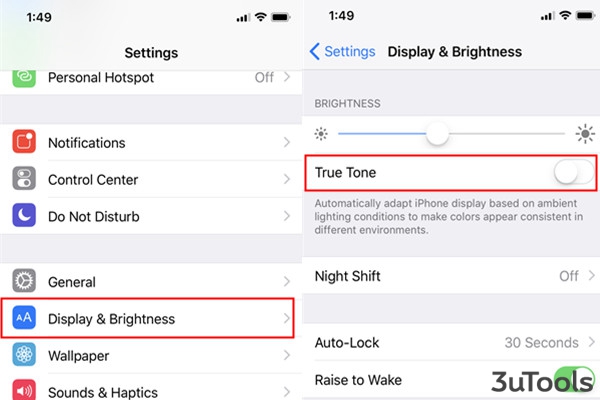
Head to Settings- Display&Brightness to close Ture Tone.
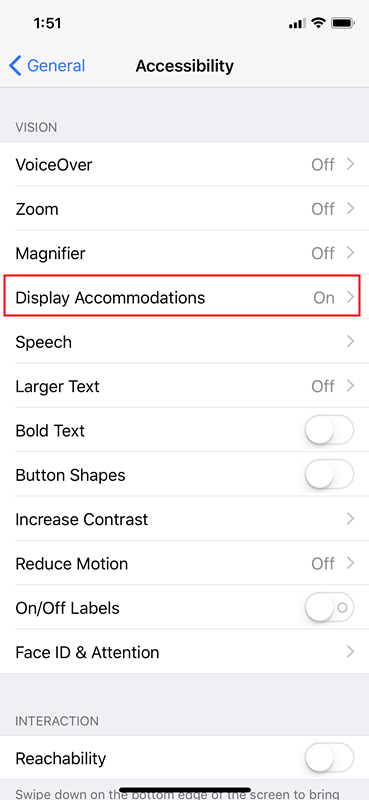
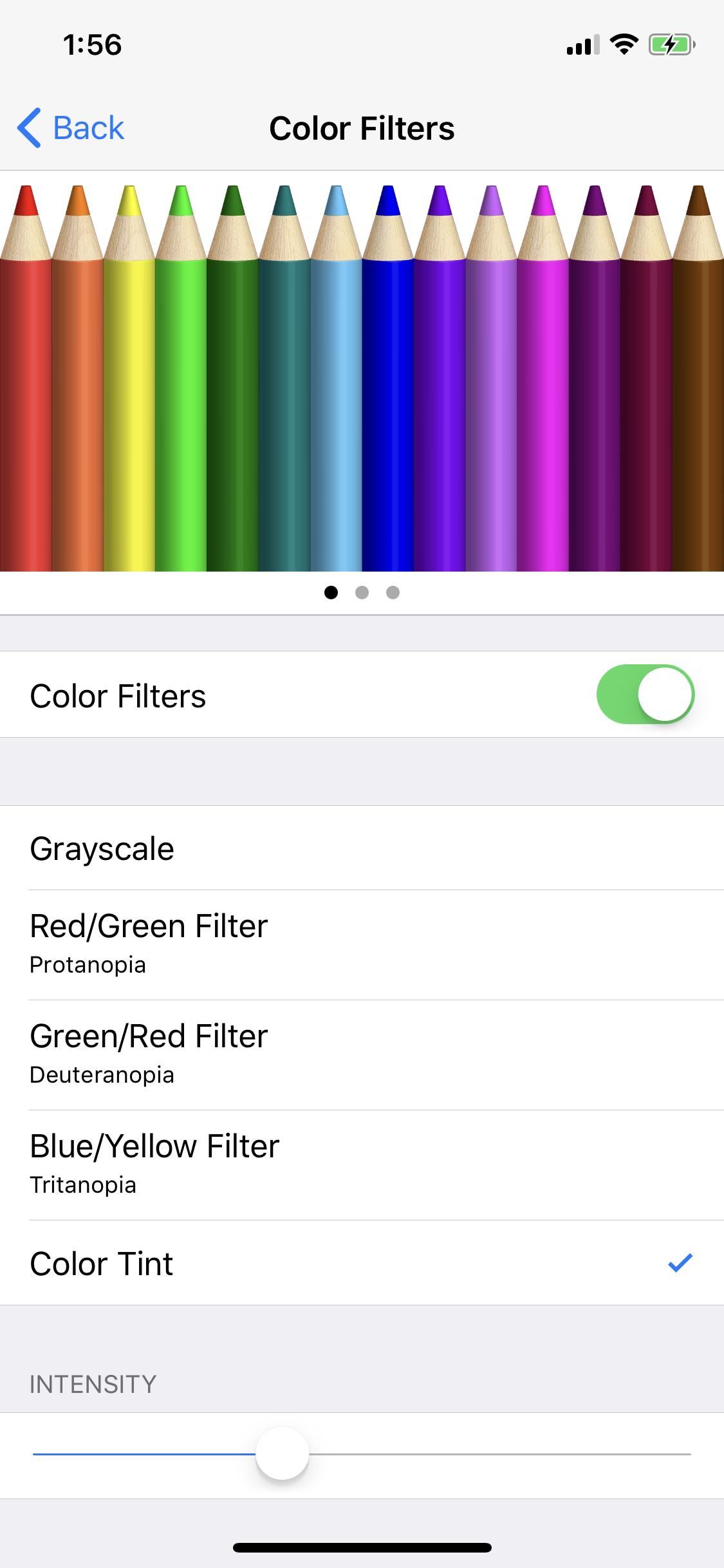
Then tap General - Accessibility-Display Accommodations, and choose color filters on this page. You could adjust the intensity of the filter on your iPhone X
Here is How can We Deal with iPhone’s Yellow Screen?









