 TUTORIALS
It is Said that Apple Stops Signing iOS 10.3.3 for iPhone 6s
 02/07/2018
 11021
11021
After a prolonged period of signing iOS 10.3.3, it is said that Apple has now stopped signing iOS 10.3.3. Here are your upgrade and downgrade options now.
iOS 10.3.3 is not longer available
Apple closed the signing window of iOS 10.3.3 permanently for all devices a while back.
As you know, Apple never reopens the signing window of a firmware version. However, they began signing it again specifically for iPhone 6s.
iPhone 6s devices that have third-party displays weren’t working properly after updating to iOS 11 firmware.
Reopening the signing window of iOS 10.3.3 ensured these users could downgrade and enjoy a functional smartphone again.
Some users pointed out that ipsw.me is still showing this version as signed. However, this is not the case here. And our test team restored iPhone 6s to iOS 10.3.3, all failed. So 3uTools closed iOS 10.3.3 for iPhone 6s on Easy Flash.
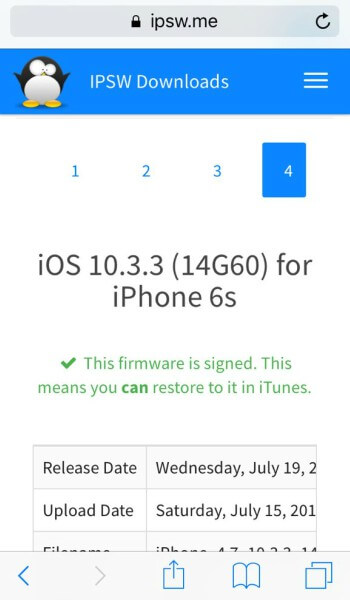
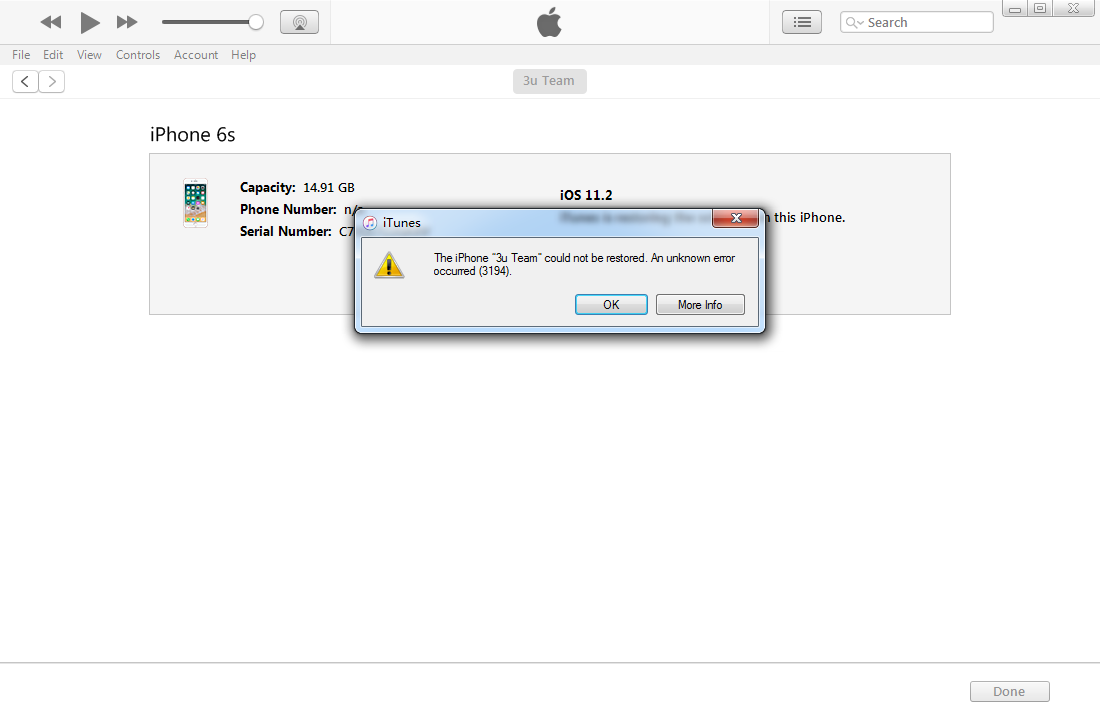
I have downloaded the iOS firmware form ipsw.me which shows that iOS 10.3.3 is still signed for iPhone 6s. And then restore on iTunes, but I got error 3194 as the following picture.
This site maintains a cache for a while before it updates with the latest signing information. This results in users erroneously downloading an incompatible firmware for their device.
The only real way to check if a firmware is being signed is through TSSChecker.
Here’s a tweet that shows how TSSChecker fails to fetch SHSH Blobs of iOS 10.3.3 from Apple’s servers.
You're right :( pic.twitter.com/5CRoV6WY2J
— Kevin Odenwald (@k_odenwald) November 16, 2017
What are our options now?
Downgrade
A lot of users were sitting on iOS 10.3.3 in hopes of jailbreaking it or downgrading to iOS 10.2.
Needless to say, you won’t be able to downgrade your iPhone 6s to this version anymore using iTunes.
If you have a new iPhone 6s inbound, it will most likely come with iOS 11. Therefore, the best you can hope for right now is that an iOS 11 jailbreak tool drops as soon as possible.
Upgrade
There plenty of upgrade options for your iPhone right now. You can update it to the following firmware versions –
None of these versions has a jailbreak available for it yet.










