 NEWS
NEWS
The Gold Apple Watch Was a Flop as Expected
 07/23/2019
 2938
2938
In case it wasn't already clear, the market for a $10,000-and-up smartwatch that would quickly get outdated isn't all that big. When Apple (NASDAQ: AAPL) launched the original Apple Watch back in 2015, there was an 18-karat gold version that cost anywhere from $10,000 to $17,000, a tenuous value proposition given that tech gadgets get promptly outdated, unlike the existing market for old-fashioned, high-end timepieces. The company quickly realized the error of its ways, discontinuing the gold watch the following year and introducing a ceramic version at the top of the Apple Watch lineup.
Investors are now getting an idea of just how badly the gold Apple Watch flopped.
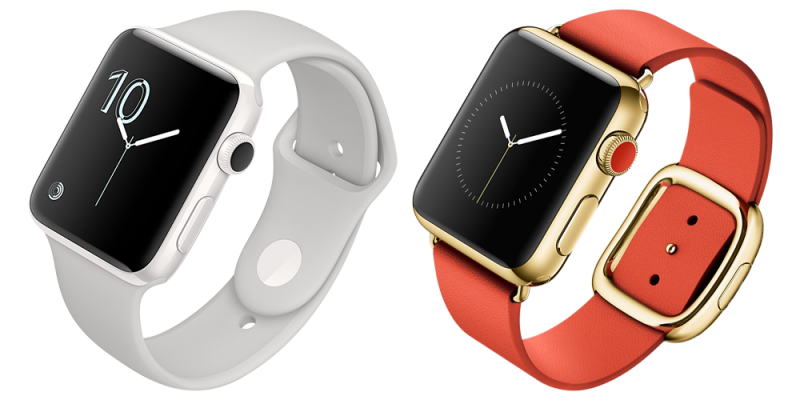
Apple Watch Edition was not long for this world. Image source: Apple.
Unit sales were in the "low tens of thousands"
In a Bloomberg profile today of Apple COO Jeff Williams, who is now considered the "heir apparent" to CEO Tim Cook (much like how Cook was to Steve Jobs), reporter Mark Gurman notes that sales of the original Apple Watch Edition numbered in the "low tens of thousands," with sales drying up within a matter of weeks. The gold Apple Watch is already obsolete and no longer gets WatchOS updates; the device is stuck on WatchOS 4, originally released in late 2017.
While that's fairly modest in terms of unit sales, the high price tag alone means that Apple could have generated a decent amount of revenue, anywhere from $200 million to $680 million depending on exactly how many units it sold and at what average selling price.
The report echoes another by The Wall Street Journal last month detailing Chief Design Officer Jony Ive's departure, which merely noted that "[t]housands of the gold version went unsold." Overall Apple Watch unit sales were approximately 10 million in the first year, just 25% of what the company had originally expected, according to the WSJ.
The lackluster performance of the Apple Watch Edition occurred despite an expensive marketing campaign that featured a wide range of celebrities like Beyonce and Kanye West wearing the golden smartwatch. The company reportedly spent an estimated $38 million on TV ads following its introduction.
Going after the mainstream instead
Investors can't blame Apple for testing the limits of its pricing power, as the company has made itself into a luxury lifestyle brand. Even the ceramic Apple Watch Edition, which started at a relatively more reasonable $1,250 price point, was similarly discontinued last year. The Cupertino tech giant now targets mainstream price points to spur adoption, even if it has been modestly bumping the entry-level price of Apple Watch each year.
Apple's new strategy with pricey Apple Watches is its partnership with Hermes, pairing a stainless steel case with leather bands and watch faces designed by the French luxury accessory maker. Those models start at $1,250. Still, the company's approach is working overall: It commanded a dominating 36% market share of all smartwatches in the first quarter, according to Counterpoint Research.
Source: yahoo










