
NEWS

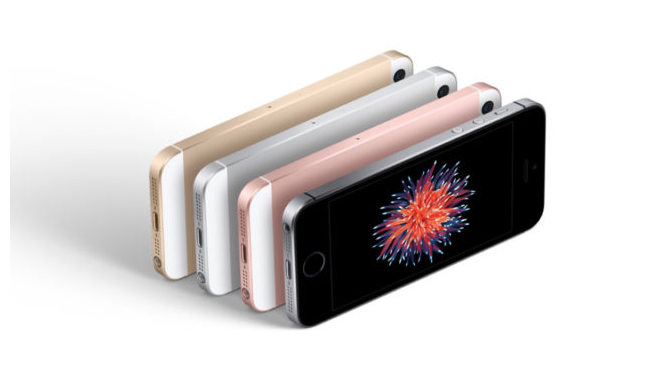
Is the iPhone SE Doomed to Disappear?

06/02/2017

2780

IDC analysts have shared their predictions and speculations about the smartphone market over the next five years. According to the company, the market will continue to grow in proportion to economic and technological growth.


According to IDC in 2017 will sell a total of 1.517 million smartphones, and the number could grow to 1,745 million in 2021.

Is the iPhone SE Doomed to Disappear?

Following the problems caused by the Galaxy Note7 fiasco, Samsung has bet heavily on the Galaxy S8. Apparently, things look good for the company as the smartphone is selling twice as fast as the Galaxy S7.


However, there is a small problem for the Apple iPhone SE. That, let's remember, is one of the company's best-selling apple bite smartphones. It turns out that marketing predictions indicate that 4-inch displays will be less successful among consumers as reflected in the chart.


Source: ipadzites


Windows
Mac OS
iOS
Linux
3uTools
Win 64-bit For this device
V9.0 2025-11-11
Download
Win 32-bit For this device
V9.0 2025-11-11
Download
3uTools
Intel Chip How to Identify Chip Type
V9.0 2025-12-02
Download
Apple Silicon
V9.0 2025-12-02
Download
How to Identify Chip Type
1.  Click the Apple icon in the top-left corner of the screen and select About This Mac.
2.  Check the Processor or Chip field to determine if it is "Intel" or "Apple".
Please use the 3uTools PC client to install the iOS client:
1、 Install either the Windows or Mac version of 3uTools on your computer
2、 Open the PC client and connect your device to the computer via USB cable
3、 After the connection is successful, wait for the computer to automatically install the mobile app for the device, or locate “Install Mobile App” on the computer and manually click to install.
3uTools
deb file
V3.01 2025-11-20
Download
rpm file
V3.01 2025-11-20
Download
Windows
Windows
iOS
iOS
Android
Android
TV
TV
3uAirPlayer
Win 64-bit For this device
V6.0.2 2025-11-19
Download
Win 32-bit For this device
V6.0.2 2025-11-19
Download
iOS Device Mirroring (No App Required)
1、 Install 3uAirPlayer on the Windows PC
2、 Open Control Center and select Screen Mirroring
3、 From the list, choose your PC to start mirroring
4、 Or connect your iOS device to the PC via USB to begin mirroring
Scan to get "3uAirPlayer" App
3uAirPlayer TV V1.0.18
2025-11-28
TV System Requirements: Android 7.0 or later
Download the TV installation package, copy it to a USB drive, insert it into your TV or set-top box, then select the file from the home screen to install.




