 NEWS
NEWS
Apple's Had a Shockingly Bad Week of Software Problems
 12/04/2017
 5099
5099

As the week draws to a close, it’s definitely been a long one for Apple’s software engineers. The nightmare started on Tuesday, after a Twitter user disclosed a critical security vulnerability for macOS High Sierra that allowed anyone with physical access to a Mac to gain system administrator privileges without even entering a password. As software bugs go, this one was embarrassing and critical, but Apple managed to fix it less than 24 hours after it was publicly disclosed.
“Security is a top priority for every Apple product, and regrettably we stumbled with this release of macOS,” admitted an Apple spokesperson. “We greatly regret this error and we apologize to all Mac users, both for releasing with this vulnerability and for the concern it has caused. Our customers deserve better. We are auditing our development processes to help prevent this from happening again.”
As the auditing of development processes begins, other issues have come to light on the macOS side as a result of this software fix. Apple’s security update ended up introducing a problem preventing Mac users from authenticating or connecting to file shares on their Macs. Apple was forced to issue yet another support document to detail a fix for these users, helping Mac owners gain access to file shares again.
That seemed to be an embarrassing end to the problems, but late last night reports emerged that Apple’s rushed software patch could be just as buggy as the code it was supposed to fix. Wired’s Andy Greenberg reports that multiple Mac users who had not yet upgraded their operating system from the original version of High Sierra to the new 10.13.1 update, but installed Apple’s patch, are seeing the root problem reoccur after they install the latest macOS system update. Reinstalling Apple’s separate patch hasn’t helped these users, unless they reboot and then install it. It’s a shoddy example of Apple rushing to fix a critical issue and not taking the time to test it properly.
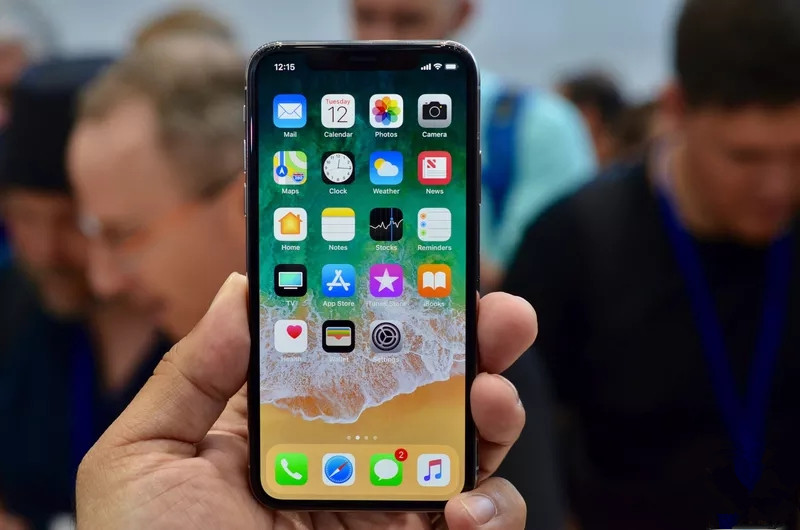
Mac users have had a confusing week, but some iPhone users didn’t escape unscathed. An iOS 11 bug started crashing some iPhonesafter the clocks hit 12:15AM this morning. Apple has had a history of strange time-related bugs affecting iOS multiple times over the years, but this particular issue appears to be related to recurring notifications for apps like reminders. After issuing a final developer beta of iOS 11.2 to developers last night, Apple decided to take the highly unusual step of issuing iOS 11.2 to all iPhone owners to fix the crashing issues today.
Apple generally issues iOS updates on a Tuesday at 1PM ET / 10AM PT, but this bug has clearly made the company push its release a lot earlier than it was potentially planning. iOS 11.2 also includes a fix for a new autocorrect issue where the word "it" would be autocorrected to "I.T” automatically. Apple fixed a similar autocorrect bug with iOS 11.1.1after the operating system had been automatically changing the letter “I” to “A [?]” for some users.
Let’s recap the week of Apple software problems:
macOS High Sierra critical flaw with root admin access
macOS High Sierra update released, but breaks file sharing
iOS 11 crashing on some iPhones due to a date bug
macOS High Sierra fix not installing correctly on some systems
iOS 11.2 released early to fix iPhone crash bug
It’s hard to say whether Apple has been particularly sloppy recently with its software updates, or whether this is a growing trend in software in general. Apple also didn’t notice an epic security flaw in macOS and iOS for 18 months a few years ago. Either way, this latest week of problems does highlight Apple’s challenge to meet the needs of its customers on a wide scale. 10 years ago Apple introduced the iPhone, but at the time its main computing devices were Macs which made up around five percent of all desktop machines. Windows was the operating system you associated with bugs or security patches at the time.
But Apple now has more than 1 billion devices running iOS, and any security flaws or problems impact millions of people on a much larger scale than macOS has ever experienced. Thankfully, Apple is able to patch these devices regularly and provides software updates even to older phones and tablets — something we rarely see on Android devices. Apple is now facing the challenging prospect of auditing its development processes to ensure this kind of messy week never happens again.
Source: the verge










