TUTORIALS
How to Hide the Watermark in the Casting Window?
 03/03/2026
 77
77
How to hide the watermark in the casting window?
To hide the watermark in 3uAirPlayer, follow the steps below:
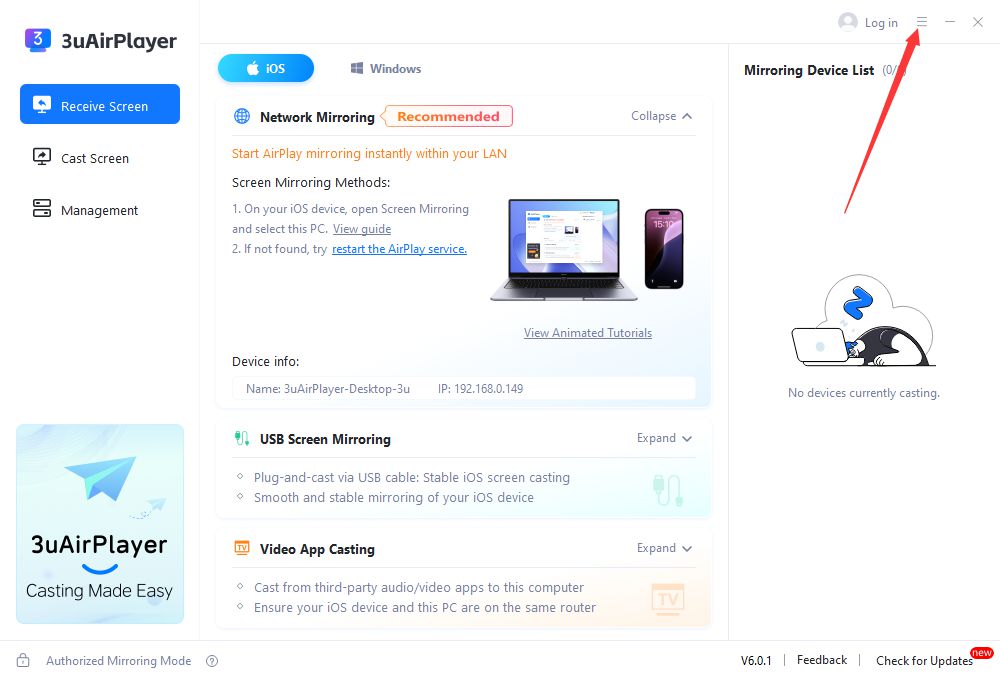
Step 1: Open the settings menu
After launching 3uAirPlayer, click the three-line menu button in the upper-right corner of the interface (the main function entry).
Step 2: Go to Mirroring Settings
In the pop-up menu, find and click “Mirroring Settings” to enter the casting configuration page.
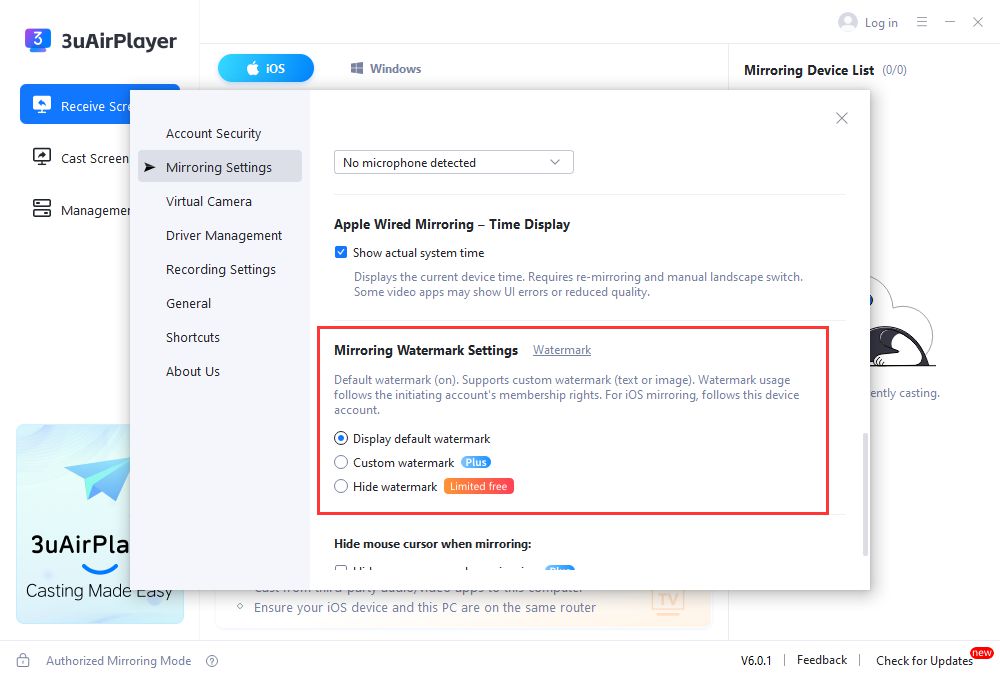
Step 3: Locate the watermark section and hide it
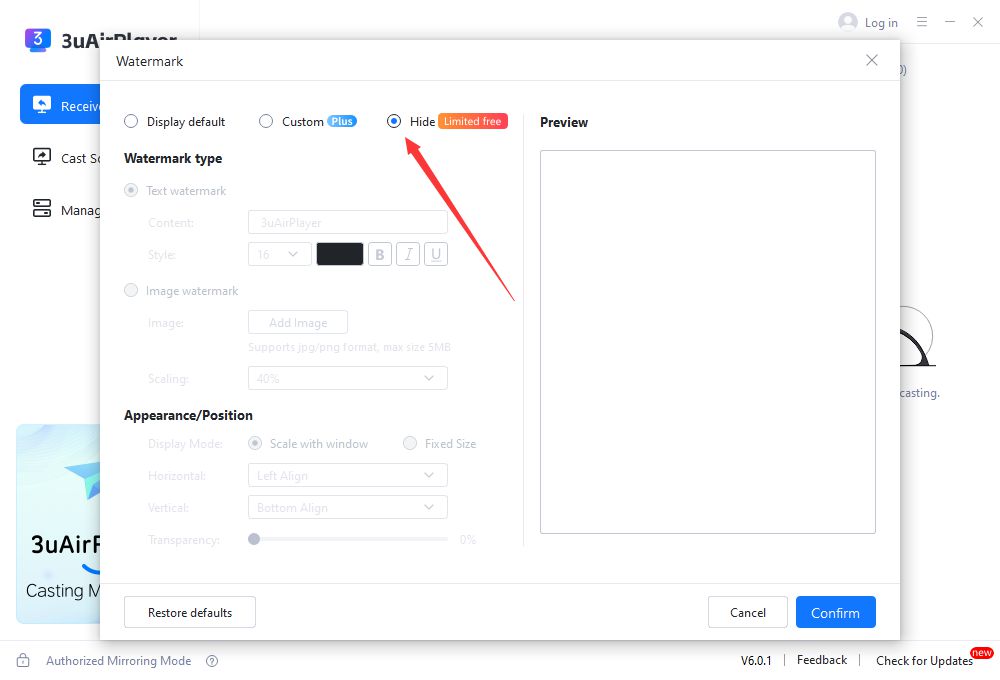
On the “Mirroring Settings” page, locate the “Mirroring Watermark Settings” section. Check “Hide Watermark” to remove the default watermark from the casting screen.
You can also use the custom watermark feature to create your own watermark if needed.