 TUTORIALS
“Failed to Initialize Device” When Using Wired Screen Mirroring
 03/13/2026
 10702
10702
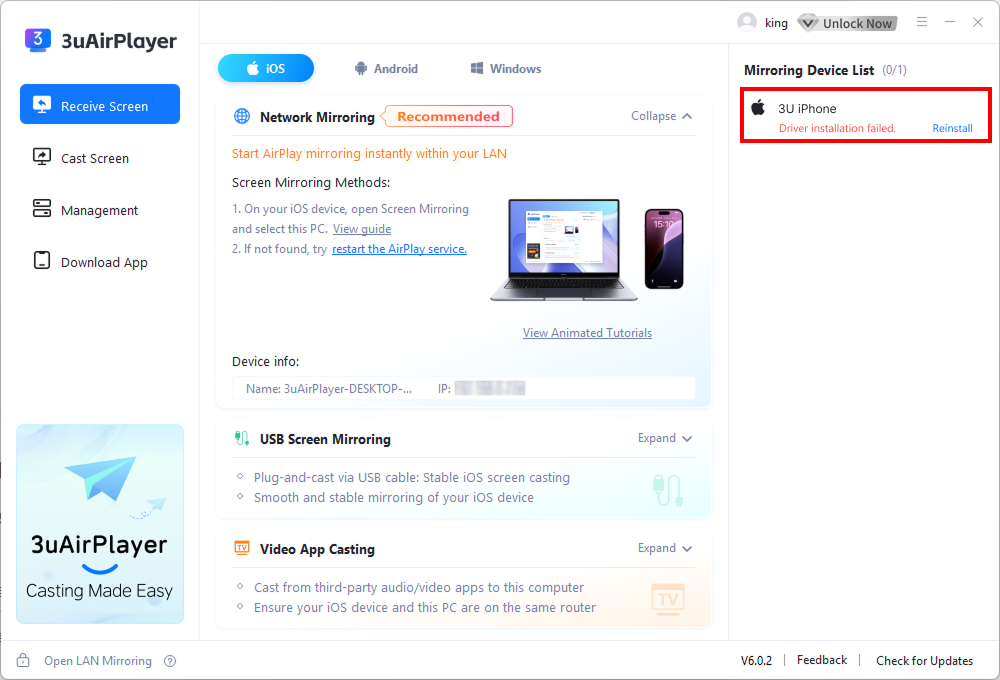
If you see the error “Failed to initialize device” during wired screen mirroring, try the following solutions step by step.
Solution 1: Restart the Device and Reconnect
1. First, unplug the USB cable connecting your phone to the computer.
2. Restart the phone completely.
3. After the phone has fully powered on, reconnect it to the computer using the USB cable.
4. Try wired screen mirroring again.
Solution 2: Check for Conflicts with Live Streaming Software
If the issue persists after restarting the phone and computer or repairing drivers, the problem may be caused by driver conflicts with other live streaming software.
Some streaming applications may interfere with 3uAirPlayer.
Examples include:
●WeChat Channels Live
●Douyin Live
●Kuaishou Live
●Other broadcasting software
Steps to resolve:
1. Close all running live streaming or broadcasting software.
2. Disconnect the USB cable between the phone and computer.
3. Wait 10–15 seconds.
4. Reconnect the USB cable.
5. Try starting screen mirroring again.
Solution 3: Check Apple Trust File Issues
The issue may also be related to Apple device trust files stored on the computer.
Follow these steps:
1. On the computer, navigate to the following folder: C:\ProgramData\Apple\Lockdown
2. Delete the TMP files inside this folder.
3. Disconnect and reconnect the USB cable.
4. Try starting screen mirroring again.









