 NEWS
NEWS
Apple Allowing Apple Card Customers to Skip March Payment Without Interest Due to Coronavirus
 03/16/2020
 2096
2096
In response to the continued coronavirus outbreak, Apple and Goldman Sachs are allowing customers to skip their Apple Card March payment without incurring interest charges. Apple Card holders should receive an email announcing this “Customer Assistance Program.”
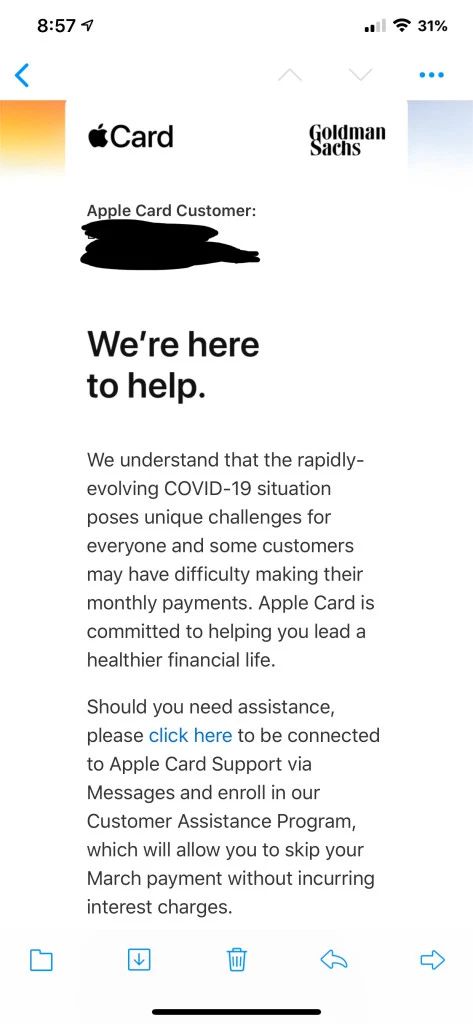
As first shared on Reddit, and noticed first by MacRumors, Apple Card customers can skip their March payment without incurring interest charges through the Customer Assistance Program. The email explains:
We understand that the rapidly-evolving COVID-19 situation poses unique challenges for everyone and some customers may have difficulty making their monthly payments. Apple Card is committed to helping you lead a healthier financial life.
Should you need assistance, please click here to be connected to Apple Card support via Messages and enroll in our Customer Assistance Program, which will allow you to skip your March payment without incurring interest charges.
The key here appears to be that you have to contact Apple Card support in order to join the Customer Assistance Program. That seemingly means that if you simply skip your March payment without contacting support, you’ll still be charged interest as usual.
Apple Card holders should all receive this email soon, but if you haven’t already, you can find out how to contact Apple Card Support and enroll in the Customer Assistance Program here.
This Apple Card announcement follows Apple’s decision to close all of its retail stores outside of China through March 27, effective immediately. Apple also said that it has donated $15 million to the global COVID-19 response and it is also matching employee donations two-to-one to support the effort.
Apple has also switched WWDC to an online-only format for 2020, and opened a dedicated coronavirus spotlight on Apple News.
Source: 9to5mac









