
NEWS

DigiTimes: New 'Entry-Level' AirPods Pro to Enter Production by Early Second Quarter

03/06/2020

4267

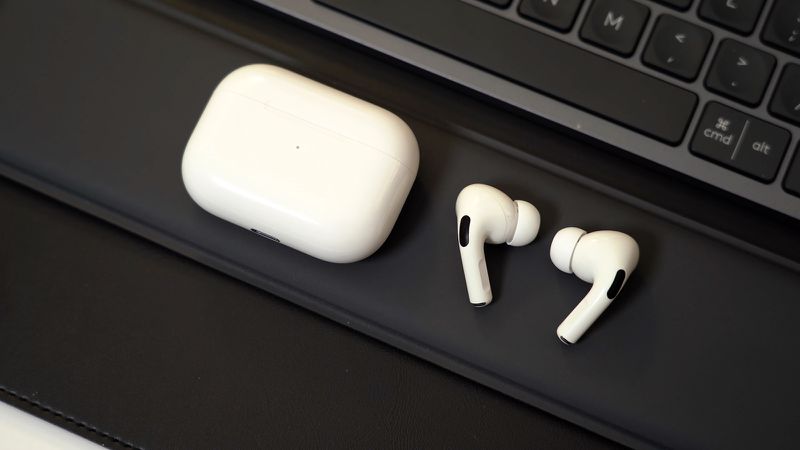
Apple's suppliers will kick off production of a new entry-level version of AirPods Pro between the end of the first quarter and the beginning of the second quarter, according to Taiwanese industry publication DigiTimes, suggesting that assembly of the earphones will begin around early to mid April. 
DigiTimes: New 'Entry-Level' AirPods Pro to Enter Production by Early Second Quarter
A paywalled preview of the report, which should be published in full by tomorrow: Chip and component suppliers gearing up for new AirPods production.


Production of an entry-level version of Apple's AirPods Pro, dubbed tentatively AirPods Pro Lite, is expected to kick off between the end of the first quarter and the beginning of the second quarter, according to sources at chip and component suppliers engaged in the supply chain for the TWS device.


DigiTimes continues to refer to the earphones as "AirPods Pro Lite," but it is unlikely that Apple will actually use that name. 

Details surrounding the alleged entry-level AirPods Pro remain slim. It has been speculated that the earphones could end up being third-generation regular AirPods with the same design and sound quality as AirPods Pro, but without active noise cancelation. Apple announced the second-generation AirPods on March 20, 2019. 

The second-generation AirPods start at $159, while AirPods Pro are priced at $249.


Source: Macrumors

Windows
Mac OS
iOS
Linux
3uTools
Win 64-bit For this device
V9.0 2025-11-11
Download
Win 32-bit For this device
V9.0 2025-11-11
Download
3uTools
Intel Chip How to Identify Chip Type
V9.0 2025-12-02
Download
Apple Chip
V9.0 2025-12-02
Download
How to Identify Chip Type
1.  Click the Apple icon in the top-left corner of the screen and select About This Mac.
2.  Check the Processor or Chip field to determine if it is "Intel" or "Apple".
Please use the 3uTools PC client to install the iOS client:
1、 Install either the Windows or Mac version of 3uTools on your computer
2、 Open the PC client and connect your device to the computer via USB cable
3、 After the connection is successful, wait for the computer to automatically install the mobile app for the device, or locate “Install Mobile App” on the computer and manually click to install.
3uTools
deb file
V3.01 2025-11-20
Download
rpm file
V3.01 2025-11-20
Download
Windows
Windows
iOS
iOS
Android
Android
TV
TV
3uAirPlayer
Win 64-bit For this device
V6.0.2 2025-11-19
Download
Win 32-bit For this device
V6.0.2 2025-11-19
Download
iOS Device Mirroring (No App Required)
1、 Install 3uAirPlayer on the Windows PC
2、 Open Control Center and select Screen Mirroring
3、 From the list, choose your PC to start mirroring
4、 Or connect your iOS device to the PC via USB to begin mirroring
Scan to get "3uAirPlayer" App
3uAirPlayer TV V1.0.18
2025-11-28
TV System Requirements: Android 7.0 or later
Download the TV installation package, copy it to a USB drive, insert it into your TV or set-top box, then select the file from the home screen to install.




