
NEWS

Previously Reliable Leaker CoinX Suggests New iMac and Mac Mini Models Are Coming Soon

03/05/2020

2159

New models of the iMac and Mac mini could be on the horizon, according to previously-reliable leaker CoinX. The cryptic tweet simply mentions the iMac and Mac mini next to a "soon" arrow emoji, with no further details shared. 
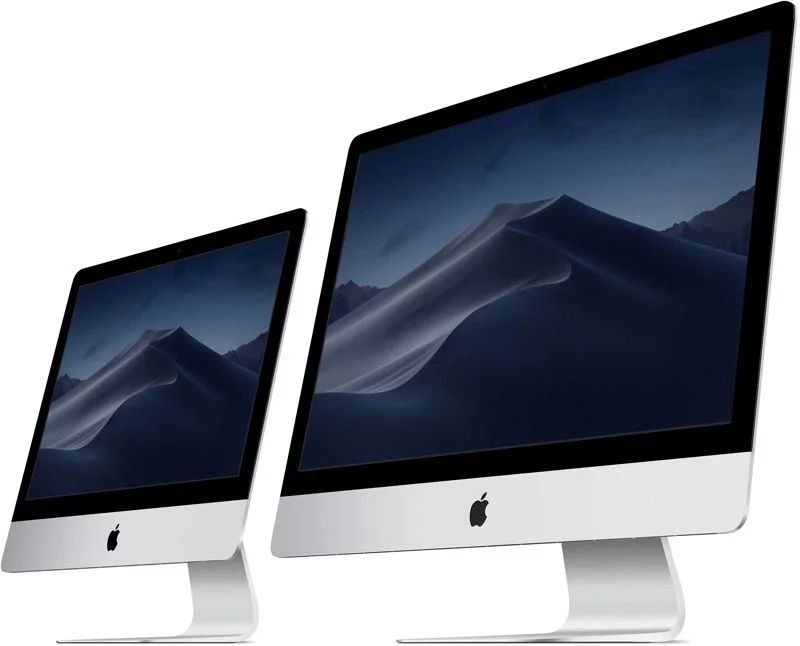
Previously Reliable Leaker CoinX Suggests New iMac and Mac Mini Models Are Coming Soon


Apple last refreshed its regular iMac lineup in March 2019 with up to 8-core 9th-gen Intel Core processors and Radeon Pro Vega graphics options, while the Mac mini was last updated in October 2018 with up to 6-core 8th-gen Intel Core processors, USB-C ports, and a new Space Gray color option. 

iMac and Mac mini rumors have been slim, but analyst Ming-Chi Kuo recently said a new iMac Pro will launch in the fourth quarter of 2020 with a Mini-LED backlit display. Apple has not updated the iMac Pro since it was first released in December 2017, a span of over 800 days, as noted in the MacRumors Buyer's Guide. 


March is a common month for Apple product refreshes. The updated iMac and Mac mini models could be announced in a press release at any time. 

CoinX has an accurate track record, having previously leaked the iPhone XS, iPhone XS Max, and iPhone XR names before anyone else, the "Pro" branding for iPhone 11 models, the 10.2-inch iPad and 10.5-inch iPad Air, and many other minor details about unreleased Apple products. It is unclear who runs the Twitter account.


Source: Macrumors


Windows
Mac OS
iOS
Linux
3uTools
Win 64-bit For this device
V9.0 2025-11-11
Download
Win 32-bit For this device
V9.0 2025-11-11
Download
3uTools
Intel Chip How to Identify Chip Type
V9.0 2025-12-02
Download
Apple Chip
V9.0 2025-12-02
Download
How to Identify Chip Type
1.  Click the Apple icon in the top-left corner of the screen and select About This Mac.
2.  Check the Processor or Chip field to determine if it is "Intel" or "Apple".
Please use the 3uTools PC client to install the iOS client:
1、 Install either the Windows or Mac version of 3uTools on your computer
2、 Open the PC client and connect your device to the computer via USB cable
3、 After the connection is successful, wait for the computer to automatically install the mobile app for the device, or locate “Install Mobile App” on the computer and manually click to install.
3uTools
deb file
V3.01 2025-11-20
Download
rpm file
V3.01 2025-11-20
Download
Windows
Windows
iOS
iOS
Android
Android
TV
TV
3uAirPlayer
Win 64-bit For this device
V6.0.2 2025-11-19
Download
Win 32-bit For this device
V6.0.2 2025-11-19
Download
iOS Device Mirroring (No App Required)
1、 Install 3uAirPlayer on the Windows PC
2、 Open Control Center and select Screen Mirroring
3、 From the list, choose your PC to start mirroring
4、 Or connect your iOS device to the PC via USB to begin mirroring
Scan to get "3uAirPlayer" App
3uAirPlayer TV V1.0.18
2025-11-28
TV System Requirements: Android 7.0 or later
Download the TV installation package, copy it to a USB drive, insert it into your TV or set-top box, then select the file from the home screen to install.




