 NEWS
NEWS
Tim Cook Says Japan's Seiko Advance is why There's a Midnight Green iPhone
 12/31/2019
 2519
2519
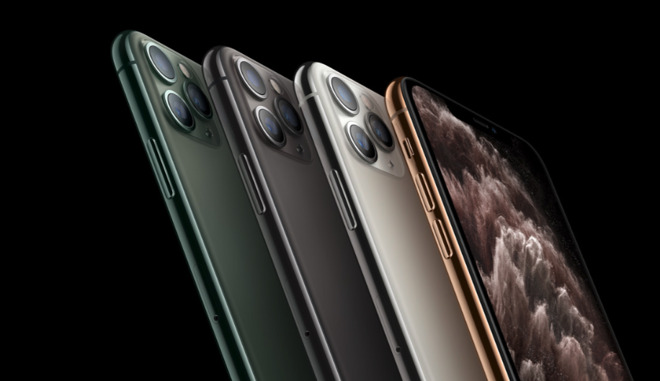
During his tour of Japan in early December, Apple CEO Tim Cook visited suppliers including Seiko Advance, which produces inks for iPhone casings. He said at the time that the company's "craftmanship and attention to detail" is the "reason" there is a Midnight Green and that all the iPhone 11 Pro colors are "gorgeous."
Now Seiki Advance has told Nikkei Asian Review more details about how Tim Cook and Apple have worked with the company.
"Cook showed us his attitude to deal with any company with high technology," said Yukinori Kabe, Seiko Advance sales manager. "However small you are, Apple will be your customer if you have outstanding technology."
Kabe was the manager sent to visit Apple when the company requested pitches from ink manufacturers in 2011.
"[Visiting Apple was a] very different world," he said. "At that time, we found that we couldn't meet Apple's high standards."
According to Kabe, Apple required its suppliers to meet hundreds of different quality criteria. Seiko Advance then spent four years working toward becoming a supplier, after which Apple initially used the company for black ink on iPhones.
"[Now] we are the sole supplier of colors for the iPhone 11 Pro and iPhone 11 Pro Max," he said.
One key requirement for Apple was to do with environmental concerns. Reportedly, the production of green ink typically results in pollutants, but Seiko Advance developed a new way that was cleaner, and provided more durable, high color-accuracy inks.
Toshio Hiraguri, president of Seiko Advance, told Nikkei Asian Review that the ink company is the only one in the world that utilizes a cleanroom to control temperature and humidity.
While he believes this gives the firm an edge over its competitors, he says that competition is rising in China.
"Chinese companies are rapidly catching up," he said. "If we fall into price competition, we will be in a very tough position. We need to maintain quality to win."
Source: Appleinsider









