
NEWS

Apple Watch Series 5 in (PRODUCT)RED Could Launch in 2020

12/31/2019

3776

Apple may be planning to expand its Apple Watch Series 5 lineup with a new (PRODUCT)RED model at some point next year, according to evidence uncovered by French blog WatchGeneration. 
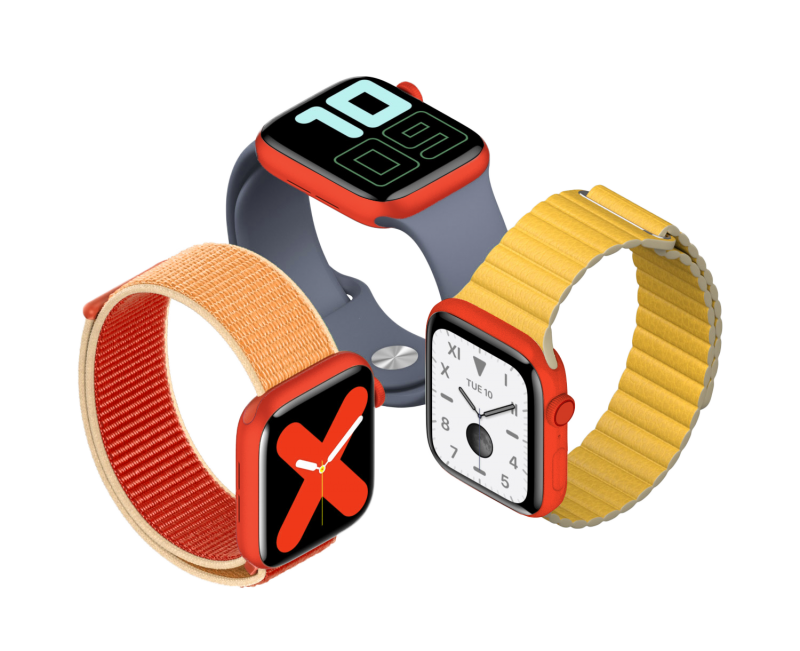
Apple Watch Series 5 in (PRODUCT)RED Could Launch in 2020


The report claims the unreleased Apple Watch briefly appeared in an unspecified Apple database, adding that it would likely be an aluminum model with a similar red finish as the iPod touch. The new color would be offered alongside existing silver, space gray, and gold aluminum casing options. 

It is unclear exactly when the new Apple Watch model could be released, but the spring is a possibility. Apple introduced (PRODUCT)RED versions of the iPhone 7 and iPhone 8 in March 2017 and April 2018, respectively. 

Apple donates a portion of proceeds from every (PRODUCT)RED product that it sells to The Global Fund to Fight AIDS, Tuberculosis and Malaria, raising more than $220 million since 2006. Apple sells a wide range of (PRODUCT)RED products, ranging from iPhone and iPad cases to Beats headphones and speakers.


Source: Macrumors

Windows
Mac OS
iOS
Linux
3uTools
Win 64-bit For this device
V9.0 2025-11-11
Download
Win 32-bit For this device
V9.0 2025-11-11
Download
3uTools
Intel Chip How to Identify Chip Type
V9.0 2025-12-02
Download
Apple Chip
V9.0 2025-12-02
Download
How to Identify Chip Type
1.  Click the Apple icon in the top-left corner of the screen and select About This Mac.
2.  Check the Processor or Chip field to determine if it is "Intel" or "Apple".
Please use the 3uTools PC client to install the iOS client:
1、 Install either the Windows or Mac version of 3uTools on your computer
2、 Open the PC client and connect your device to the computer via USB cable
3、 After the connection is successful, wait for the computer to automatically install the mobile app for the device, or locate “Install Mobile App” on the computer and manually click to install.
3uTools
deb file
V3.01 2025-11-20
Download
rpm file
V3.01 2025-11-20
Download
Windows
Windows
iOS
iOS
Android
Android
TV
TV
3uAirPlayer
Win 64-bit For this device
V6.0.2 2025-11-19
Download
Win 32-bit For this device
V6.0.2 2025-11-19
Download
iOS Device Mirroring (No App Required)
1、 Install 3uAirPlayer on the Windows PC
2、 Open Control Center and select Screen Mirroring
3、 From the list, choose your PC to start mirroring
4、 Or connect your iOS device to the PC via USB to begin mirroring
Scan to get "3uAirPlayer" App
3uAirPlayer TV V1.0.18
2025-11-28
TV System Requirements: Android 7.0 or later
Download the TV installation package, copy it to a USB drive, insert it into your TV or set-top box, then select the file from the home screen to install.




