
NEWS

Apple Acknowledges Issue With Some Entry-Level 2019 13-Inch MacBook Pro Models Unexpectedly Shuttin

12/04/2019

2068

Apple today posted a new support document outlining troubleshooting steps for users experiencing problems with unexpected shutdowns on the entry-level 2019 13-inch MacBook Pro with two Thunderbolt 3 ports, which was introduced back in July. 
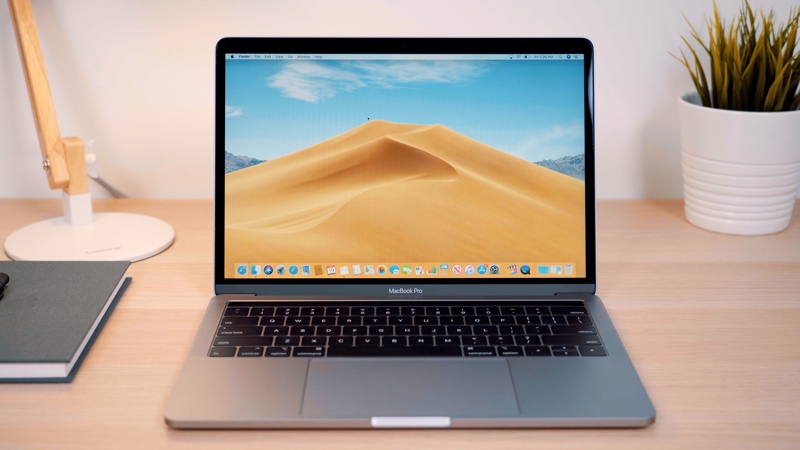
Apple Acknowledges Issue With Some Entry-Level 2019 13-Inch MacBook Pro  Models Unexpectedly Shuttin
Apple's troubleshooting steps involve making sure the ‌MacBook Pro‌ has its battery level run down to below 90 percent, connecting it to a charger, quitting all open applications, and letting it sleep and charge for at least eight hours. 

Once the ‌MacBook Pro‌ has been charged for at least eight hours, users should make sure they are running the latest version of macOS, and if the shutdown issue persists after following these steps, users should contact Apple for service. 

There is a fairly lengthy thread in our forums where some users experiencing the issue have gathered to try to diagnose and troubleshoot their machines, and there are scattered reports of the issue in other discussion forums, including Apple's support forums.


Source: Macrumors

Windows
Mac OS
iOS
Linux
3uTools
Win 64-bit For this device
V9.0 2025-11-11
Download
Win 32-bit For this device
V9.0 2025-11-11
Download
3uTools
Intel Chip How to Identify Chip Type
V9.0 2025-12-02
Download
Apple Chip
V9.0 2025-12-02
Download
How to Identify Chip Type
1.  Click the Apple icon in the top-left corner of the screen and select About This Mac.
2.  Check the Processor or Chip field to determine if it is "Intel" or "Apple".
Please use the 3uTools PC client to install the iOS client:
1、 Install either the Windows or Mac version of 3uTools on your computer
2、 Open the PC client and connect your device to the computer via USB cable
3、 After the connection is successful, wait for the computer to automatically install the mobile app for the device, or locate “Install Mobile App” on the computer and manually click to install.
3uTools
deb file
V3.01 2025-11-20
Download
rpm file
V3.01 2025-11-20
Download
Windows
Windows
iOS
iOS
Android
Android
TV
TV
3uAirPlayer
Win 64-bit For this device
V6.0.2 2025-11-19
Download
Win 32-bit For this device
V6.0.2 2025-11-19
Download
iOS Device Mirroring (No App Required)
1、 Install 3uAirPlayer on the Windows PC
2、 Open Control Center and select Screen Mirroring
3、 From the list, choose your PC to start mirroring
4、 Or connect your iOS device to the PC via USB to begin mirroring
Scan to get "3uAirPlayer" App
3uAirPlayer TV V1.0.18
2025-11-28
TV System Requirements: Android 7.0 or later
Download the TV installation package, copy it to a USB drive, insert it into your TV or set-top box, then select the file from the home screen to install.




