
NEWS

Apple Stores welcome AirPods Pro with larger-than-life window photography, custom displays

10/30/2019

5284

Apple is celebrating the arrival of AirPods Pro across the world with lively banners and special new displays at a select number of its retail stores. The custom decals and fixtures are timed to coincide with availability of the headphones in-store and online beginning October 30.
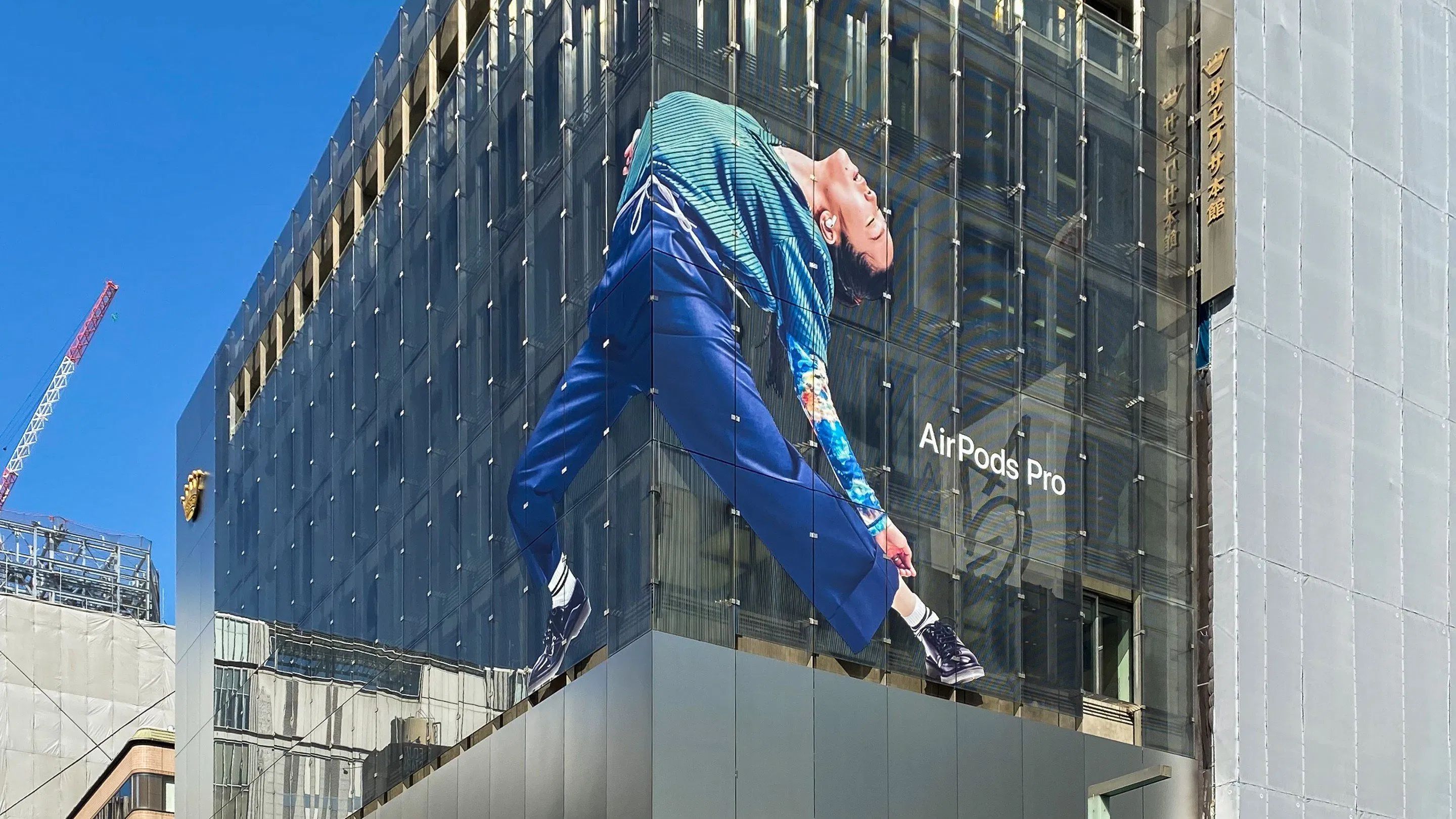

Apple Stores welcome AirPods Pro with larger-than-life window photography, custom displays


Energetic, floor-to-ceiling photography depicts people dancing and listening to music while wearing AirPods Pro. The window displays are precision cut and doubled-sided, allowing viewing from the street or inside the store.


Each location with banners features a unique scene with image selection conforming to the store’s architecture. So far, unique decals have been spotted at Apple Orchard Road in Singapore, Apple Omotesando & Ginza in Tokyo, and Apple Nanjing East in Shanghai.


Source: 9to5mac

Windows
Mac OS
iOS
Linux
3uTools
Win 64-bit For this device
V9.0 2025-11-11
Download
Win 32-bit For this device
V9.0 2025-11-11
Download
3uTools
Intel Chip How to Identify Chip Type
V9.0 2025-12-02
Download
Apple Chip
V9.0 2025-12-02
Download
How to Identify Chip Type
1.  Click the Apple icon in the top-left corner of the screen and select About This Mac.
2.  Check the Processor or Chip field to determine if it is "Intel" or "Apple".
Please use the 3uTools PC client to install the iOS client:
1、 Install either the Windows or Mac version of 3uTools on your computer
2、 Open the PC client and connect your device to the computer via USB cable
3、 After the connection is successful, wait for the computer to automatically install the mobile app for the device, or locate “Install Mobile App” on the computer and manually click to install.
3uTools
deb file
V3.01 2025-11-20
Download
rpm file
V3.01 2025-11-20
Download
Windows
Windows
iOS
iOS
Android
Android
TV
TV
3uAirPlayer
Win 64-bit For this device
V6.0.2 2025-11-19
Download
Win 32-bit For this device
V6.0.2 2025-11-19
Download
iOS Device Mirroring (No App Required)
1、 Install 3uAirPlayer on the Windows PC
2、 Open Control Center and select Screen Mirroring
3、 From the list, choose your PC to start mirroring
4、 Or connect your iOS device to the PC via USB to begin mirroring
Scan to get "3uAirPlayer" App
3uAirPlayer TV V1.0.18
2025-11-28
TV System Requirements: Android 7.0 or later
Download the TV installation package, copy it to a USB drive, insert it into your TV or set-top box, then select the file from the home screen to install.




