 NEWS
NEWS
Apple CEO Tim Cook Named Board Chairman of Tsinghua University's School of Economics and Management
 10/22/2019
 3261
3261
Apple CEO Tim Cook is now the chairman of the advisory board of the Tsinghua University School of Economics and Management (SEM), and he recently hosted the 20th annual meeting of the committee.
The news of his appointment was shared in a recap of the 2019 meeting of the board, which is the 20th annual meeting since the committee was established. 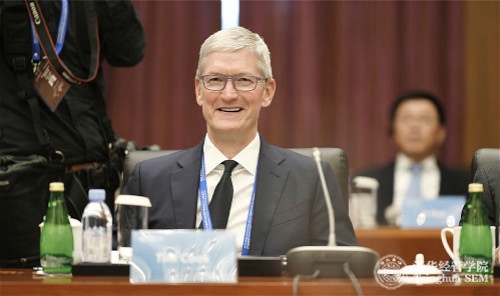
Cook has been a member of the Beijing-based university's advisory board since October of 2013. Tsinghua SEM is considered one of the top schools in China, and other advisory board members include General Motors CEO Mary Barra, Dell CEO Michael Dell, JPMorgan Chase CEO Jamie Dimon, Foxconn CEO Terry Gou, Pepsi CEO Ramon Laguarta, Alibaba executive chairman Jack Ma, Facebook CEO Mark Zuckerberg, and more.
Cook took over as chairman from Breyer Capital founder and CEO Jim Breyer, who led the board for the last three years.
In a speech at the meeting, Cook said that he plans to work with board members to "promote the development of the college" over the course of the next three years that he will hold the position.
Cook's promotion to chairman of the board at Tsinghua SEM comes as Apple struggles to navigate tensions between China and Hong Kong. Earlier this month, Apple pulled the HKMap Live app that protestors were using to communicate police movements after China suggested the app was being used to target specific police officers.
Last Friday, U.S. lawmakers condemned Apple's decision and called on the company to reinstate the app, but Apple has not yet responded.
Source: Macrumors










