 NEWS
NEWS
Director Martin Moore Uses an iPhone XS Max to Shoot a Commercial for Koss Headphones
 10/29/2018
 2543
2543
The iPhone has been a tool used by filmmakers and photographers to take some amazing shots and film some amazing content, and the trend is certainly not going anywhere anytime soon. Apple is certainly proud of it.
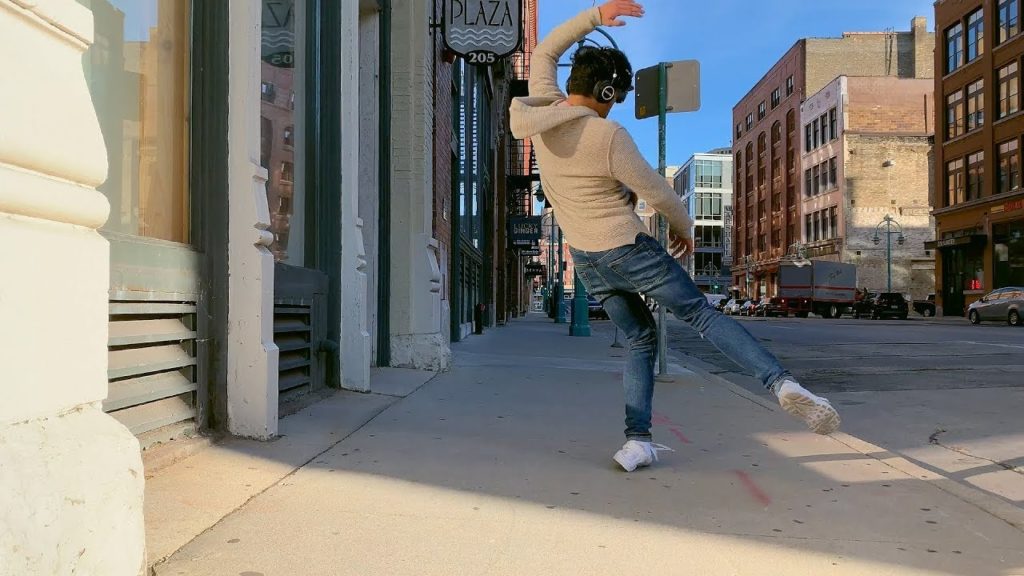
The latest showcase for Apple’s newest, and biggest, iPhone is from director Martin Moore, who put together a quick commercial for Koss Headphones. The ad itself measures in at just under a minute, and we get to see a person wearing the branded headphones dancing out in public. The creation of the ad itself is entertaining, because Moore simply wanted to test out the power of the iPhone XS Max that he got “a week ago”. The results, perhaps unsurprisingly, speak for themselves:
Moore says that he came away very impressed with the iPhone XS Max’s camera system:
“Anyways, I wanted to share this for anyone interested in the full potential of the iPhone XS Max camera system or interested in hearing the thoughts on the Xs Max potential from someone who shoots video and photos professionally.
I just got my Xs Max a week ago and I was totally blown away by the new camera system. The dynamic range, color saturation, af acquisition and af tracking and over all image quality had me thinking, ‘I wonder if I could actually shoot a commercial with this, and if so could anyone even tell?’”
Whether or not someone can tell would probably come down to whether or not they know it was shot on the iPhone XS before they watch it or not. The autofocus is certainly very quick, but that background transition from light to dark, or dark to light, is very noticeable. Still, the end result is pretty fantastic and does indeed show off how powerful and useful the camera system in the iPhone XS Max (and XS) can be.
For those curious, Moore says he shot the commercial at 4K and 30fps. He wanted to “slow it down slightly about 95%”, after which he “edited it in FCPX at 24fps to make it a little more smooth and cinematic”.
Of course, this is definitely not the first time this sort of thing has happened. Moore himself points out that Steven Soderbergh directed an entire film on an iPhone (it was a psychological horror film entitled Unsane), and we’ve seen director John M. Chu shoot an entire short film on the iPhone XS Max as well.
Source: iphonehacks









