 NEWS
NEWS
iOS 12 Allows your AirPods to Serve as Hearing Aids With Live Listen.
 09/25/2018
 2905
2905
Upon its release, Apple touted iOS 12’s capability to help curb smartphone addiction and encourage users to up their cybersecurity game. But the handsets weren’t the only piece of hardware benefiting from the new software.
Indeed, iOS 12 also surreptitiously introduced Live Listen, an AirPods-specific upgrade with the ability to turn the earbuds into a budget pair of hearing enhancers. Though it was barely advertised by Apple, iPhone users have already begun acquainting themselves with the new software, and many have realized this could one of the most versatile hardware features Apple has ever released.
The technology behind Live Listen was launched in 2014 and was originally only compatible with certified hearing aids, via Apple’s Made for iPhone hearing aid effort. iOS 12 opened up this hearing enhancer to anyone with the company’s signature pair of wireless earbuds. Simply open the Settings app, scroll down to the Control Center menu, tap Customize Controls, and add Hearing to your Control Center. Now, when you swipe up on your home screen you should see an ear icon next to your Camera, Flashlight, and Calculator shortcuts.
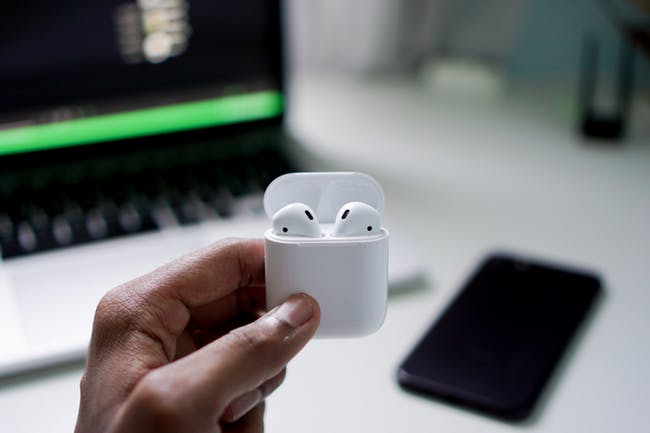
Tapping this while your AirPods are paired with your iPhone will turn the handset into a remote microphone that reroutes the sound it picks up straight to your ears. If you’re having trouble hearing someone, simply point your phone’s mic in the general direction of the speaker and their voice will be amplified.
iOS 12 Live Listen: Assisting Those with Hearing Loss
Its primary function is to assist, and will certainly not replace certified hearing aids. However, people with mild hearing loss may not want to spend the up to $7,000 that medicinal devices can sell for without insurance. That may be where Live Listen shines.
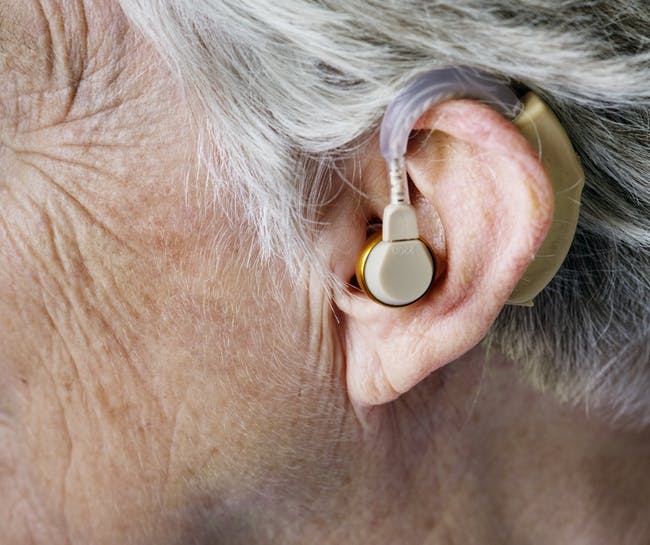
The iPhone 5S is the oldest Apple handset that can run iOS 12, which can be purchased refurbished for $74 on Amazon. Sync this up with a pair of $159 AirPods and you have a $233, pair of hearing boosters for when you need them.
iOS 12 Live Listen: Makeshift Stethoscope
Users have wasted no time trying to find alternate uses for the accessibility application. Reddit-user JakeVarga pointed out that cranking up the AirPods’ volume all the way while Live Listen is on will turn them into a digital stethoscope. He recommends placing the iPhone on directly on a bare chest, over the heart for the best results.
This has proven to help some users, one redditor was stunned and grateful to learn of this hidden feature.
“You’re amazing! I’m now able to hear my wife’s heartbeat so much clearer. She was diagnosed with Tachycardia just recently,” they wrote.










