 NEWS
NEWS
Apple CEO Tim Cook Defends Pricing of New iPhones
 09/19/2018
 2921
2921
In an interview with Good Morning America's Robin Roberts this morning, Apple CEO Tim Cook discussed the new iPhone XS, XS Max, Apple Watch, and the recent exemption of some Apple's products from President Trump's proposed tariff on Chinese goods.
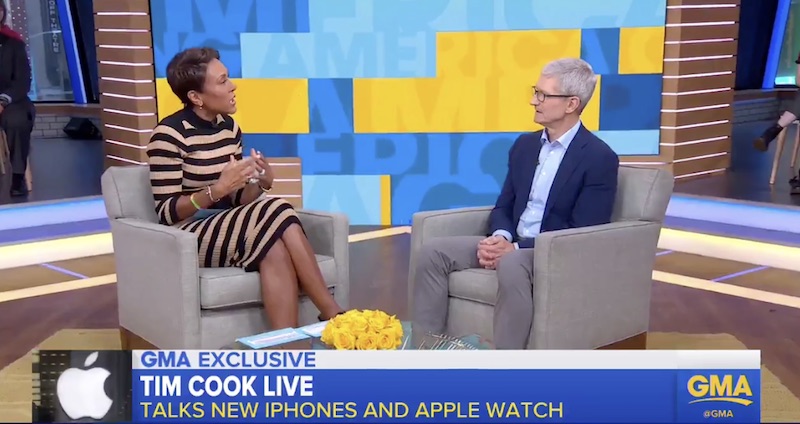
Roberts asked Cook about the cost of the iPhone XS and iPhone XS Max line, the latter of which is Apple's most expensive iPhone to date at $1,449 for the 512GB model. Cook explained that monthly payment plans provided by carriers help make the cost of the iPhones easier to digest.
He pointed out that all of the technology included in the iPhone, replacing previous separate gadgets like MP3 players and digital cameras, requires each smartphone to be priced at a premium. Cook also mentioned Apple's aim to "serve everyone," which he mentioned in an interview last week.
Roberts: "One model starts at almost $1,100, are you afraid that a group of people are being priced out?"
Cook: "Well we want to make an iPhone for everyone, that's always been our objective and we've got several iPhones in the line and they go down to materially lower. But if you look at this phone, it's the most advanced iPhone we've ever done.
The way most people pay for these...they do a deal with a carrier and they pay so much per month, so if you look at even the phone that's priced over $1,000, most people pay $30 a month for it, so that's about $1 a day. And so if you look at it, the phone has replaced your digital camera...it's replaced your video camera, it's replaced your music player, it's replaced all of these different devices. And so arguably the product is really important and we found people want to have the most innovative product available, and...it's not cheap to do that."
Cook then discussed the tariff situation, explaining that while the iPhone is assembled in China, parts of the device come from all over the world, including the United States.
"The iPhone is assembled in China, but the parts come from everywhere. Including the United States, you know, the glass comes from Kentucky, there are chips that come from the U.S., and of course the research and development is all done in the United States. So, I don't want to speak for them, but I think they looked at this and said that it's not really great for the United States to put a tariff on those type of products."
In regards to potential blowback from the Chinese government on this tariff exemption, and how this could impact consumers, Cook says he's optimistic that the U.S. and China will sort the situation out.
FULL INTERVIEW: @RobinRoberts is with @tim_cook to talk about the brand new iPhone and Apple Watch--plus they love the new Memoji feature. https://t.co/0wZJnpowI9 pic.twitter.com/BpDyoANSES
— Good Morning America (@GMA) September 18, 2018
The topic then moved onto the company's record trillion dollar valuation, which it hit in early August, making it the world's only trillion dollar publicly traded company in terms of market capitalization. Cook says that, from his point of view, Apple "could only have been created in America," and as such he and his executives feel a responsibility to help the country thrive, including creating jobs and encouraging coding in public schools.
"And so we do that in terms of creating jobs, we've created 2 million jobs in America. We want to create even more, we're investing $350 billion in the country over the next five years and we're starting up facilities in a number of different places. We're really proud of that contribution, but we want to do more.
Source: macrumors










