
NEWS

Apple's Shazam Bid Gets EU Approval

09/07/2018

2209

The app that can identify songs based on a few bars may soon belong to Apple.
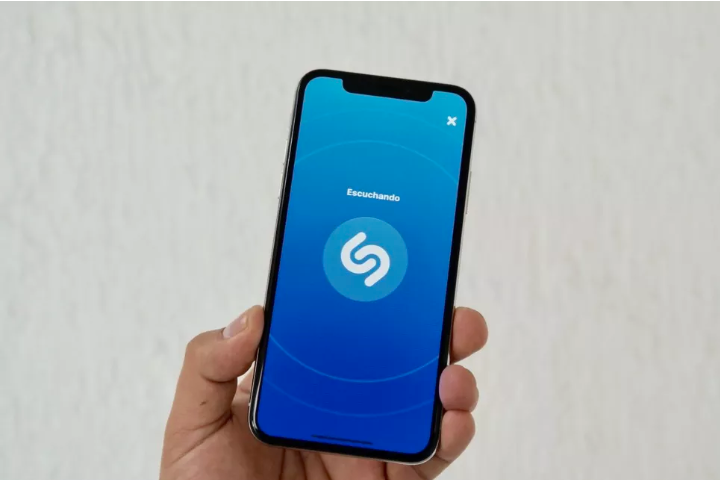

Apple's Shazam Bid Gets EU Approval


Apple gets EU approval to seal its acquisition of Shazam. Shazam will soon get swallowed up by Apple.


The European Union on Thursday approved Apple's buyout of the music recognition app, according to Reuters.


 "After thoroughly analyzing Shazam's user and music data, we found that their acquisition by Apple would not reduce competition in the digital music streaming market," Margrethe Vestager, the EU's competition commissioner, said in a statement. 


This comes after EU regulators launched an investigation of the acquisition in April. Regulators worried that an Apple-Shazam marriage might unfairly give Apple Music a leg-up in the music streaming business over services like Spotify, Pandora and Tidal.


Apple announced its buyout of Shazam in December as a way to bulk up its Apple Music service. Apple didn't disclose financial details, but the December purchase price for the London-based company was reportedly around $400 million. In 2014, the tech giant spent $3 billion to acquire Beats, a headphones maker and subscription streaming music service.


Source: cnet

Windows
Mac OS
iOS
Linux
3uTools
Win 64-bit For this device
V9.01 2025-12-27
Download
Win 32-bit For this device
V9.01 2025-12-27
Download
3uTools
Intel Chip How to Identify Chip Type
V9.0 2025-12-02
Download
Apple Silicon
V9.0 2025-12-02
Download
How to Identify Chip Type
1.  Click the Apple icon in the top-left corner of the screen and select About This Mac.
2.  Check the Processor or Chip field to determine if it is "Intel" or "Apple".
Please use the 3uTools PC client to install the iOS client:
1、 Install either the Windows or Mac version of 3uTools on your computer
2、 Open the PC client and connect your device to the computer via USB cable
3、 After the connection is successful, wait for the computer to automatically install the mobile app for the device, or locate “Install Mobile App” on the computer and manually click to install.
3uTools
deb file
V3.01 2025-11-20
Download
rpm file
V3.01 2025-11-20
Download
Windows
Windows
iOS
iOS
Android
Android
TV
TV
3uAirPlayer
Win 64-bit For this device
V6.0.2 2025-11-19
Download
Win 32-bit For this device
V6.0.2 2025-11-19
Download
iOS Device Mirroring (No App Required)
1、 Install 3uAirPlayer on the Windows PC
2、 Open Control Center and select Screen Mirroring
3、 From the list, choose your PC to start mirroring
4、 Or connect your iOS device to the PC via USB to begin mirroring
Scan to get "3uAirPlayer" App
3uAirPlayer TV V1.0.18
2025-11-28
TV System Requirements: Android 7.0 or later
Download the TV installation package, copy it to a USB drive, insert it into your TV or set-top box, then select the file from the home screen to install.




