
NEWS

Apple Accidentally Reveals ‘iPhone XS’ — Design, Larger Version, and Gold Colors Confirmed

08/31/2018

3884

Earlier today Apple officially announced when and where it will hold its next big event. Apple’s September 12th event is expected to include the introduction of three new iPhones, and 9to5Mac can exclusively share the first look at both new 5.8-inch and 6.5-inch OLED iPhones: the iPhone XS.


We believe that the new 5.8-inch and 6.5-inch iPhones will both be called iPhone XS. We also believe iPhone XS will come in a new gold color option not previously offered on the new design. Apple leaked its own gold version of the iPhone X through the FCC, but it has not been available to purchase.


Other details are still to be determined, but we can report with certainty that iPhone XS will be the name, the OLED model will come in two sizes including a larger version, and each will be offered in gold for the first time.


Apple is also expected to unveil the new Apple Watch Series 4 at the same media event. Stay tuned for more details in that space. 


Again, for another look at the new iPhone XS models:
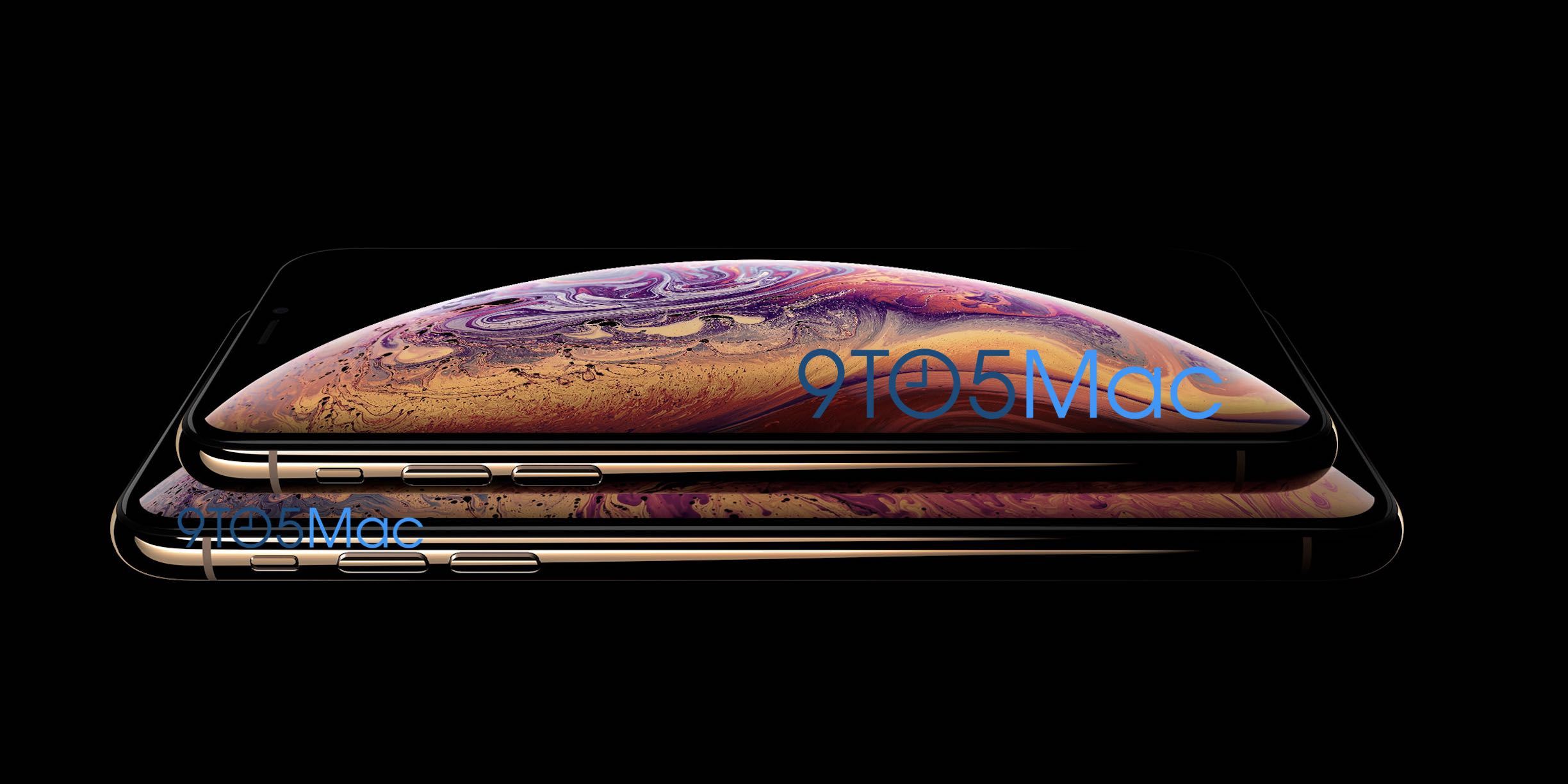

Apple Accidentally Reveals ‘iPhone XS’ — Design, Larger Version, and Gold Colors Confirmed


Apple will officially unveil the iPhone XS September 12 and likely release both before the end of September.


Source: 9to5mac

Windows
Mac OS
iOS
Linux
3uTools
Win 64-bit For this device
V9.0 2025-11-11
Download
Win 32-bit For this device
V9.0 2025-11-11
Download
3uTools
Intel Chip How to Identify Chip Type
V9.0 2025-12-02
Download
Apple Silicon
V9.0 2025-12-02
Download
How to Identify Chip Type
1.  Click the Apple icon in the top-left corner of the screen and select About This Mac.
2.  Check the Processor or Chip field to determine if it is "Intel" or "Apple".
Please use the 3uTools PC client to install the iOS client:
1、 Install either the Windows or Mac version of 3uTools on your computer
2、 Open the PC client and connect your device to the computer via USB cable
3、 After the connection is successful, wait for the computer to automatically install the mobile app for the device, or locate “Install Mobile App” on the computer and manually click to install.
3uTools
deb file
V3.01 2025-11-20
Download
rpm file
V3.01 2025-11-20
Download
Windows
Windows
iOS
iOS
Android
Android
TV
TV
3uAirPlayer
Win 64-bit For this device
V6.0.2 2025-11-19
Download
Win 32-bit For this device
V6.0.2 2025-11-19
Download
iOS Device Mirroring (No App Required)
1、 Install 3uAirPlayer on the Windows PC
2、 Open Control Center and select Screen Mirroring
3、 From the list, choose your PC to start mirroring
4、 Or connect your iOS device to the PC via USB to begin mirroring
Scan to get "3uAirPlayer" App
3uAirPlayer TV V1.0.18
2025-11-28
TV System Requirements: Android 7.0 or later
Download the TV installation package, copy it to a USB drive, insert it into your TV or set-top box, then select the file from the home screen to install.




