 NEWS
NEWS
Lisa Brennan-Jobs Shares Memories of Her Father in Memoir
 08/02/2018
 3312
3312
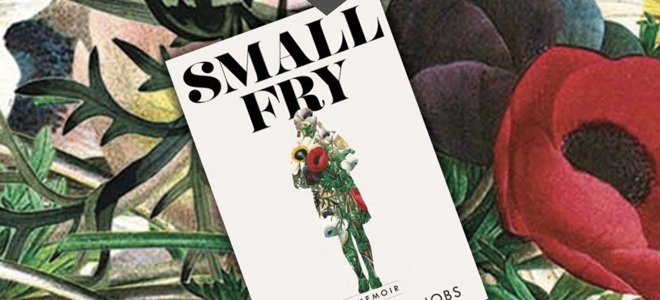
In "Small Fry," set for publication in September, the eldest daughter of Steve Jobs tells stories about the late Apple co-founder and her life.
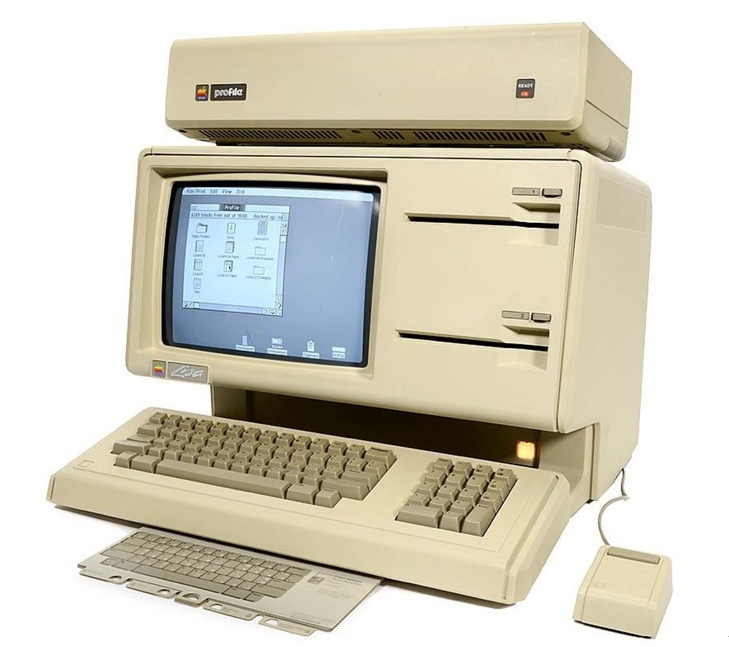
In the mythology of Apple, Brennan-Jobs' name is well-known. She's the oldest child of Steve Jobs and his first serious girlfriend Chrisann Brennan. At the same time he was publicly denying paternity of her, Jobs made the decision to name an early Apple computer the Lisa. Later, the two reconciled, and Lisa went on to a career as a journalist.
Lisa Brennan-Jobs' past has been detailed in various biographies of her father over the years, but the now 40-year-old Brennan-Jobs is stepping into the spotlight to tell her side of the story in a new memoir called "Small Fry." The book, which was announced in March, is set for release in September, and Vanity Fair published an excerpt Wednesday. The excerpt implies that the question of whether or not the Lisa computer was named for Brennan-Jobs will loom large over the book.
In the excerpt, Brennan-Jobs shares that after she was born, Jobs denied his paternity from the start, even though he had agreed to visit her and her mother at the farm in Oregon where she had been born. But she didn't see Jobs again until she was three years old.
She goes on to tell her side of the court battle over Jobs' paternity, sharing that Apple went public — bringing Jobs' net worth to over $200 million — just days after that legal case was finalized.
Even after Jobs admitted paternity and the two started to spend more time together, Jobs was distant with her. "By that time I knew he was not generous with money, or food, or words," she said of a time he visited her in San Francisco.
As she got older, Lisa would tell her friends "a secret," that her father was Steve Jobs, even though most elementary school students in the mid-1980s likely didn't know Jobs by name. She would even brag that her father had named a computer after her, although later in life, it started to bother her that the failed computer had had her name.
"By then the idea that he'd named the failed computer after me was woven in with my sense of self, even if he did not confirm it, and I used this story to bolster myself when, near him, I felt like nothing," Brennan-Jobs writes. "I didn't care about computers—they were made of fixed metal parts and chips with glinting lines inside plastic cases—but I liked the idea that I was connected to him in this way. It would mean I'd been chosen and had a place, despite the fact that he was aloof or absent."
Then, as a high school student, she finally asked Jobs if the computer had been named after her. His answer? "Nope. Sorry, kid."
However, years later, on a yacht trip with her father, Lisa found herself spending time with the long Apple-adjacent rock star Bono. As Jobs and Bono talked about their respective experience, Bono asked Jobs if the Lisa computer had, in fact, been named for his daughter. "Yeah, it was," Jobs replied.
The excerpt also includes a personal retelling of Jobs' final days before his death in 2011. Jobs died at the age of 56 after a long battle with cancer.
Source: appleinsider









