 NEWS
NEWS
Tim Cook at Apple Park Meditates of Steve Jobs' 64 Birthday
 02/25/2019
 2773
2773
"Steve's vision is reflected all around us at Apple Park," Cook wrote on Twitter. "He would have loved it here, in this place he dreamed up — the home and inspiration for Apple's future innovations. We miss him today on his 64th birthday, and every day."
Steve’s vision is reflected all around us at Apple Park. He would have loved it here, in this place he dreamed up — the home and inspiration for Apple’s future innovations. We miss him today on his 64th birthday, and every day.
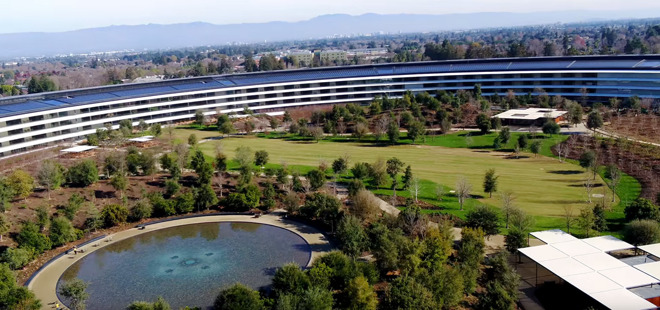
Jobs was closely involved with the conception of Apple Park, which opened in April 2017. His last-ever public appearance, in June 2011, was a presentation of the campus in front of the Cupertino city council, including its signature "spaceship" ring. His famous/infamous micromanagement —carried forward after his death in Oct. 2011 — was partly blamed for construction delays and cost overruns.
Cook's Twitter post includes a slow vertical pan up from the pond in the courtyard in the middle of the ring. The space is likely a familiar sight to many Apple workers, since crossing the courtyard is sometimes the fastest way to get from one section of the ring to another.
Apple has sometimes been criticized as clinging too closely to the memory of Jobs, or alternately becoming rudderless in his absence, struggling to create a product that can replicate the success of the iPhone or iPad. Much could depend on the company's ongoing AR headset and self-driving car projects —the former is expected to debut next year at the earliest though, and an "Apple Car" may not launch until 2023 or later.
Source: appleinsider









