 NEWS
NEWS
Apple's First MacBook Pro With Retina Display is Now 'Vintage'
 07/05/2018
 3129
3129
On June 11, 2012, at its annual Worldwide Developers Conference, Apple introduced its first MacBook Pro with a Retina display. Impressed by its thinness, the crowd at Moscone West erupted with a huge round of applause.
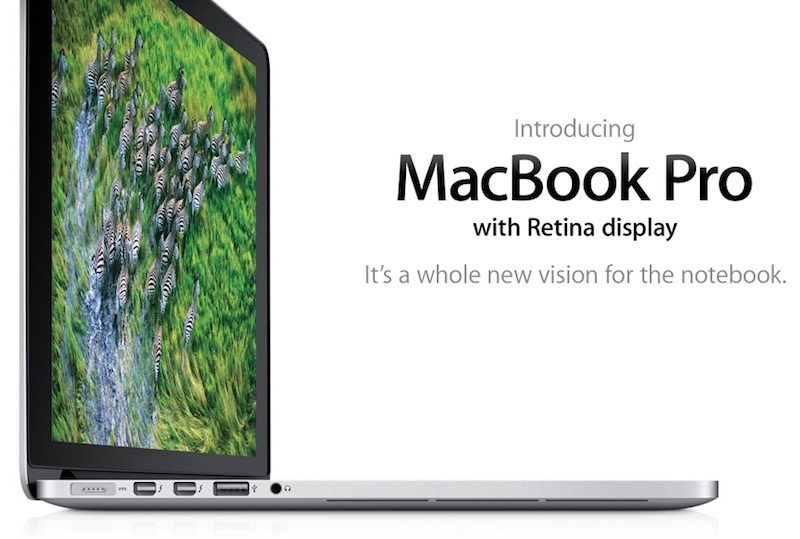
The notebook was also praised in many reviews, which awarded it top marks for its mix of functionality and portability. Marco Arment, a well-known developer, even called it "the best laptop ever made," with a "crowd-pleasing design."
"Introduced in 2012, less than a year after Steve Jobs died, I see it as the peak of Jobs' vision for the Mac," said Arment, in a blog post last year.
In addition to being the first MacBook Pro with a Retina display, the 2012 model had a much slimmer design compared to previous models, after Apple removed the built-in Ethernet port and optical disc drive for CDs/DVDs. The external design of the notebook remained largely unchanged through 2015.
Despite being thinner, the 2012 to 2015 era MacBook Pro had an array of connectivity options, including a pair of Thunderbolt and USB-A ports, an HDMI port, a SD card slot, and a MagSafe power adapter that breaks away safely if tugged.

By comparison, the 2016 and later MacBook Pro has two or four Thunderbolt 3 ports, depending on the model, that can deliver power, USB, DisplayPort, HDMI, and VGA over a single cable. Apple in turn removed dedicated USB-A and HDMI ports, an SD card reader, and MagSafe from the notebook.

While the latest MacBook Pro lineup hasn't led to any significant declines in Mac sales, which Apple reports on a quarterly basis, a subset of customers continue to favor the older models. In fact, Apple continues to sell one configuration of the 2015 MacBook Pro, priced from $1,999 in the United States.
For those clinging to a 2012 model, however, there's a bit of bad, but inevitable, news.
Just over six years after Apple released the Mid 2012 model 15-inch MacBook Pro with Retina display, which is more than a fair amount of time, Apple has officially classified it as "vintage" or "obsolete" depending on the region.
What this means is that at least five years have passed since the model was last manufactured, meaning that Apple and Apple Authorized Service Providers are no longer obligated to provide hardware service or replacement parts, except in the state of California and Turkey, where required by law.
Of course, if you own a 2012 MacBook Pro, there is nothing stopping you from following one of iFixit's many do-it-yourself repair guides.
Apple routinely updates its vintage and obsolete products list with additional devices as they age, so this was to be expected eventually, but it's still somewhat of a sad reminder that the first MacBook Pro with Retina display has nearly reached the end of its life. Anyone still using one is now on their own in terms of hardware.
Apple's support team should still be able to answer questions about macOS and be able to perform software troubleshooting if needed.
Apple's website does not list the Late 2012 model 13-inch MacBook Pro with Retina display, released in October 2012, as "vintage" yet. Only the 15-inch model, released in June 2012, carries this distinction.
Source: macrumors









