NEWS

iOS 12 will upgrade ARKit with ability for two iPhones to see same virtual object

06/04/2018

2251

iOS 12 will upgrade ARKit with ability for two iPhones to see same virtual object


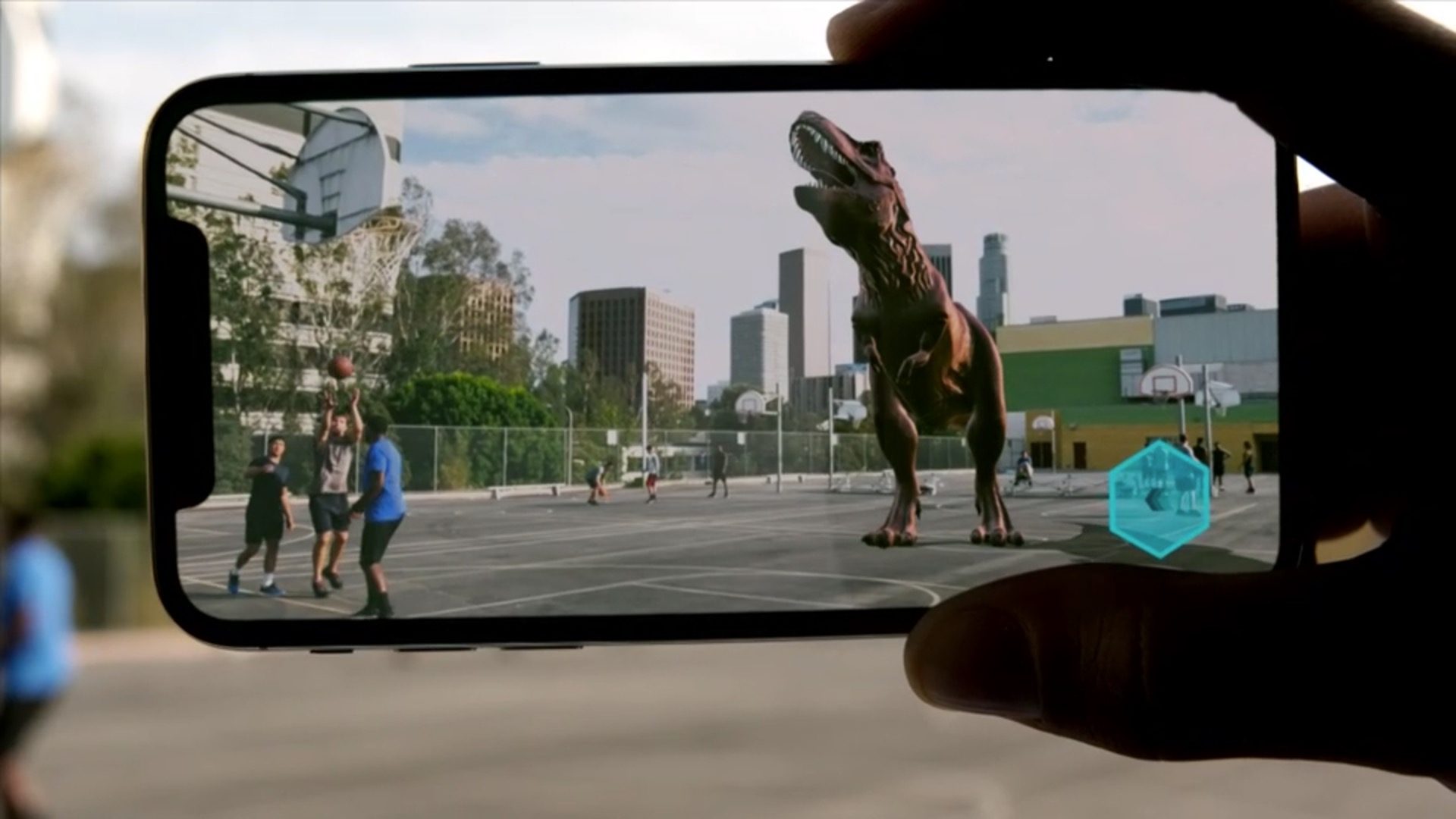
As we inch closer to Apple’s WWDC keynote, new details are starting to slip out about what the company plans to present. Reuters is reporting that Apple plans to upgrade ARKit, Apple’s augmented reality framework for iOS, with the ability for two users to see the same virtual object in space. The feature will reportedly be implemented in a way that considers data privacy for users as well.


Reuters says Apple is avoiding privacy concerns with uploading imagery to Apple’s servers by keeping the process local between iPhones:

"Apple next week will debut tools to let two iPhone users share augmented reality. The goal is for two users to see the same virtual object in the same space via their individual devices. The approach, which has not been previously reported, differs from Google’s, which requires scans of a player’s environment to be sent to, and stored in, the cloud."


The report also mentions Bloomberg’s earlier reporting that originated last November and says Apple plans to introduce AR-powered gaming between players, although it sounds like the technology described in today’s report will be used in the earlier report.


Source: 9to5mac


Windows
Mac OS
iOS
Linux
3uTools
Win 64-bit For this device
V9.0 2025-11-11
Download
Win 32-bit For this device
V9.0 2025-11-11
Download
3uTools
Intel Chip How to Identify Chip Type
V9.0 2025-12-02
Download
Apple Chip
V9.0 2025-12-02
Download
How to Identify Chip Type
1.  Click the Apple icon in the top-left corner of the screen and select About This Mac.
2.  Check the Processor or Chip field to determine if it is "Intel" or "Apple".
Please use the 3uTools PC client to install the iOS client:
1、 Install either the Windows or Mac version of 3uTools on your computer
2、 Open the PC client and connect your device to the computer via USB cable
3、 After the connection is successful, wait for the computer to automatically install the mobile app for the device, or locate “Install Mobile App” on the computer and manually click to install.
3uTools
deb file
V3.01 2025-11-20
Download
rpm file
V3.01 2025-11-20
Download
Windows
Windows
iOS
iOS
Android
Android
TV
TV
3uAirPlayer
Win 64-bit For this device
V6.0.2 2025-11-19
Download
Win 32-bit For this device
V6.0.2 2025-11-19
Download
iOS Device Mirroring (No App Required)
1、 Install 3uAirPlayer on the Windows PC
2、 Open Control Center and select Screen Mirroring
3、 From the list, choose your PC to start mirroring
4、 Or connect your iOS device to the PC via USB to begin mirroring
Scan to get "3uAirPlayer" App
3uAirPlayer TV V1.0.18
2025-11-28
TV System Requirements: Android 7.0 or later
Download the TV installation package, copy it to a USB drive, insert it into your TV or set-top box, then select the file from the home screen to install.