
NEWS

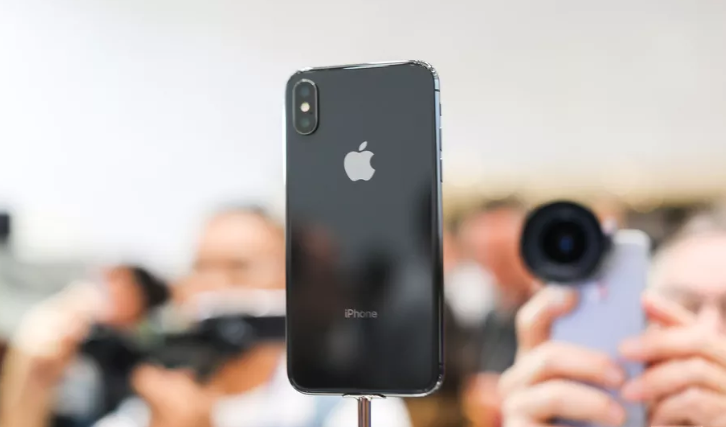
Rumors Hint Future iPhone X Could Have Three Cameras on the Back

06/04/2018

2407

Lots of random sources seem to think some upcoming iteration of the iPhone X will feature three rear-facing cameras, either this year or next. So here we are: I’m telling you about these rumors, although I’m not convinced this is going to happen.


The most recent report comes from The Korea Herald, which claims that both Samsung’s Galaxy S10 and a new iPhone X Plus will feature three camera lenses. It isn’t clear what the third sensor would do exactly for Apple. Huawei incorporated three cameras into its P20 Pro — a 40-megapixel main camera, a 20-megapixel monochrome camera, and an 8-megapixel telephoto camera. Most outlets seem to think Apple’s third lens would be used for an enhanced zoom.

Rumors Hint Future iPhone X Could Have Three Cameras on the Back


Earlier rumors came from the Taiwanese publication Economic Daily News which indicated a 2019 release date for the phone. All of rumors seem underdeveloped at the moment and of course, even if Apple is testing a three-camera setup, the team could always change its mind and stick with the dual cameras. Still, if Apple wants to make an obvious hardware change to its phone cameras, a third lens would be one way to do it.


Source: theverge

Windows
Mac OS
iOS
Linux
3uTools
Win 64-bit For this device
V9.01 2025-12-27
Download
Win 32-bit For this device
V9.01 2025-12-27
Download
3uTools
Intel Chip How to Identify Chip Type
V9.0 2025-12-02
Download
Apple Silicon
V9.0 2025-12-02
Download
How to Identify Chip Type
1.  Click the Apple icon in the top-left corner of the screen and select About This Mac.
2.  Check the Processor or Chip field to determine if it is "Intel" or "Apple".
Please use the 3uTools PC client to install the iOS client:
1、 Install either the Windows or Mac version of 3uTools on your computer
2、 Open the PC client and connect your device to the computer via USB cable
3、 After the connection is successful, wait for the computer to automatically install the mobile app for the device, or locate “Install Mobile App” on the computer and manually click to install.
3uTools
deb file
V3.01 2025-11-20
Download
rpm file
V3.01 2025-11-20
Download
Windows
Windows
iOS
iOS
Android
Android
TV
TV
3uAirPlayer
Win 64-bit For this device
V6.0.2 2025-11-19
Download
Win 32-bit For this device
V6.0.2 2025-11-19
Download
iOS Device Mirroring (No App Required)
1、 Install 3uAirPlayer on the Windows PC
2、 Open Control Center and select Screen Mirroring
3、 From the list, choose your PC to start mirroring
4、 Or connect your iOS device to the PC via USB to begin mirroring
Scan to get "3uAirPlayer" App
3uAirPlayer TV V1.0.18
2025-11-28
TV System Requirements: Android 7.0 or later
Download the TV installation package, copy it to a USB drive, insert it into your TV or set-top box, then select the file from the home screen to install.




