
NEWS

Tim Cook Commemorates 20 years of iMac

05/07/2018

2330

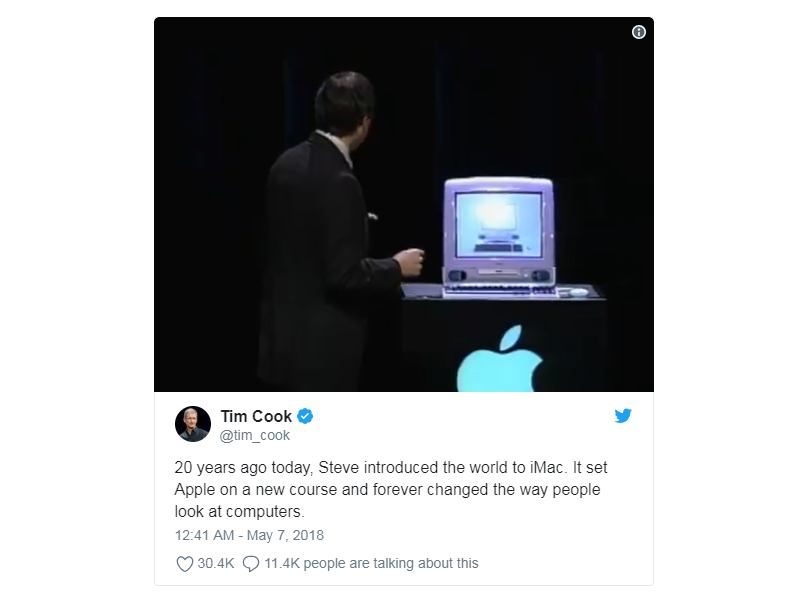
20 years ago today, Apple officially introduced the world to the iMac. It’s easy to look at the iMac today and take it for granted – but Steve Jobs’ introduction is one that’s worthy of rewatching two decades later. In honor of the anniversary, Tim Cook took to Twitter today to share a clip of that event…
Tim Cook Commemorates 20 years of iMac

In his tweet, Tim Cook celebrates Jobs’ introduction of the iMac 20 years ago today. Cook remarks that the iMac forever changed the way people looked at computers. The accompanying video clip shows Jobs unveiling the computer and touting its all-in-one design to an eager crowd at the Flint Center.


20 years ago today, Steve introduced the world to iMac. It set Apple on a new course and forever changed the way people look at computers.


Source: 9to5mac

Windows
Mac OS
iOS
Linux
3uTools
Win 64-bit For this device
V9.0 2025-11-11
Download
Win 32-bit For this device
V9.0 2025-11-11
Download
3uTools V3.18
2025-09-18
Please use the 3uTools PC client to install the iOS client:
1、 Install either the Windows or Mac version of 3uTools on your computer
2、 Open the PC client and connect your device to the computer via USB cable
3、 After the connection is successful, wait for the computer to automatically install the mobile app for the device, or locate “Install Mobile App” on the computer and manually click to install.
3uTools
deb file
V3.01 2025-11-20
Download
rpm file
V3.01 2025-11-20
Download
Windows
Windows
iOS
iOS
Android
Android
TV
TV
3uAirPlayer
Win 64-bit For this device
V6.0.2 2025-11-19
Download
Win 32-bit For this device
V6.0.2 2025-11-19
Download
iOS Device Mirroring (No App Required)
1、 Install 3uAirPlayer on the Windows PC
2、 Open Control Center and select Screen Mirroring
3、 From the list, choose your PC to start mirroring
4、 Or connect your iOS device to the PC via USB to begin mirroring
Scan to get "3uAirPlayer" App
3uAirPlayer TV V1.0.18
2025-11-28
TV System Requirements: Android 7.0 or later
Download the TV installation package, copy it to a USB drive, insert it into your TV or set-top box, then select the file from the home screen to install.




