 NEWS
NEWS
Apple Watch Series 3 with LTE to be Available in India
 04/25/2018
 2425
2425
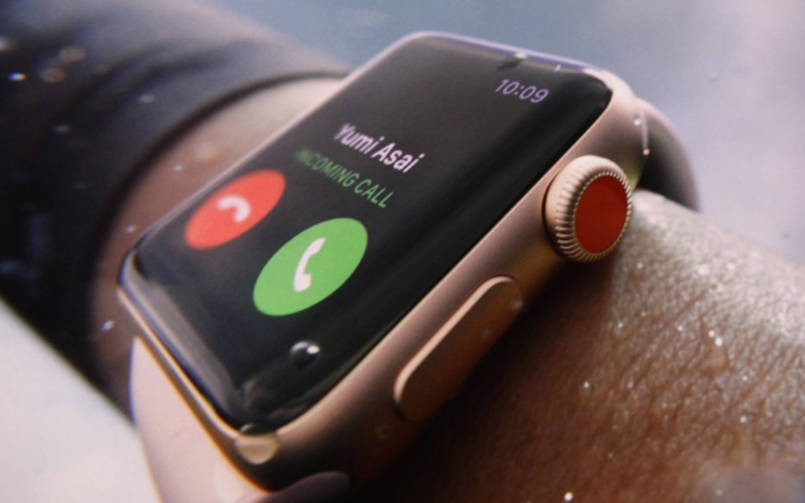
Apple Watch Series 3 with LTE support is finally available on Indian operators Reliance Jio and Airtel. The new smartwatch by Apple can operate as a standalone device. However, for that, it requires an e-SIM. Today, both Reliance Jio and Airtel have announced the availability of the Watch Series 3 Cellular on their networks.
Reliance Jio and Airtel will provide the Watch 3 Series with built-in cellular network connectivity. With the availability, Jio also announced its JioEverywhereConnect service that allows you to use the same Jio number on both your iPhone and the Apple Watch. With built-in connectivity, you no longer need to carry your iPhone to keep data synced with the smartwatch, make calls, or use apps.
The JioEverywhereConnect service will be available at no extra cost to iPhone users. Additionally, Jio is promising priority first day delivery on pre-order. Interested customers can head to www.jio.com, and pre-order the smartwatch starting May 4. The Apple Watch Series 3 Cellular will also be available on Reliance Digital and Jio Stores starting May 11.
Those who pre-book via Jio’s website will be eligible for priority home delivery, where the watch and the Jio service (including Mobile Number Portability) will be home delivered. The benefit of using the same number on the smartwatch and the iPhone will be available for both prepaid and postpaid customers of Reliance Jio.
Coming to Airtel, the Apple Watch Series 3 Cellular will be available on Airtel Online Store starting May 11. The pre-registration for the smartwatch will go live on May 4. Airtel is also offering a special introductory cellular trial. To activate cellular service with Apple Watch Series 3 (GPS + Cellular), you will have to first update iPhone to iOS 11.3 and watchOS 4.3, then tap Settings on iPhone -> General-> About, and follow the prompt to update to the latest carrier settings. It is compatible with iPhone 6S or newer.
As for the Apple Watch Series 3 Cellular, the latest iteration of Apple‘s smartwatch comes with water resistance up to 50 meters and a barometric altimeter that measures relative elevation. It is available in two models – GPS and GPS+Cellular. It is powered by a new dual-core processor and wireless chip. Besides cellular connectivity. Apple Watch 3 also lets you stream music directly through the watch. To be precise, users can stream about 40 million songs on the watch. Besides, the Apple Watch 3 will maintain 18-hour battery life.
Source: BGR











