 NEWS
NEWS
Apple Investigating Claim that AirPods Started Smoking & Burst Open
 02/09/2018
 2647
2647
A Florida man claims that one of his AirPods started smoking while he was listening to music. As reported by WFLA, Tampa resident Jason Colon was working out at his local gym when he noticed his right AirPod “billowing” smoke…
Colon says that once he realized the smoke emerging from his AirPod, he quickly took them out and sat them on the gym machine and went to seek help. When he returned, the right AirPod had burst open and showed “flame damage.”
“It was already like this. It was already popped. I didn’t see it happen, but I mean, it was already fried! You can see flame damage,” Colon said.
Colon remarked that he’s glad he removed the AirPods when he sensed the smoking – otherwise it could have been in his ear and suffered damage.
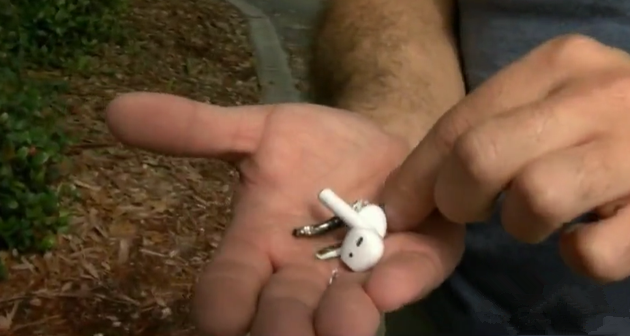
“I don’t know what would’ve happened to my ear,” Colon said. “But I’m sure since it hangs down, my ear lobe could’ve been burnt.”
It’s unclear exactly what happened here, though Colon attributes it to the battery bursting. WLFA says it reached out to Apple about the incident, which said it is investigating and will be in contact with Colon to obtain more information:
He isn’t exactly sure what happened to the right AirPod, but he’s definitely sure others should be warned. “Just because it happens to me doesn’t mean it won’t happen again,” he said.
An Apple spokeswoman tells 8 On Your Side the company is investigating and will reach out to Colon.
This certainly isn’t the first time an Apple product has made headlines for these types of issues. More often than not, they’re not widespread and usually attributable to prior damage. If Apple comments on what happened here, we’ll be sure to update and let you know.
Source: 9to5mac









