 NEWS
NEWS
This Could be Why Some Apple iPhone Batteries Are Exploding
 01/15/2018
 2944
2944
Last week, we told you about two different cases where Apple iPhone batteries exploded and caught on fire at Apple Stores in Zurich, Switzerland and Valencia, Spain. While Apple has not commented on the incidents, no one was hospitalized as a result of the explosions, which created flames and heavy smoke inside both locations. The first thought that comes to mind is that there is an issue with the batteries, which was the explanation for the explosions that forced Samsung to recall the Galaxy Note 7 in 2016.
But one of our loyal readers by the name of Andrew Phan happens to be a DIY enthusiast and in the process of changing four iPhone 6 batteries, nearly had one explode while working on it himself. Before we continue, it is important to understand that Mr. Phan is not associated with Apple, does not work for an authorized repair center, and has just decided to pass along his observations based on his personal experience.
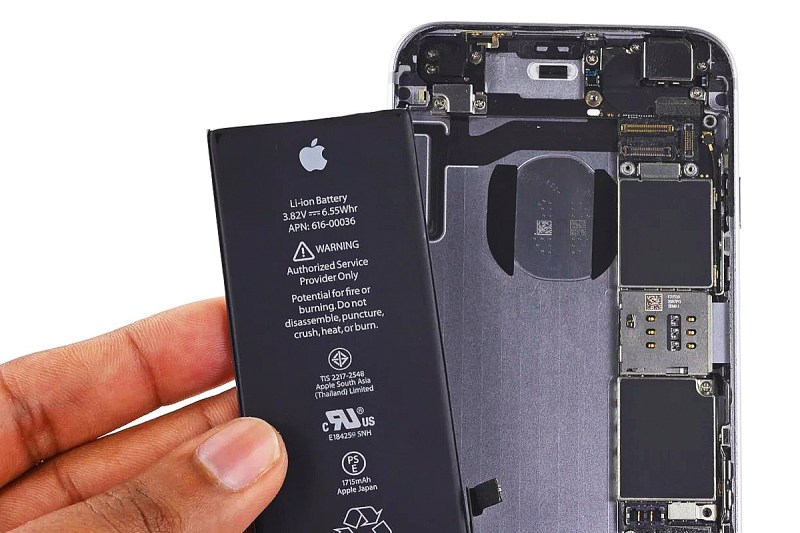
Now as many of you know, Apple Stores are changing iPhone batteries at a very brisk pace; while we don't have any numbers from Cupertino yet, we'd have to imagine that batteries are being replaced at a record setting pace at the company's retail locations. This has come about because Apple fessed up to throttling the CPU on certain iPhone models (iPhone 6 and later) with batteries that have lost some of their power. The concern is that certain complex tasks could tax these older cells so much, that the device could shut down. After disseminating a mea culpa, Apple took $50 off the price of a battery replacement, which now costs $29 for the remainder of the year.
According to Mr. Phan, the batteries are held in place by an adhesive strip. While trying to remove this sticky tape from one of the iPhone units he was working on, it ripped leaving the bottom part of the strip under the battery. As he worked to remove the battery from the adhesive underneath, it bent, creating a short circuit. Sparks and smoke came from the cell. Phan quickly removed the battery from the phone and doused it in water before it could explode.
Since Apple has yet to explain the fires that took place in the two Apple Stores, this is the closest thing to a reasonable explanation that we have. If this is the reason (Mr. Phan says that he is 99.99% sure that he is right), perhaps a little more caution on the part of the Genius Bar employees in the back of the stores could prevent any more iPhone handsets from exploding.
Source: phonearena









