
NEWS

Apple Watch Celebrates the New Year With Fireworks on the Clock Face

01/02/2018

2300

As the hours rolls around in each timezone, Apple Watch owners are discovering a new easter egg to celebrate the New Year on their wrists. When the clock strikes twelve, the Apple Watch watch face lights up with animated fireworks.


Apple Watch does a similar thing for the user’s birthday, overlaying balloons on the watch face when the calendar matches the user’s birthdate.


Both the birthday and New Year celebrations have been quietly introduced with watchOS 4, so this is the first opportunity for Apple Watch owners to see the newly-added New Years animation.
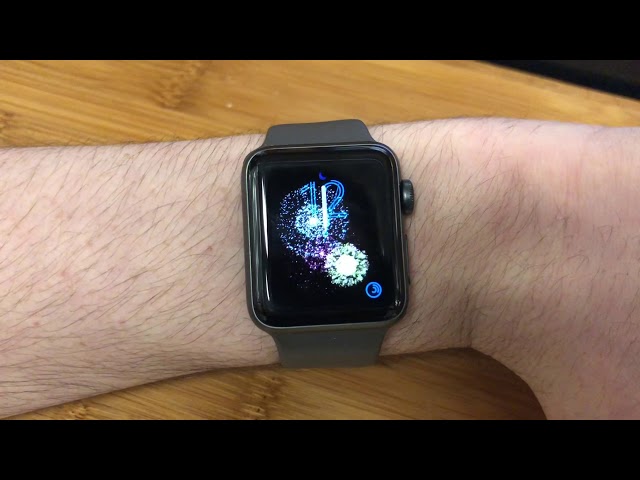

Apple Watch Celebrates the New Year With Fireworks on the Clock Face


Just wait until the clock strikes 00:00 tonight and look at your watch to see the fireworks on your watch face; the animation will play over the top of any face when you raise your wrist.


To watch the fireworks play again, tap the Happy New Year notification in the Notification Center.


Happy New Year everyone!


Source: 9to5mac

Windows
Mac OS
iOS
Linux
3uTools
Win 64-bit For this device
V9.0 2025-11-11
Download
Win 32-bit For this device
V9.0 2025-11-11
Download
3uTools
Intel Chip How to Identify Chip Type
V9.0 2025-12-02
Download
Apple Chip
V9.0 2025-12-02
Download
How to Identify Chip Type
1.  Click the Apple icon in the top-left corner of the screen and select About This Mac.
2.  Check the Processor or Chip field to determine if it is "Intel" or "Apple".
Please use the 3uTools PC client to install the iOS client:
1、 Install either the Windows or Mac version of 3uTools on your computer
2、 Open the PC client and connect your device to the computer via USB cable
3、 After the connection is successful, wait for the computer to automatically install the mobile app for the device, or locate “Install Mobile App” on the computer and manually click to install.
3uTools
deb file
V3.01 2025-11-20
Download
rpm file
V3.01 2025-11-20
Download
Windows
Windows
iOS
iOS
Android
Android
TV
TV
3uAirPlayer
Win 64-bit For this device
V6.0.2 2025-11-19
Download
Win 32-bit For this device
V6.0.2 2025-11-19
Download
iOS Device Mirroring (No App Required)
1、 Install 3uAirPlayer on the Windows PC
2、 Open Control Center and select Screen Mirroring
3、 From the list, choose your PC to start mirroring
4、 Or connect your iOS device to the PC via USB to begin mirroring
Scan to get "3uAirPlayer" App
3uAirPlayer TV V1.0.18
2025-11-28
TV System Requirements: Android 7.0 or later
Download the TV installation package, copy it to a USB drive, insert it into your TV or set-top box, then select the file from the home screen to install.





