 NEWS
NEWS
iMac Pro Will Be Available at Apple Stores by Mid Next Week
 12/15/2017
 2463
2463
Apple today made the iMac Pro available to order from its online store, with 8-core and 10-core models shipping in late December, but customers looking to see or purchase one at an Apple Store will have to wait a little bit longer. 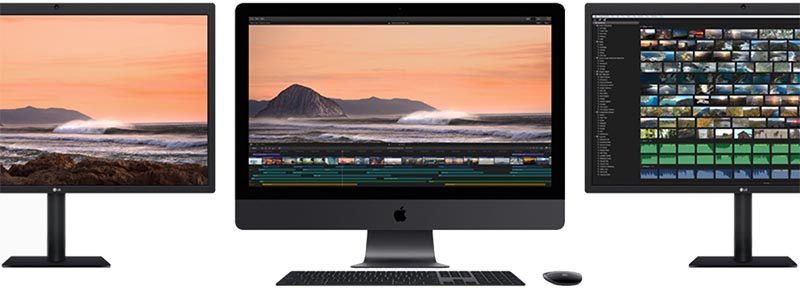
MacRumors has learned from a reliable source that Apple will begin selling select iMac Pro configurations at its retail stores by mid next week.
We don't know if all of Apple's retail stores around the world will have in-store stock by mid next week, but it's safe to assume that many locations will have the iMac Pro both on display and available to purchase in limited quantities. We can't confirm when authorized resellers like Best Buy will have iMac Pro availability in stores.
Update: Apple confirmed the iMac Pro will be available at Apple Stores by mid next week at a private media briefing on Wednesday, according to iMore's Rene Ritchie, backing up the information provided to MacRumors.
iMac Pro is an expensive workstation aimed at professional users with demanding workflows, and it is also highly customizable, so many customers may prefer to order from Apple's online store, where exact tech specs, accessories, and software add-ons like Final Cut Pro X can be selected as desired.
iMac Pro starts at $4,999 for a base 8-core model in the United States, with 10-core models available from $5,799. 14-core and 18-core models start at $6,599 and $7,399, but they aren't estimated to ship for 6-8 weeks.
Every configuration has optional upgrades available for storage, memory, and graphics, with prices topping out at $13,199 for a maxed-out, high-end model with an 18-core Intel Xeon processor, 4TB of SSD storage, 128GB of ECC RAM, and AMD Radeon Pro Vega 64 graphics with 16GB of HBM2 memory.
First impressions of the iMac Pro have generally been very positive. YouTube reviewer Marques Brownlee, for example, said the iMac Pro is very fast and even fairly priced, although he said its lack of upgradeability is a weakness.
Fortunately, for customers who want upgradeability, Apple today confirmed that it continues to work on a modular Mac Pro that will be released alongside new Apple-branded external displays. Apple hasn't provided a release date for any of those products, beyond noting that they won't be available in 2017.
In the meantime, at least the iMac Pro's RAM will be upgradable by Apple and Apple Authorized Service Providers. Still, we recommend future-proofing your iMac Pro by choosing tech specs that will meet your needs over the long term.
Source: macrumors









