 NEWS
NEWS
Apple CEO Tim Cook Says Social Media is Being Used to Manipulate and Divide Us
 11/03/2017
 3522
3522
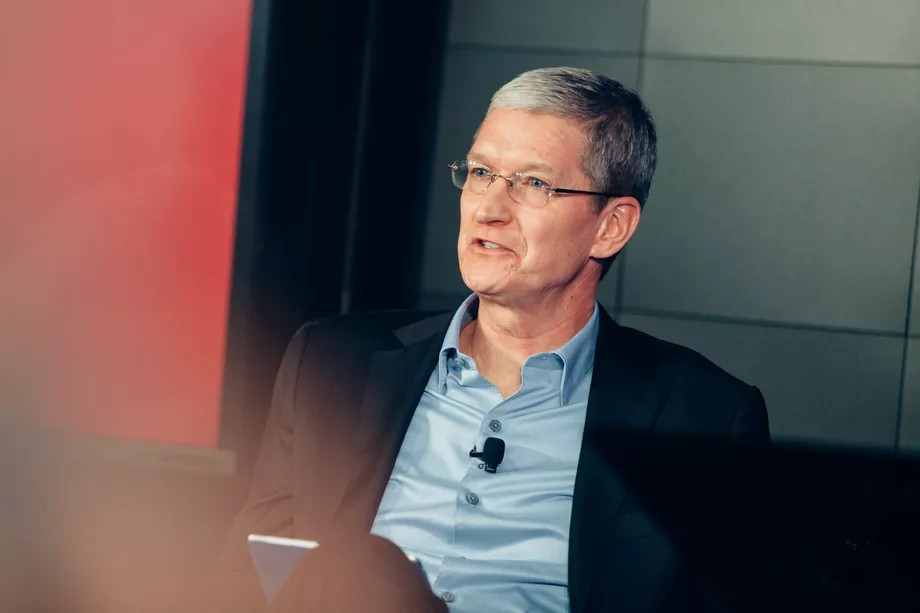
Apple CEO Tim Cook doesn’t have a high opinion of platform-owning social media and advertising companies, most of which are now embroiled in an ongoing controversy about Russian interference in the 2016 US election. Cook, in an interview with Lester Holt on NBC Nightly News this evening, said the big issue isn’t the advertisements targeting groups and individuals, but the overall nature of social media as a tool for misinformation and manipulation.
“I don’t believe the big issue are ads from foreign governments. I believe that’s like .1 percent of the issue,” Cook says. “The bigger issue is that some of these tools are used to divide people, to manipulate people, to get fake news to people in broad numbers so as to influence their thinking. This to me is the No. 1 through 10 issue.”
WATCH: Apple CEO Tim Cook goes one-on-one with @LesterHoltNBC. https://t.co/T30BsPJYjr https://t.co/zrkTVMA7dM
— NBC Nightly News (@NBCNightlyNews) November 1, 2017
Following a second day of Capitol Hill testimony from members of Google, Facebook, and Twitter, Congress has taken an increasingly aggressive and adversarial stance on Silicon Valley’s ability to reign in the abuse of its products and keep them free of bad actors and foreign governments. In the past couple of months, it’s been revealed that Russia-linked advertising was prevalent in Google search and YouTube ads, as well on both Facebook and Twitter’s ad platforms. And in the past week, following the disclosure of new reports from all three tech companies, we know these ads reached many more users than previously thought, in some cases having more than 10 times the initial reported impact.
Cook addressed the congressional hearings, saying that the social media companies have “learned along the way a lot,” and that “we'll probably learn more in those hearings as to the particulars.” He went on to say that just as all New York companies aren’t all the same — and all media companies aren’t the same — well, all technology companies aren’t the same, either. They have different values, different principles, different business models.”
Those business models include compiling volumes of user data, something that Cook reasserted isn’t something that Apple is interested in. “We take a very pro-privacy view,” Cook says. “Apple doesn’t know what the content of your messages are. We encrypt FaceTime end to end. We don’t know what you’re saying.” Holt brought up that the company’s upcoming iPhone X raises privacy concerns with its FaceID system. Cook explained that the facial recognition data is stored on the phone and encrypted, and that “Apple doesn’t have that: your device has that.”
Soure: the verge










