 NEWS
NEWS
New Level: iPhone 7 Plus Camera Review
 11/08/2016
 4590
4590
Judging by design, screen size and resolution, the new iPhone 7 Plus is nothing new. While its major specs are nearly identical to the iPhone 6s Plus, it's in the camera department where a lot of innovation has happened. Next to the standard 28mm equivalent lens there is a second 56mm module to enable optical zooming. Combined with digital zoom, you can drag the zoom slider in the camera app up to a 10x magnification.
At F1.8 the six-element lens in the wide-angle camera comes with a faster aperture than the 6s Plus and optical image stabilization is on board as well. The 56mm 'tele'-lens has to make do without stabilization though, and uses a slower F2.8 aperture. A bokeh-simulation mode, similar to what we've seen on the HTC One M8 and Huawei P9 before is also made possible by the dual-camera setup. Other new camera features include a quad-LED true-tone flash and flicker-sensor. With iOS 10 and certain third-party camera apps the new iPhone can now finally save Raw files as well.
As you can see, there are a lot of new camera features to explore on the new iPhone 7 Plus and we have done exactly that. Read our full review to see how we got on.
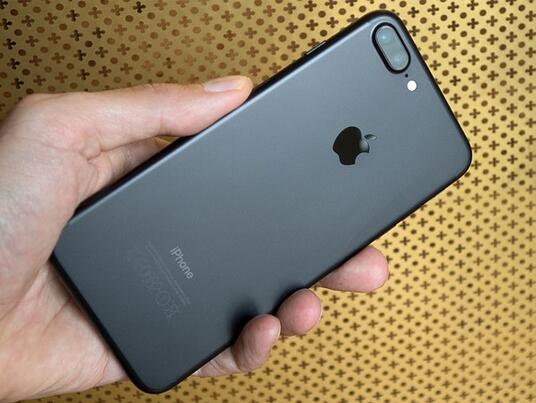
Key Photographic / Video Specifications
* Dual 12MP sensors
* 28/56 mm equivalent focal length
* F1.8/2.8 aperture
* On-sensor phase detection
* Quad-LED flash
* DNG Raw capture and manual control with 3rd party apps
* 4K video at 30 fps
* 720p/240 and 1080p/120fps slow-motion video
* 7MP front camera with F2.2 aperture and 32mm equivalent focal length
Other Specifications
* 5.5-inch 1080p IPS screen with taptic feedback
* Apple A10 Fusion chipset
* 3GB RAM
* 32/128/256GB storage
* 2,900mAh battery
* Fingerprint reader
* Stereo speakers
Source:DPREVIEW











