NEWS

The Apple Watch Gets A Video-chat Camera Watchband

11/03/2016

4742

The Apple Watch Gets A Video-chat Camera Watchband


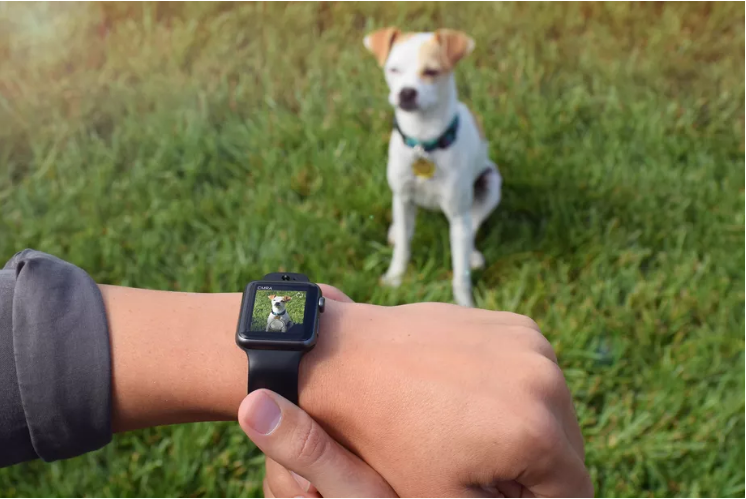
The Apple Watch does a lot of things, but it didn't have a camera. Now it does, thanks to a new band. Are you ready to start taking wrist-snaps?


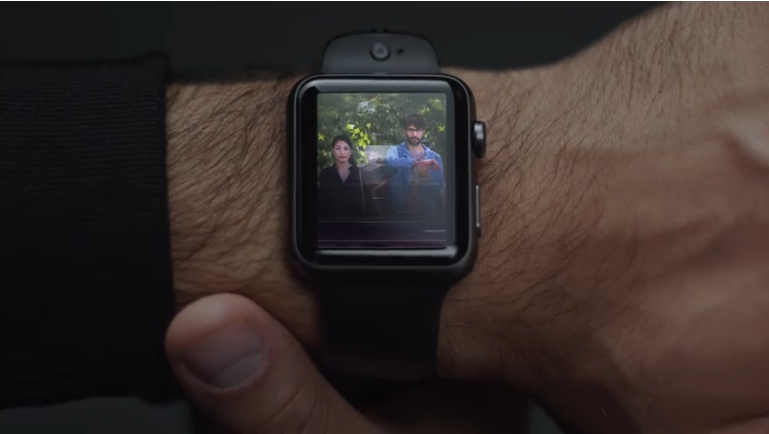
Glide, makers of a video chat app for iPhone, just launched CMRA, a new Apple Watch band that has dual cameras built in. Much like Samsung's long-departed Gear watches with cameras onboard, the CMRA will let you take photos and even videos on the fly. The band has an 8MP outer camera and a 2MP selfie cam, along with 8GB of in-band storage for photos and video clips.

The Apple Watch Gets A Video-chat Camera Watchband


The band also has its own shutter button for photos.


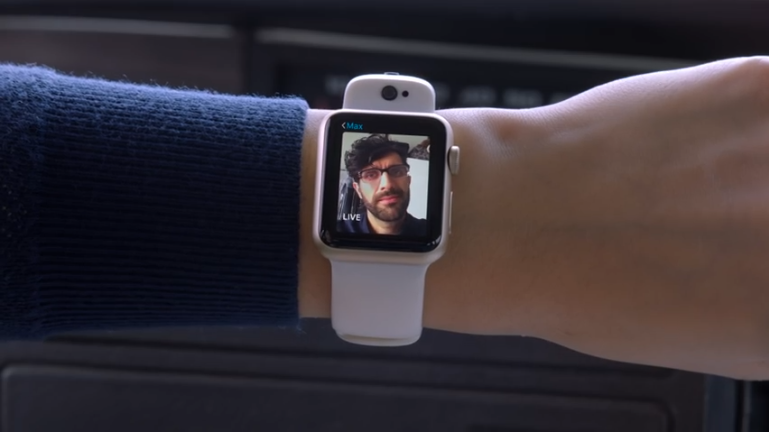
CMRA promises real-time video chat via the Apple Watch Glide app, plus instant on-watch sharing of photos and videos to Twitter, Facebook, Facebook Live and YouTube. The band syncs content to the iPhone when the Apple Watch is paired.

The Apple Watch Gets A Video-chat Camera Watchband


The CMRA band comes in four colors, and has a rubberized design that looks like a thicker version of Apple's elastomer sport band. It doesn't ship until spring 2017, but the early-order price is $149 instead of $249 later on. The band also comes with a charging dock but you'll need to supply your own Apple Watch charge cable.


Source: CNET


Windows
Mac OS
iOS
Linux
3uTools
Win 64-bit For this device
V9.0 2025-11-11
Download
Win 32-bit For this device
V9.0 2025-11-11
Download
3uTools
Intel Chip How to Identify Chip Type
V9.0 2025-12-02
Download
Apple Chip
V9.0 2025-12-02
Download
How to Identify Chip Type
1.  Click the Apple icon in the top-left corner of the screen and select About This Mac.
2.  Check the Processor or Chip field to determine if it is "Intel" or "Apple".
Please use the 3uTools PC client to install the iOS client:
1、 Install either the Windows or Mac version of 3uTools on your computer
2、 Open the PC client and connect your device to the computer via USB cable
3、 After the connection is successful, wait for the computer to automatically install the mobile app for the device, or locate “Install Mobile App” on the computer and manually click to install.
3uTools
deb file
V3.01 2025-11-20
Download
rpm file
V3.01 2025-11-20
Download
Windows
Windows
iOS
iOS
Android
Android
TV
TV
3uAirPlayer
Win 64-bit For this device
V6.0.2 2025-11-19
Download
Win 32-bit For this device
V6.0.2 2025-11-19
Download
iOS Device Mirroring (No App Required)
1、 Install 3uAirPlayer on the Windows PC
2、 Open Control Center and select Screen Mirroring
3、 From the list, choose your PC to start mirroring
4、 Or connect your iOS device to the PC via USB to begin mirroring
Scan to get "3uAirPlayer" App
3uAirPlayer TV V1.0.18
2025-11-28
TV System Requirements: Android 7.0 or later
Download the TV installation package, copy it to a USB drive, insert it into your TV or set-top box, then select the file from the home screen to install.